Choose assumptions before checking
Start by identifying the actual import workflow your administrator will use. A CSV that looks consistent can still be mapped incorrectly at upload time. The tool offers a named Cloud external-system profile and a structural profile for other workflows. Selecting a profile is not evidence that your destination supports it.
Check the chosen identifier field and record-order setting. Review the editable issue-type level map against your project, especially if your organisation uses translated or custom types. The map is an inspection aid rather than a downloaded project configuration. Keep unknown types visible for review instead of assuming their place in the hierarchy.
Investigate references before rearranging rows
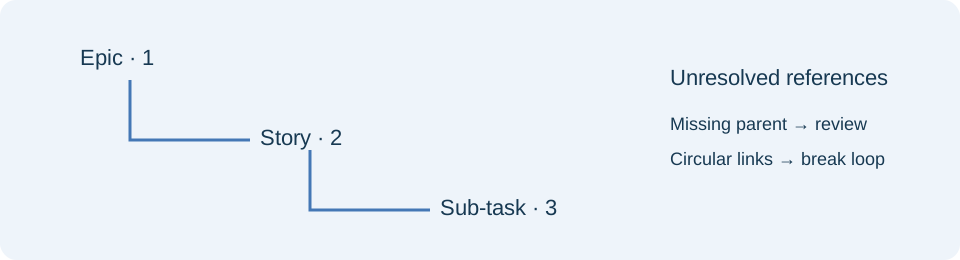
Resolve duplicate and invalid identifiers first. An ambiguous identifier can make several parent relationships uncertain at once. For a missing reference, inspect both the child row and the source of the parent identifier. Do not invent a parent simply to remove an error.
If a parent is intentionally outside the file, declare its reference and confirm it in the destination yourself. A declaration changes the finding from missing to unverified; it does not establish that the parent exists or that you can access it. Check cross-project relationships with your administrator.
Break circular relationships before reviewing order. A two-issue loop has no valid first parent, and moving rows cannot fix it. Once references are unambiguous and acyclic, inspect any ordering findings using the original CSV record numbers. Keep a copy of the original spreadsheet while making corrections.
Use the preview as a review aid
Expand branches to inspect the parent path and collapse them to focus on neighbouring groups. Unresolved and circular components appear separately. Long hierarchies are capped in the visible preview to keep the browser responsive; download the hierarchy report to examine every record.
Share the findings report through your normal review process. It contains issue identifiers and may contain sensitive project information. Both downloads are diagnostic files, with spreadsheet formulas escaped, rather than repaired import files. After editing the original CSV, run the check again with the same assumptions.
Before applying the import, confirm the destination mapping and run any checks your administrator requires. After import, inspect representative branches in Jira itself. Offline graph checks cannot verify account permissions, workflow transitions, user identities or project-specific fields.
References
Use the linked specifications and product documentation to check behavior in your own environment.
Continue troubleshooting
- How to Check ShipStation Product CSV Updates Before Import
- How to Fix GA4 Cost Data CSV Import and UTM Matching Errors
- How to Fix Google Workspace Bulk User CSV Upload Errors
- How to Avoid Accidental Grade Overwrites in Moodle Gradebook CSV Imports
- How to Merge Recurring Microsoft Teams Attendance Reports
- How to Fix Azure DevOps Test Case CSV and Test Step Import Errors
- How to Check and Combine Windows Autopilot CSV Exports
- How to Preview Cloudflare Pages Header Rules Before Deployment
- How to Review Pinterest Bulk Pin Boards and Publishing Schedules
- How to Understand eBay Bulk Upload Results and Retry Failed Records
- How to Fix Google My Maps CSV Import and Coordinate Errors
- How to Fix Microsoft Teams Shifts Excel Import Errors
- How to Fix Webflow CMS CSV Import Reference and Slug Errors
- How to Fix Canva Bulk Create CSV and Spreadsheet Errors
- How to Clean and Split Email CSV for Klaviyo and Mailchimp
- How to Format and Map a Google Contacts CSV Import
- How to Fix Cloudflare Bulk Redirect CSV Errors
- How to Check a Google Business Profile Bulk Update CSV
- How to Fix Google Ads Editor CSV Import Errors
- How to Explain a Stripe Payout That Does Not Match the Bank
- How to Fix a QuickBooks Bank CSV Import
- How to Fix CSV Encoding, Columns and Leading Zeros in Excel
- How to extract Word tables to Excel
- How to convert Excel formula commas and semicolons
Related tools
Frequently asked questions
Does moving a child row fix a cycle?
No. Change the parent relationship that creates the loop, then check the graph again before addressing row order.
Why are duplicate IDs excluded from confident links?
A parent reference with multiple matching rows has no unique target. Correct the identifiers before relying on the preview.
Can I trust a declared external parent?
The declaration is your review assumption. Confirm the parent exists and is usable in the destination Jira project.