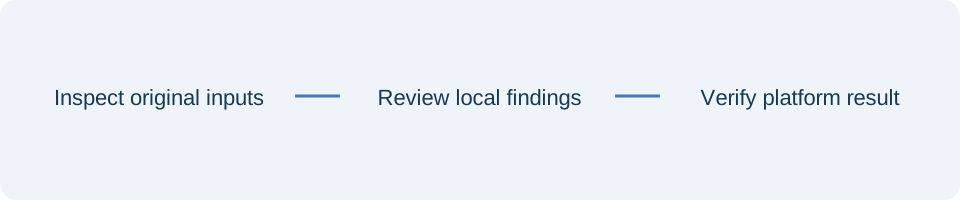
Choose representative URLs
Choose a small set of URLs that exercise the actual rule boundaries: a page, an asset, a nested route and any host-specific pattern. Keep a record of the response source for each. A path that looks like a static file may still be handled by application code, so confirm the routing configuration with the owner of that deployment.
Read every matching declaration
Review the declaration lines together rather than treating the preview as an explanation of browser behaviour. A repeated header can have a different meaning from a simple replacement. Review removals alongside additions, and confirm that a combined value makes sense for the particular header. Syntax checks cannot decide whether a security policy is appropriate for your application.
Keep the original file and make narrow corrections in a working copy. For a host placeholder, test both a matching host and a non-matching host. For a path wildcard, include a boundary case that should not receive the declaration. This turns the preview into a repeatable review rather than a single reassuring example.
Inspect the deployed response
Use the findings report to explain the proposed correction in code review. Deploy through your normal process, then inspect the actual response for each representative URL. Account for routing, caching and application-generated headers. If the result differs from the preview, start with the response source and deployed build output. The tool neither fetches the URL nor certifies policy enforcement.
References
Use the linked specifications and product documentation to check behavior in your own environment.
Continue troubleshooting
- How to Fix GA4 Cost Data CSV Import and UTM Matching Errors
- How to Fix Google Workspace Bulk User CSV Upload Errors
- How to Avoid Accidental Grade Overwrites in Moodle Gradebook CSV Imports
- How to Merge Recurring Microsoft Teams Attendance Reports
- How to Fix Azure DevOps Test Case CSV and Test Step Import Errors
- How to Check and Combine Windows Autopilot CSV Exports
- How to Review Pinterest Bulk Pin Boards and Publishing Schedules
- How to Check Jira CSV Parent References and Hierarchy
- How to Check ShipStation Product CSV Updates Before Import
- How to Understand eBay Bulk Upload Results and Retry Failed Records
- How to Fix Google My Maps CSV Import and Coordinate Errors
- How to Fix Microsoft Teams Shifts Excel Import Errors
- How to Fix Webflow CMS CSV Import Reference and Slug Errors
- How to Fix Canva Bulk Create CSV and Spreadsheet Errors
- How to Clean and Split Email CSV for Klaviyo and Mailchimp
- How to Format and Map a Google Contacts CSV Import
- How to Fix Cloudflare Bulk Redirect CSV Errors
- How to Check a Google Business Profile Bulk Update CSV
- How to Fix Google Ads Editor CSV Import Errors
- How to Explain a Stripe Payout That Does Not Match the Bank
- How to Fix a QuickBooks Bank CSV Import
- How to Fix CSV Encoding, Columns and Leading Zeros in Excel
- How to extract Word tables to Excel
- How to convert Excel formula commas and semicolons
Related tools
Frequently asked questions
Does the preview request my URL?
No. It matches URL text against the supplied file entirely locally.
Can this certify a security policy?
No. Configuration syntax and URL matching do not establish browser policy enforcement.
Should I test more than one URL?
Yes. Use representative paths and hosts that exercise both matching and non-matching cases.