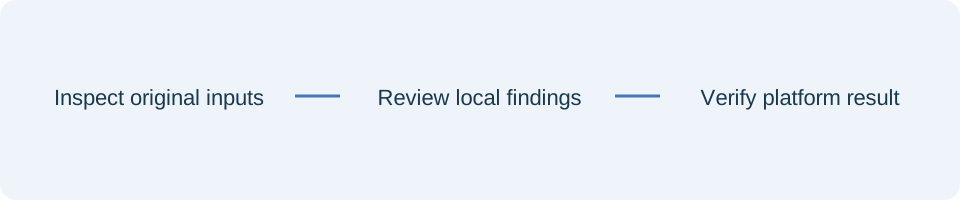
Prepare a destination snapshot
Make a plain-text list of the board and section paths your campaign intends to use. Include the full path for each section you want recognised. Keep the list current and check its spelling before comparing it with a publishing file. An unknown-destination warning may reflect a typo, an intentional new destination or an incomplete snapshot. The tool cannot choose between them.
Inspect reuse and timing together
Repeated media can be intentional across different destinations, but an accidental duplicate deserves review. Compare the titles, links and destinations alongside each reuse finding. Review schedule entries in the displayed input order and use the downloadable report when coordinating a larger campaign. Keep uncertainty about date-only entries visible rather than inventing an exact publishing time.
Spelling suggestions are prompts for review, not corrections. Inspect the intended destination in your account before changing the source CSV. A small naming change can be operationally significant even when the media and copy are correct. Preserve your original file and recheck the working copy after each deliberate correction.
Review the actual media separately
Use your approved workflow to confirm the intended public asset. URL-text checks cannot establish accessibility, quality, ownership or distribution eligibility. Keep the source CSV separate from diagnostic reports, and review the current platform template before publishing. The checker does not create content or repair upload files automatically. After upload, inspect the real account result rather than treating a clear offline check as evidence of publication.
References
Use the linked specifications and product documentation to check behavior in your own environment.
Continue troubleshooting
- How to Fix GA4 Cost Data CSV Import and UTM Matching Errors
- How to Fix Google Workspace Bulk User CSV Upload Errors
- How to Avoid Accidental Grade Overwrites in Moodle Gradebook CSV Imports
- How to Merge Recurring Microsoft Teams Attendance Reports
- How to Fix Azure DevOps Test Case CSV and Test Step Import Errors
- How to Check and Combine Windows Autopilot CSV Exports
- How to Preview Cloudflare Pages Header Rules Before Deployment
- How to Check Jira CSV Parent References and Hierarchy
- How to Check ShipStation Product CSV Updates Before Import
- How to Understand eBay Bulk Upload Results and Retry Failed Records
- How to Fix Google My Maps CSV Import and Coordinate Errors
- How to Fix Microsoft Teams Shifts Excel Import Errors
- How to Fix Webflow CMS CSV Import Reference and Slug Errors
- How to Fix Canva Bulk Create CSV and Spreadsheet Errors
- How to Clean and Split Email CSV for Klaviyo and Mailchimp
- How to Format and Map a Google Contacts CSV Import
- How to Fix Cloudflare Bulk Redirect CSV Errors
- How to Check a Google Business Profile Bulk Update CSV
- How to Fix Google Ads Editor CSV Import Errors
- How to Explain a Stripe Payout That Does Not Match the Bank
- How to Fix a QuickBooks Bank CSV Import
- How to Fix CSV Encoding, Columns and Leading Zeros in Excel
- How to extract Word tables to Excel
- How to convert Excel formula commas and semicolons
Related tools
Frequently asked questions
Does the checker publish content?
No. It reads local inputs and produces diagnostic reports without account actions.
Are suggested board names applied automatically?
No. Suggestions remain visible for your review and do not rewrite the input.
Can it verify media accessibility?
No. It inspects URL text without fetching the media.