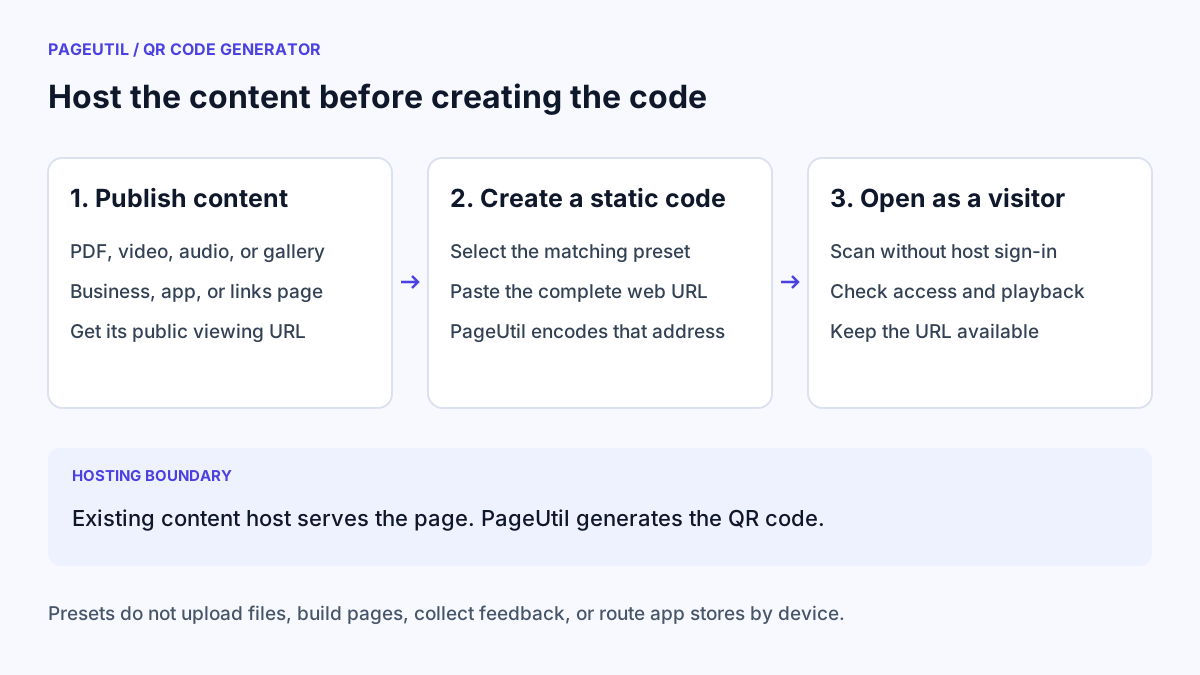
Get a public destination first
Publish the document, media, or page using a host you control or an existing content service. Copy the public viewing URL, not a local file path, editing link, temporary upload link, or a link that only works in your signed-in browser.
Open the destination in a private browser window or on a device that is not signed into the hosting account. Check that a visitor can see the intended content. If access is intentionally restricted, tell readers what sign-in they will need; the QR code does not bypass permissions.
Choose the preset that describes the destination
Under “1. Choose your content”, select the matching preset and paste the complete http:// or https:// address. The field label changes to describe the URL you need. The preset encodes the address directly; it does not inspect the file type or create a different kind of hosted service.
URL / Link works for any supported public web address. Use the named presets to make the purpose clear while entering the details.
| Preset | Supply this existing destination | What the preset does not create |
|---|---|---|
| A public PDF or document viewer link | A file upload or document host | |
| Video or YouTube | A video, playlist, or channel URL | A video upload or player page |
| MP3 / Audio | A public audio or podcast URL | Audio hosting or a media player |
| Image Gallery | A public gallery or album URL | A gallery from uploaded images |
| Business Page or Landing Page | Your existing business or campaign page | A website or business profile |
| Social Media or Links | A profile or existing links page | A combined list of multiple links |
| Apps | An app store listing or app landing page | Automatic iOS/Android destination routing |
| Coupon or Feedback | An offer page, review link, or feedback form | Coupon redemption or form storage |
Keep the address available after printing
A static code keeps the URL you entered. Replacing a PDF or updating a page at that same address can change what visitors see, but generating a new code in the form does not update an old printout.
Avoid download links that expire or depend on a private session. If you need to move destinations later, a stable redirect URL on a domain you control can provide that flexibility. PageUtil does not provide editable redirects or scan analytics. See Static vs Dynamic QR Codes for Business Printing before committing to a long print run.
Test the destination and the exported code
Check the address in “Inspect encoded content”, customise the design if needed, and download PNG, JPEG, or SVG. Use QR Code Scanner to confirm the exported code contains the intended URL.
Scan with a phone and open the destination over a typical mobile connection. Confirm the PDF is readable, the video or audio plays, and page buttons or forms work. A scannable QR code can still lead to a broken link, sign-in wall, or difficult mobile page.
A coupon or feedback link should describe the action honestly. The preset does not collect responses or verify that an offer is still valid. Maintain that behaviour on the linked destination.
Stop when
A visitor who is not signed into your account can scan the final code and reach the intended content with the expected permissions. Record who maintains the destination and recheck it before reusing the print artwork.
References
Use the linked specifications and product documentation to check behavior in your own environment.
Continue troubleshooting
- How to Create Restaurant Menu QR Codes
- How to Choose QR Code SVG, PNG or JPEG
- Static vs Dynamic QR Codes for Business Printing
- How to Create a WhatsApp QR Code
- How to Customise QR Code Logos, Colours and Frames
- How to Create Calendar Event and Location QR Codes
- How to Create Email, SMS and Phone QR Codes
- QR Code Print Size and Scanning Distance Guide
- How to Create Guest WiFi QR Codes
- How to Create vCard QR Codes for Business Cards
- How to Track QR Code Campaigns with UTM and GA4
- How to Put QR Codes on Product Packaging and Manuals
- How to Create a Google Review QR Code for Local Business
- Wedding Invitation and Event RSVP QR Codes
- How to Troubleshoot Printed QR Codes Not Scanning
- Best Free QR Code Generators
- How to make a QR code for a URL
Related tools
Frequently asked questions
Can I upload a PDF to PageUtil?
No. The PDF preset asks for a document already available at a public web address. It creates a code for that address without hosting the file.
Does the Apps preset detect iOS and Android?
No. It encodes one URL. Supply an existing app landing page or routing service if you need device-specific store links.
Can a Links code hold several website buttons?
The preset accepts one existing links-page URL. It does not build a hosted page or combine multiple URLs into buttons.