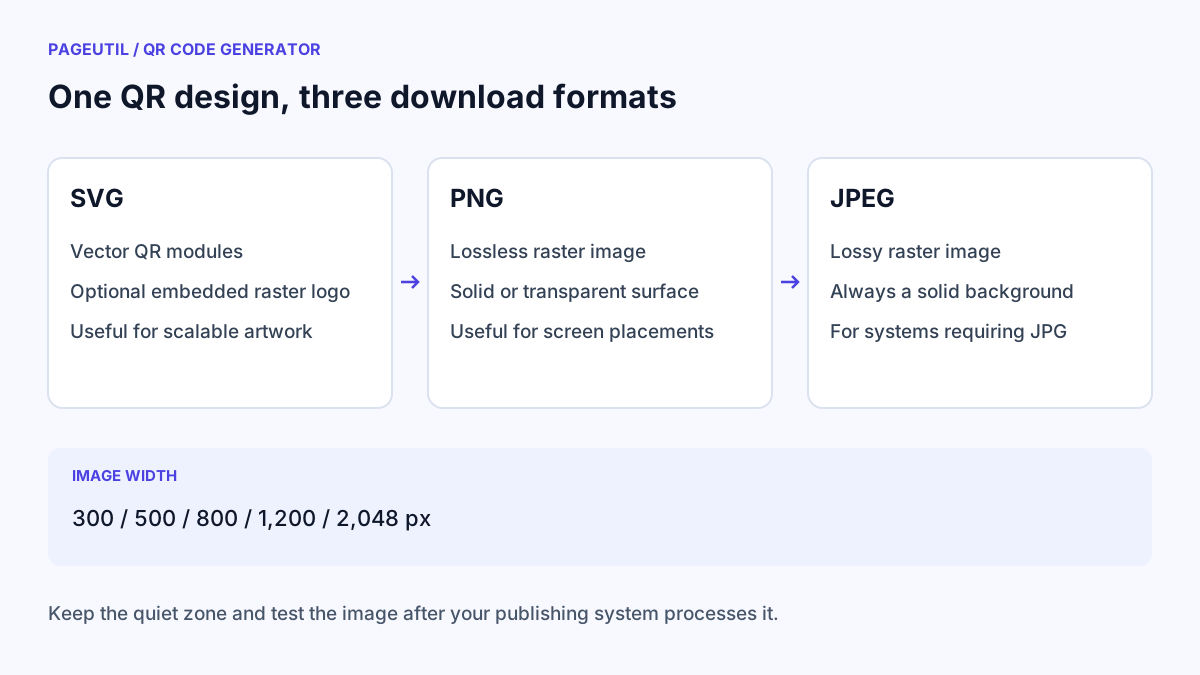
Choose the format for your destination
Use SVG when your print or design software accepts vector artwork. The modules remain vector shapes when scaled; an uploaded logo is an embedded raster image, so enlarging it can still reveal pixels.
Use PNG for email signatures, websites, presentations, or systems that need a raster image. PNG preserves sharp image detail without JPEG compression and can keep a transparent background.
Use JPEG when the receiving system specifically requires it. It has a solid background and uses lossy compression. Avoid repeatedly saving or recompressing the file, and check the code after the publishing system processes it.
| Format | Good fit | Background | Scaling consideration |
|---|---|---|---|
| SVG | Print layouts and vector design software | Solid or transparent | Modules scale as vectors; the optional logo remains raster |
| PNG | Screens, signatures, and raster image workflows | Solid or transparent | Choose enough pixels for the final placement |
| JPEG | Systems that require JPG uploads | Always solid | Compression and resizing can soften the code |
Set the image width before downloading
Open “2. Customise your design” and choose an Image width of 300, 500, 800, 1,200, or 2,048 px. The setting applies to the full exported width, including the quiet zone and any border. A labelled frame makes the image taller than it is wide.
A wider pixel image is useful for larger raster placements, but the pixel count alone does not establish a safe physical print size. Payload length, module count, viewing distance, paper, and printing quality also matter. Follow QR Code Print Size and Scanning Distance Guide for print planning.
Decide whether transparency is appropriate
Check “Transparent background (PNG / SVG)” only when you control the surface behind the final artwork. PNG and SVG will preserve that transparency; JPEG will still use the selected Background colour.
The generator checks your selected colour pair, but it cannot evaluate a photograph or page design you place behind a transparent code later. Keep a light, plain surface behind both the modules and quiet zone. Do not crop the blank margin to make the image appear tighter.
Check the file after placing it
Click Download SVG, Download PNG, or Download JPEG after the preview is ready. The download links are unavailable when the content or design is invalid. If the previous file remains in your downloads folder, replace it with the newly generated version.
Use QR Code Scanner to inspect a supported raster export or a screenshot of the placed artwork. Then scan the final page, email, slide, or print proof with a phone. A successful scan in the generator does not prove that another application preserved the image correctly.
Stop when
The final placed artwork opens the expected destination and retains its quiet zone, proportions, and readable frame label. Keep the original SVG or highest-quality raster export so future placements do not depend on a compressed screenshot.
References
Use the linked specifications and product documentation to check behavior in your own environment.
Continue troubleshooting
- How to Customise QR Code Logos, Colours and Frames
- How to Troubleshoot Printed QR Codes Not Scanning
- How to Create a WhatsApp QR Code
- How to Create Calendar Event and Location QR Codes
- How to Create Email, SMS and Phone QR Codes
- How to Create QR Codes for PDFs, Videos and Pages
- QR Code Print Size and Scanning Distance Guide
- How to Create Restaurant Menu QR Codes
- How to Create Guest WiFi QR Codes
- How to Create vCard QR Codes for Business Cards
- How to Track QR Code Campaigns with UTM and GA4
- How to Put QR Codes on Product Packaging and Manuals
- How to Create a Google Review QR Code for Local Business
- Wedding Invitation and Event RSVP QR Codes
- Static vs Dynamic QR Codes for Business Printing
- Best Free QR Code Generators
- How to make a QR code for a URL
Related tools
Frequently asked questions
Is a QR code SVG entirely vector?
The QR modules are vector shapes. If you add a logo, the uploaded image is rasterised locally and embedded inside the SVG.
Can I download a transparent JPEG?
No. JPEG exports use the selected solid background colour. Choose PNG or SVG when you need a transparent background.
Does choosing 2,048 pixels guarantee a readable print?
No. Pixel width is only one factor. Check the module size, quiet zone, physical placement, and a proof from the intended printing process.