Create a calendar event
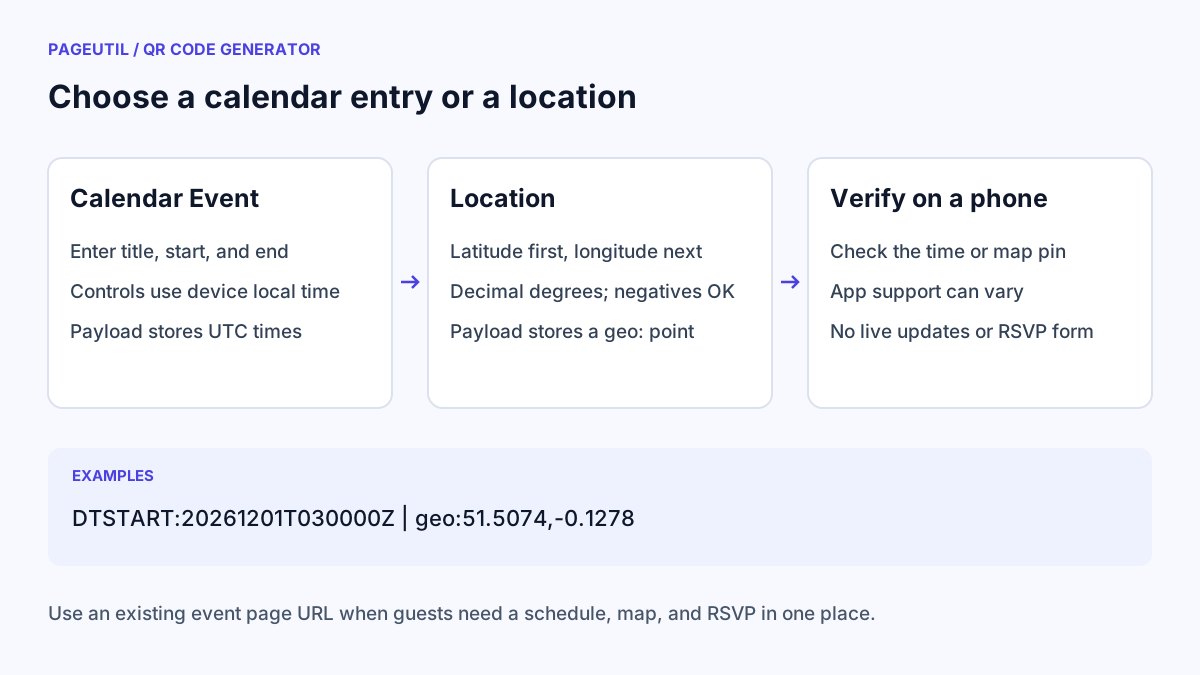
Choose Calendar Event under “1. Choose your content”. Fill in Event title, Starts, and Ends. The end must be after the start. Add Location and Description if they help a guest recognise the event; shorter details keep the code less dense.
The two date controls use the local time zone of the device running the generator. PageUtil converts those times to UTC in the calendar payload. If you are creating an event for another time zone, convert the venue time to your device time with Time Zone Converter before entering it.
Open “Inspect encoded content”. DTSTART and DTEND ending in Z represent UTC. For a device set to Bangkok time, an event entered as 10:00–11:00 on 1 December 2026 produces the following UTC times:
Device time zone: Asia/Bangkok (UTC+07:00)
Entered start: 2026-12-01 10:00
Entered end:   2026-12-01 11:00

DTSTART:20261201T030000Z
DTEND:20261201T040000Z
Check what the calendar code can do
The code contains a single calendar entry rather than a hosted calendar subscription. Scanning support varies by phone and camera application. Test whether your intended devices offer to add the event and display the correct time before distributing it.
The form does not provide recurrence, an all-day setting, an event time-zone selector, invitation delivery, or RSVP collection. Editing the form later does not update a guest’s saved event or an already printed code. For changing schedules or RSVPs, choose URL / Link and use an existing event page instead.
Create a location code
Choose Location and enter Latitude from −90 to 90 and Longitude from −180 to 180. Use decimal degrees, with negative latitude for south and negative longitude for west. Zero is valid. Latitude comes first; reversing the values can send someone to a different place.
The code stores a geo: point. For example, latitude 51.5074 and longitude −0.1278 becomes geo:51.5074,-0.1278. A compatible app can display the point, but the code does not contain a street address, live directions, or a map image. Use URL / Link with an existing map-sharing URL if that better matches the apps your audience uses.
Test the action on the target phone
Download the image and inspect it with QR Code Scanner. Calendar content may appear as plain text in the inspection tool; check the title and timestamps. For a location, verify the coordinates and use its map inspection links if offered.
Then scan with a phone. For a calendar entry, check the date, start, end, and displayed time zone before saving. For a location, confirm the pin is at the intended entrance or meeting point. If a camera only displays text, use a supported calendar or map link rather than promising an automatic action.
Stop when
A target phone shows the correct event time or geographic point from the final downloaded code. If you are printing an invitation, keep a written date, venue, or short URL alongside the code as an alternative.
References
Use the linked specifications and product documentation to check behavior in your own environment.
Continue troubleshooting
- Wedding Invitation and Event RSVP QR Codes
- How to Choose QR Code SVG, PNG or JPEG
- How to Create a WhatsApp QR Code
- How to Customise QR Code Logos, Colours and Frames
- How to Create Email, SMS and Phone QR Codes
- How to Create QR Codes for PDFs, Videos and Pages
- QR Code Print Size and Scanning Distance Guide
- How to Create Restaurant Menu QR Codes
- How to Create Guest WiFi QR Codes
- How to Create vCard QR Codes for Business Cards
- How to Track QR Code Campaigns with UTM and GA4
- How to Put QR Codes on Product Packaging and Manuals
- How to Create a Google Review QR Code for Local Business
- How to Troubleshoot Printed QR Codes Not Scanning
- Static vs Dynamic QR Codes for Business Printing
- Best Free QR Code Generators
- How to make a QR code for a URL
Related tools
Frequently asked questions
Does the event form use the venue time zone?
The date controls use your device’s local time zone, then encode UTC timestamps. Convert a venue time first if your device is set to another zone.
Will editing an event update saved calendars?
No. This is a static calendar entry. A new code does not update an older printout or an event already saved by a guest.
Does a location code open turn-by-turn directions?
It identifies a geographic point. The phone and selected map application determine which actions are offered; navigation is not guaranteed by the code.