When should you choose PageUtil or Salesforce Data Loader?
Salesforce documents mapping CSV columns to fields and retaining mappings in SDL files. PageUtil extends the preparation review across five specific questions. Exact parent joins use the supplied parent export; update comparison uses a baseline; picklist and schema checks use supplied metadata; date conversion uses explicit source conventions.
| Requirement | PageUtil | Salesforce Data Loader |
|---|---|---|
| Relationships | Exact supplied-key joins and ambiguity review | Actual related-record mapping and operation |
| Updates and values | Baseline, picklist and date evidence | Org-side rules and import settings |
| Fields | Supplied describe metadata and SDL review | Connected-user field access and processing |
| Completion | Reviewed candidates and diagnostics | Success/error files and actual records |
Is PageUtil free, and what else do you need?
PageUtil Salesforce Lookup and External ID Mapper is free to use without creating a PageUtil account. This covers the tool’s supported workflow and outputs; its technical limits still apply.
Salesforce org access, API availability, user permissions and any required licences remain separate. Local preparation does not execute an import or reproduce every trigger, flow and validation rule.
Compare the complete task, including preparation, review and destination access. Consult the linked provider documentation for current terms; no unverified competitor price is assumed here.
About PageUtil and its free tools
A worked example to test the choice
A contact file uses an external account code, a localized picklist label and a timestamp without an offset. First resolve the account code to the intended parent using authoritative keys. Then verify the picklist API value and record-type context. Finally establish the timestamp’s source timezone before converting it. A clean CSV alone cannot answer those three identity and meaning questions.
How do you run the PageUtil workflow?
Open Salesforce Lookup and External ID Mapper, Salesforce Bulk Update Safety Checker, Salesforce Picklist CSV Validator, Salesforce Date and Timezone CSV Formatter, Salesforce Field Mapping and Schema Checker.
Start with Salesforce Lookup and External ID Mapper for exact parent references. Use Salesforce Bulk Update Safety Checker to compare proposed changes with a fresh export. Check active API values through Salesforce Picklist CSV Validator, convert dates with Salesforce Date and Timezone CSV Formatter, and inspect mappings with Salesforce Field Mapping and Schema Checker. Review each candidate before configuring the actual Data Loader operation.
For the detailed procedure and interpretation, read Salesforce CSV Import Preflight and Reconciliation Checklist.
What are the practical limits?
Supplied metadata may be incomplete or stale. Local checks cannot execute org validation rules, triggers, flows or duplicate rules, and they cannot prove the acting user’s permissions. Blank and null behavior depends on the selected importer and settings. A label that resembles a picklist value may still differ from its API value.
What should you verify before using the result?
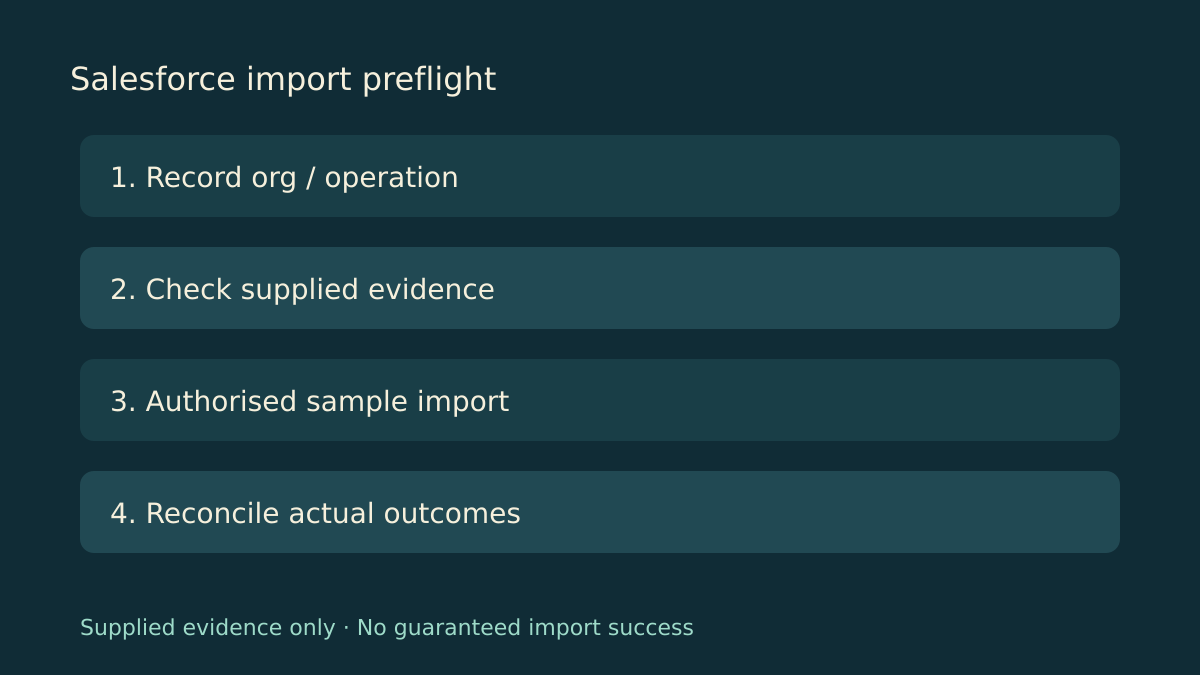
Run an authorized small sample in the intended org and inspect the resulting records. Keep success and error files, reconcile returned IDs with the source keys and retry only after reviewing partial outcomes. Preserve the baseline and exact mapping used for each operation.
Sources and comparison scope
Prepared on 18 November 2026 using the current PageUtil workflow and the linked official documentation, checked on 17–18 November 2026. The example is illustrative. Competitor descriptions are based on published documentation; this article does not report a comparative performance benchmark.
Continue troubleshooting
- Salesforce CSV Import Preflight and Reconciliation Checklist
- Easy Data Transform Alternative for CSV Cleanup
- PageUtil vs AdminSheet Pro for Google Workspace User Updates
- PageUtil vs Excel Locale Settings for Formula Separators
- PageUtil vs Excel for Teams Attendance Report Merging
- PageUtil vs Power Platform CLI for Deployment Settings Checks
- PageUtil vs Moodle Grade Import Preview
- PageUtil vs Asana CSV Import for Task Hierarchy Checks
- PageUtil vs Azure Test Plans CSV Import Checks
- PageUtil vs Power BI Desktop for Theme JSON Validation
- PageUtil vs Intune for Windows Autopilot CSV Checks
- PageUtil vs Jira CSV Import for Parent and Hierarchy Checks
- PageUtil vs Teams Shifts for Excel Schedule Import Checks
- PageUtil vs Calendar Apps for ICS Timezone Debugging
Related tools
Frequently asked questions
Can local metadata checks reproduce Salesforce validation rules?
No. Triggers, flows, validation and duplicate rules need the actual org context. Test a controlled sample under the intended user.
Is a picklist label always its API value?
No. Compare the supplied field metadata and any relevant record-type or controller choices before exporting the value.
Does a blank cell always clear a field?
Behavior depends on the API, importer and null settings. Review the selected operation and expected before-and-after value explicitly.
Should I retry every row after a partial failure?
Reconcile success and error results first. Preserve source keys and returned IDs so the retry targets the remaining intended records.
Is the PageUtil tool free to use?
Yes. PageUtil Salesforce Lookup and External ID Mapper is free to use without a PageUtil account. Salesforce org access, API availability, user permissions and any required licences remain separate. Local preparation does not execute an import or reproduce every trigger, flow and validation rule.