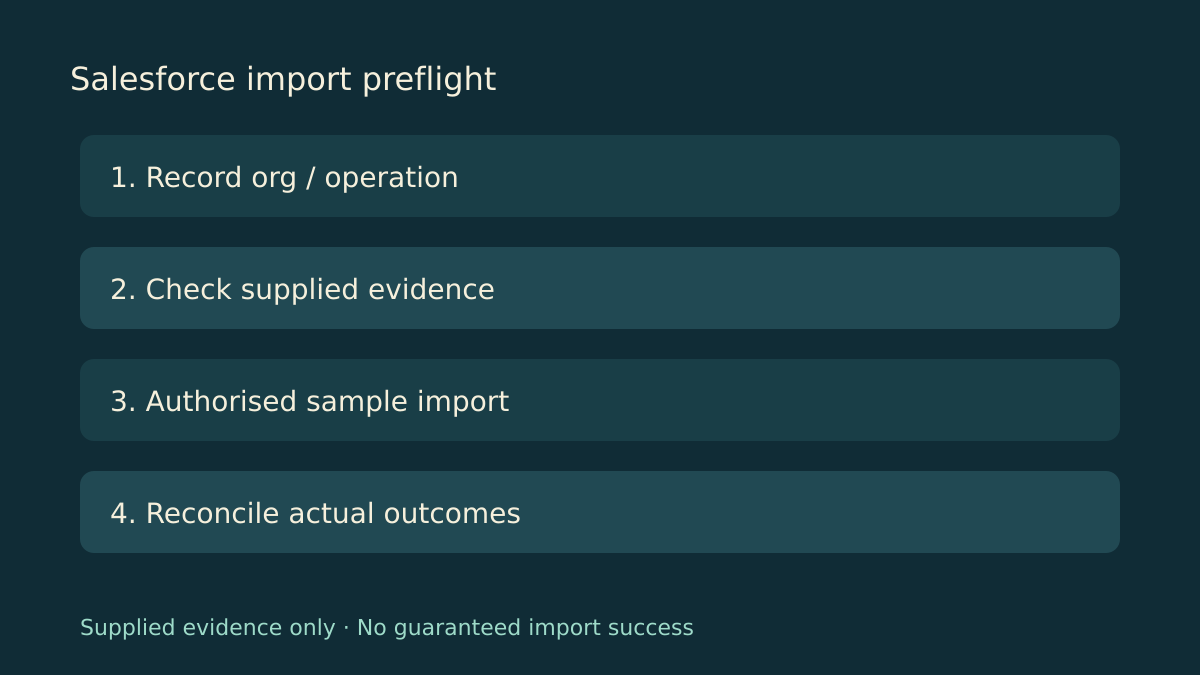
Record the write contract before preparing files
Record destination org, object, integration user, API/client version, operation and stable business key. Confirm who owns the data and who can approve changes. For update or delete, verify destination record identity; for upsert, verify configured external IDs, matching behavior and uniqueness. Keep unrelated objects, orgs and operations in separate sessions.
Preserve the original extract and record its time, filter and encoding. Use a minimally necessary export rather than a full production dump. PageUtil processes supplied files locally, but a downloaded report can still contain sensitive information. Apply your organisation’s device, retention and sharing policy. Public examples are suitable only when their licence, provenance and lack of personal data are established.
Apply only the checks relevant to the operation
Use Salesforce Lookup and External ID Mapper for parent references. Resolve missing and ambiguous business keys with the data owner; do not guess a parent. Use Salesforce Date and Timezone CSV Formatter to convert explicit source formats and zones. A calendar date, an instant and a time of day have different semantics.
Use Salesforce Field Mapping and Schema Checker with a current REST describe from the intended integration user. Review supported types and SDL direction. For non-API source headers, apply an explicit reviewed mapping before checking values against destination field names. The schema tool retains source headers and exports SDL separately.
Use Salesforce Picklist CSV Validator to compare API values with supplied active choices. Obtain record-type UI API metadata for scoped availability and dependencies. Use Salesforce Bulk Update Safety Checker to compare intended updates against a snapshot, selecting the real client’s null behavior. Blanks, #N/A and omitted columns have different implications.
Design a sample that can reveal the dangerous cases
In an authorised sandbox, test at least one unchanged record, one intentional overwrite, one explicit clear, one preserved blank, one relationship reference and the relevant record types. Include a deliberately invalid row to confirm how partial success is returned. For dates, include a DST boundary when the source timezone uses one. Check multi-select members and dependent choices if the load uses them.
Use the actual integration user, client and operation settings. Capture the job ID, upload and result files, destination query results and relevant automation evidence. Check that the intended business effect occurred, not merely that the client returned success. Never claim a sandbox or production test if only local parsing was performed. The downloadable examples in this suite are fictional and have not been submitted to Salesforce.
Plan recovery before the load. A baseline export is valuable evidence, but a reverse CSV cannot guarantee rollback of automation, downstream notifications, merges or later changes. Agree the recovery approach with the administrator and business owner. Do not automatically disable validation or permissions to force an import through.
Reconcile outcomes before preparing any retry
Retrieve all applicable result streams from the exact job. For Bulk API 2.0, distinguish successful, failed and unprocessed records. Use Salesforce Bulk API Error Analyser to group supplied errors and inspect candidate retries. It supports Bulk API 2.0 ingest results, not Data Loader output relabelled as Bulk API 2.0.
Match outcomes by a stable identifier, never by row position. Successful rows may already have changed Salesforce even when other records failed. Check current destination state before replaying anything; inserts can duplicate records and updates can overwrite newer values. Resolve each original error, include only reviewed records and reconcile the next job again.
Keep a short evidence record: which snapshots and metadata were checked, which settings were selected, which findings were resolved, which conditions remained unchecked and what the actual importer returned. That record makes a defensible completion report. An empty local error list alone is not an import readiness verdict.
References
Use the linked specifications and product documentation to check behavior in your own environment.
Continue troubleshooting
- How to Map Salesforce Parent Records by External ID
- How to Preview Salesforce Bulk Update Clears and Overwrites
- How to Validate Salesforce Picklist API Values and Record Types
- How to Format Salesforce CSV Dates with Explicit Timezones
- How to Check Salesforce CSV Fields and Data Loader SDL Mappings
- How to Analyse and Retry Failed Salesforce Bulk API 2.0 Records
Related tools
Frequently asked questions
Do I need to connect Salesforce to PageUtil?
No. Retrieve CSV and metadata with your authorised client. PageUtil checks the supplied files locally and never asks for Salesforce credentials.
Can I test the suite without customer data?
Yes. Each tool has fictional worked downloads and expected findings. A genuine org integration test still requires a separately authorised sandbox and real client workflow.
Should I retry the entire original upload?
No automatic replay is safe. Reconcile successful, failed and unprocessed outcomes, check current state and prepare only reviewed candidate records for the intended operation.