When should you choose PageUtil or Power BI Desktop?
Microsoft publishes theme schema guidance and describes import validation. A property may contain valid JSON but use the wrong theme structure or value type. The chosen Desktop version matters when reviewing schema compatibility, and report-level formatting can affect the visible outcome.
| Requirement | PageUtil | Power BI Desktop |
|---|---|---|
| Syntax | JSON parsing and diagnostics | Import parsing |
| Theme rules | Selected supported schema checks | Target Desktop import validation |
| Appearance | Inspect available illustrative previews | Review actual report visuals |
Is PageUtil free, and what else do you need?
PageUtil Power BI Theme JSON Validator is free to use without creating a PageUtil account. This covers the tool’s supported workflow and outputs; its technical limits still apply.
The receiving Power BI Desktop version remains part of the decision. A local JSON and schema check does not replace opening the theme in the actual report and inspecting its visuals.
Compare the complete task, including preparation, review and destination access. Consult the linked provider documentation for current terms; no unverified competitor price is assumed here.
About PageUtil and its free tools
A worked example to test the choice
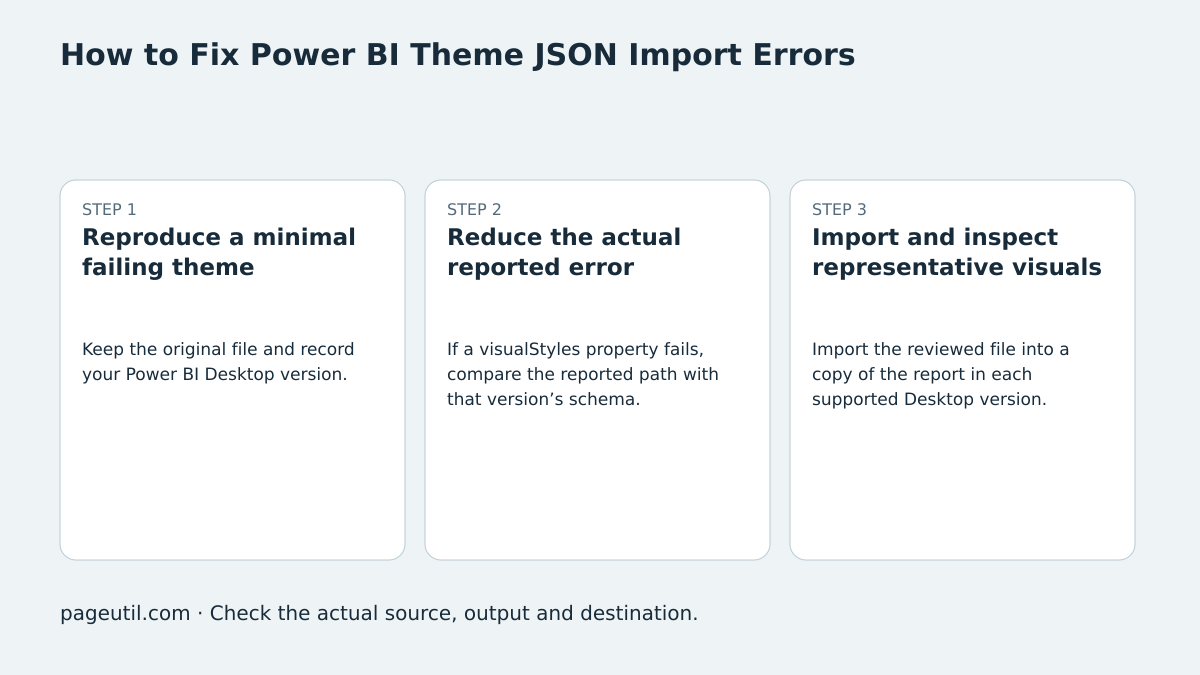
A theme has a trailing comma and a misplaced visual setting. Fix the parse error first so the document can be inspected structurally. Then follow the full schema property path to correct the setting. A line number alone may be ambiguous when the same property name appears several times.
How do you run the PageUtil workflow?
Open Power BI Theme JSON Validator.
Keep the source theme, choose the target version in PageUtil and run validation. Review syntax and schema findings separately and approve only understood corrections. Import the revised JSON into a copy of the actual Power BI report, then inspect representative visuals and text styles.
For the detailed procedure and interpretation, read How to Fix Power BI Theme JSON Import Errors.
What are the practical limits?
A preview illustration is not an authoritative Power BI render. Schema validity does not establish contrast, readability or how every custom visual responds. Direct visual formatting can also override theme defaults.
What should you verify before using the result?
Check colors, titles, labels and backgrounds in the target report, including selected and filtered states. Retain the original theme and a report copy until the actual presentation is confirmed.
Sources and comparison scope
Prepared on 18 November 2026 using the current PageUtil workflow and the linked official documentation, checked on 17–18 November 2026. The example is illustrative. Competitor descriptions are based on published documentation; this article does not report a comparative performance benchmark.
Continue troubleshooting
- How to Fix Power BI Theme JSON Import Errors
- Easy Data Transform Alternative for CSV Cleanup
- PageUtil vs AdminSheet Pro for Google Workspace User Updates
- PageUtil vs Excel Locale Settings for Formula Separators
- PageUtil vs Excel for Teams Attendance Report Merging
- PageUtil vs Power Platform CLI for Deployment Settings Checks
- PageUtil vs Moodle Grade Import Preview
- PageUtil vs Asana CSV Import for Task Hierarchy Checks
- PageUtil vs Azure Test Plans CSV Import Checks
- PageUtil vs Intune for Windows Autopilot CSV Checks
- PageUtil vs Jira CSV Import for Parent and Hierarchy Checks
- PageUtil vs Teams Shifts for Excel Schedule Import Checks
- PageUtil vs Calendar Apps for ICS Timezone Debugging
- PageUtil vs Salesforce Data Loader for CSV Import Preflight
Related tools
Frequently asked questions
Is valid JSON enough for a Power BI theme?
No. The theme also needs the expected property structure and value types for the target version.
Does a preview show exactly how Desktop will render?
Treat local previews as illustrations. Verify the theme in the actual report and Desktop version.
Why did a visual keep its old color?
Direct formatting or visual-specific behavior can affect theme application. Inspect the visual’s formatting context.
Should I fix syntax before schema errors?
Yes. The document must parse before structural theme validation can reliably inspect its properties.
Is the PageUtil tool free to use?
Yes. PageUtil Power BI Theme JSON Validator is free to use without a PageUtil account. The receiving Power BI Desktop version remains part of the decision. A local JSON and schema check does not replace opening the theme in the actual report and inspecting its visuals.