When should you choose PageUtil or regex101?
A familiar interface is helpful, but engine compatibility decides whether the result transfers to your application. The same expression can compile in one engine and fail in another, or match different Unicode text. Keep the pattern, engine, flags, input and expected output together. regex101 exposes flavor selection and several work modes, so compare equivalent configurations when deciding which workflow is easier for your team.
| Requirement | PageUtil | regex101 |
|---|---|---|
| Pattern testing | Engine selection, captures and sample inspection | Flavor selection and match tools |
| Replacement review | Inspect output using the selected engine | Substitution mode |
| Release evidence | Retain cases and run them in the application | Unit-test and export tools |
Is PageUtil free, and what else do you need?
PageUtil Regex Tester is free to use without creating a PageUtil account. This covers the tool’s supported workflow and outputs; its technical limits still apply.
Compare the exact engine, replacement syntax and saved-test workflow available in each tester. A free match preview is only useful if it reproduces the application behavior you need to validate.
Compare the complete task, including preparation, review and destination access. Consult the linked provider documentation for current terms; no unverified competitor price is assumed here.
About PageUtil and its free tools
A worked example to test the choice
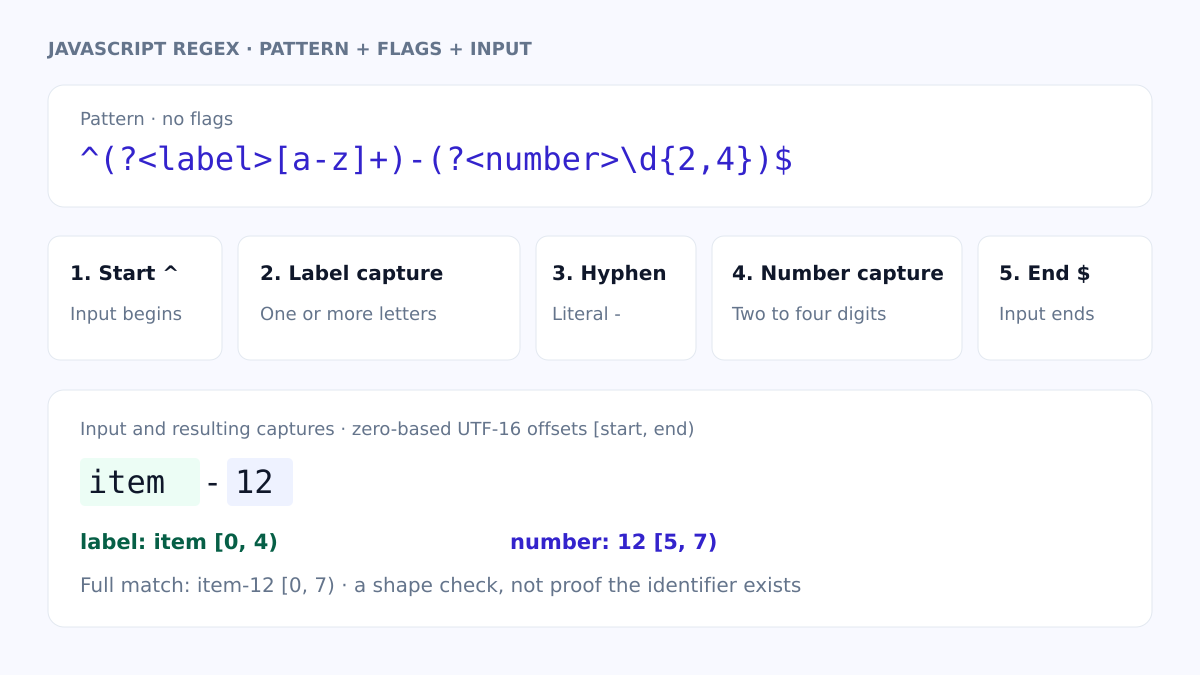
For an order reference, test ^ORD-([0-9]{4})$ against ORD-0042, ORD-42, xORD-0042 and ORD-0042x. Only the first string should match in a whole-value validation. Capture group 1 should contain 0042. A substring test would answer a different question, so inspect boundaries before accepting a green result.
^ORD-([0-9]{4})$

ORD-0042   expected match, group 1 = 0042
ORD-42     expected no match
xORD-0042  expected no match
ORD-0042x  expected no match
How do you run the PageUtil workflow?
Open Regex Tester.
Open the Regex Tester workspace and select the target engine. Enter the pattern without accidentally including string-literal escaping from source code. Add positive, negative and near-miss examples. Inspect each match and capture, then run the intended replacement separately. Use the workspace’s available exports to retain evidence and repeat the important examples in your application runtime.
For the detailed procedure and interpretation, read JavaScript regex explained: syntax and examples.
What are the practical limits?
A diagram or static performance hint cannot establish the exact execution trace of every engine. A short successful sample also says little about a long near miss. Test failure cases with bounded input and the actual runtime before deploying a pattern on untrusted text. Confirm the engine shown by the selected mode instead of inferring it from a language name in a generated code snippet.
What should you verify before using the result?
For the order-reference example, add an empty string, a trailing newline and a non-ASCII digit before releasing the validator. Decide whether each should pass. If your application trims input first, include that preprocessing in the application test. Matching correctness and replacement correctness deserve separate expected results.
Sources and comparison scope
Prepared on 18 November 2026 using the current PageUtil workflow and the linked official documentation, checked on 17–18 November 2026. The example is illustrative. Competitor descriptions are based on published documentation; this article does not report a comparative performance benchmark.
Continue troubleshooting
- JavaScript regex explained: syntax and examples
- PageUtil vs regex101 for Google Search Console and GA4 Regex
- Curious Concept Alternative for Formatting JSON
- PageUtil vs CyberChef for Formatting XML
- JWT.io Alternative for Decoding Token Claims
- Diffchecker Alternative for Comparing Text Lines
- Crontab Guru Alternative for Cron Schedule Checks
- PageUtil vs Chrome DevTools for HAR Sanitization
- PageUtil vs Dependabot for Dependency Group Rule Testing
- PageUtil vs Chrome for Manifest V3 Validation
Related tools
Frequently asked questions
How should I choose between PageUtil and regex101?
Choose the tester that supports your target engine and makes the expected matches, captures and replacements easy to inspect. Test the same positive and negative examples in both. Keep the final verification in your application runtime, especially for Unicode handling, multiline anchors and long near-miss input.
Why does a pattern work in one tester and fail in another?
Engine syntax, flags, Unicode handling, anchoring and escaping can differ. Match those settings and test identical source text before changing the expression.
Does a successful match prove a replacement is correct?
No. Replacement syntax and capture references have their own rules. Compare the complete replacement output with an expected string.
What should I test before using a regex in production?
Include positive, negative, boundary and long near-miss cases. Run the pattern under the production engine and its resource limits.
Is the PageUtil tool free to use?
Yes. PageUtil Regex Tester is free to use without a PageUtil account. Compare the exact engine, replacement syntax and saved-test workflow available in each tester. A free match preview is only useful if it reproduces the application behavior you need to validate.