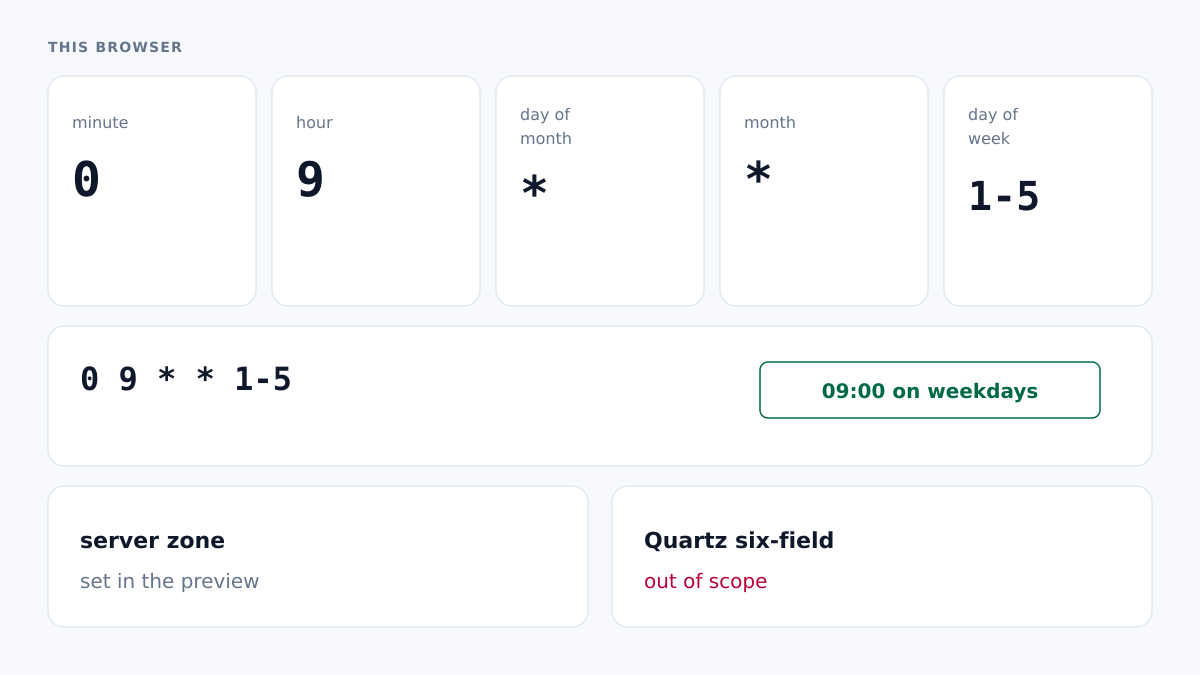
When should you choose PageUtil or Crontab.guru?
Crontab.guru describes itself as an editor for cron schedule expressions and links to Cronitor for monitoring. PageUtil creates or explains expressions locally. An expression is a calendar rule, while successful execution also depends on the host, command, permissions and concurrency settings.
| Requirement | PageUtil | Crontab.guru |
|---|---|---|
| Quick explanation | Cron Parser and generator explanation | Concise cron expression editor |
| Time review | Timezone and next-run preview | Expression interpretation |
| Execution | Configure a separate scheduler | Configure a separate scheduler |
Is PageUtil free, and what else do you need?
PageUtil Cron Generator is free to use without creating a PageUtil account. This covers the tool’s supported workflow and outputs; its technical limits still apply.
Compare schedule interpretation separately from job hosting and monitoring. A cron editor can help choose an expression, while the scheduler and any monitoring service remain separate operational choices.
Compare the complete task, including preparation, review and destination access. Consult the linked provider documentation for current terms; no unverified competitor price is assumed here.
About PageUtil and its free tools
A worked example to test the choice
The expression */35 * * * * runs at minute 0 and 35 of each hour under standard five-field semantics. The gaps alternate between 35 and 25 minutes. For a true interval measured from a previous run or completion, choose scheduling behavior designed for that requirement.
*/35 * * * *

09:00
09:35   35-minute gap
10:00   25-minute gap
10:35   35-minute gap
How do you run the PageUtil workflow?
Open Cron Generator, Cron Parser.
Select a preset or enter the expression in Cron Generator. Read the explanation, select the timezone used by the destination and inspect upcoming runs and UTC equivalents. Use Cron Parser for a quick explanation of an existing expression. Confirm whether the destination expects five fields, seconds or a different day-of-week convention.
For the detailed procedure and interpretation, read Why */35 cron does not mean every 35 minutes.
What are the practical limits?
The copied five-field expression contains no timezone setting. Daylight-saving transitions can skip or repeat local clock times, and scheduler implementations differ in how they handle them. A preview cannot establish whether the command completed or whether overlapping executions were prevented.
What should you verify before using the result?
Install the reviewed schedule through the destination’s normal configuration. Observe its next execution and exit status. For long-running tasks, apply the destination’s concurrency policy and check behavior around a representative daylight-saving transition.
Sources and comparison scope
Prepared on 18 November 2026 using the current PageUtil workflow and the linked official documentation, checked on 17–18 November 2026. The example is illustrative. Competitor descriptions are based on published documentation; this article does not report a comparative performance benchmark.
Continue troubleshooting
- Why */35 cron does not mean every 35 minutes
- regex101 Alternative for Testing Regular Expressions
- PageUtil vs regex101 for Google Search Console and GA4 Regex
- Curious Concept Alternative for Formatting JSON
- PageUtil vs CyberChef for Formatting XML
- JWT.io Alternative for Decoding Token Claims
- Diffchecker Alternative for Comparing Text Lines
- PageUtil vs Chrome DevTools for HAR Sanitization
- PageUtil vs Dependabot for Dependency Group Rule Testing
- PageUtil vs Chrome for Manifest V3 Validation
Related tools
Frequently asked questions
Does */35 mean every 35 minutes?
It selects minute 0 and 35 within each hour in standard five-field cron. The step restarts at the hour boundary.
Does selecting a timezone configure my server?
It changes the preview. Configure the actual scheduler timezone separately and verify the deployed behavior.
Can I use a six-field expression everywhere?
No. Schedulers differ in seconds support and other syntax. Use the dialect documented by the receiving service.
Does a valid cron expression mean the job ran?
No. Check execution logs, exit status and monitoring on the machine or service that runs the command.
What does */5 mean in a cron expression?
In the minute field of a standard five-field expression, */5 selects minutes 0, 5, 10 and so on through 55. It uses clock boundaries; it does not wait five minutes after the previous job finishes. Check the destination scheduler’s dialect and overlapping-job behavior.
Is the PageUtil tool free to use?
Yes. PageUtil Cron Generator is free to use without a PageUtil account. Compare schedule interpretation separately from job hosting and monitoring. A cron editor can help choose an expression, while the scheduler and any monitoring service remain separate operational choices.