When should you choose PageUtil or CyberChef?
CyberChef organizes operations into reusable recipes and provides input and output panels. That model is useful when decoding or transforming data involves several stages. PageUtil offers a smaller XML entry point. The choice depends on whether you need to inspect one XML document or preserve a chain of operations around it.
| Requirement | PageUtil | CyberChef |
|---|---|---|
| One XML document | Direct format-and-parse workflow | XML operation within a recipe |
| Multi-step transformation | Use the relevant separate tools | Combine documented operations in order |
| Schema acceptance | Separate XSD and application checks | Separate XSD and application checks |
Is PageUtil free, and what else do you need?
PageUtil XML Formatter is free to use without creating a PageUtil account. This covers the tool’s supported workflow and outputs; its technical limits still apply.
For CyberChef, compare the required recipe and execution environment. If schema validation or feed acceptance is essential, include that separate verification step in the workflow.
Compare the complete task, including preparation, review and destination access. Consult the linked provider documentation for current terms; no unverified competitor price is assumed here.
About PageUtil and its free tools
A worked example to test the choice
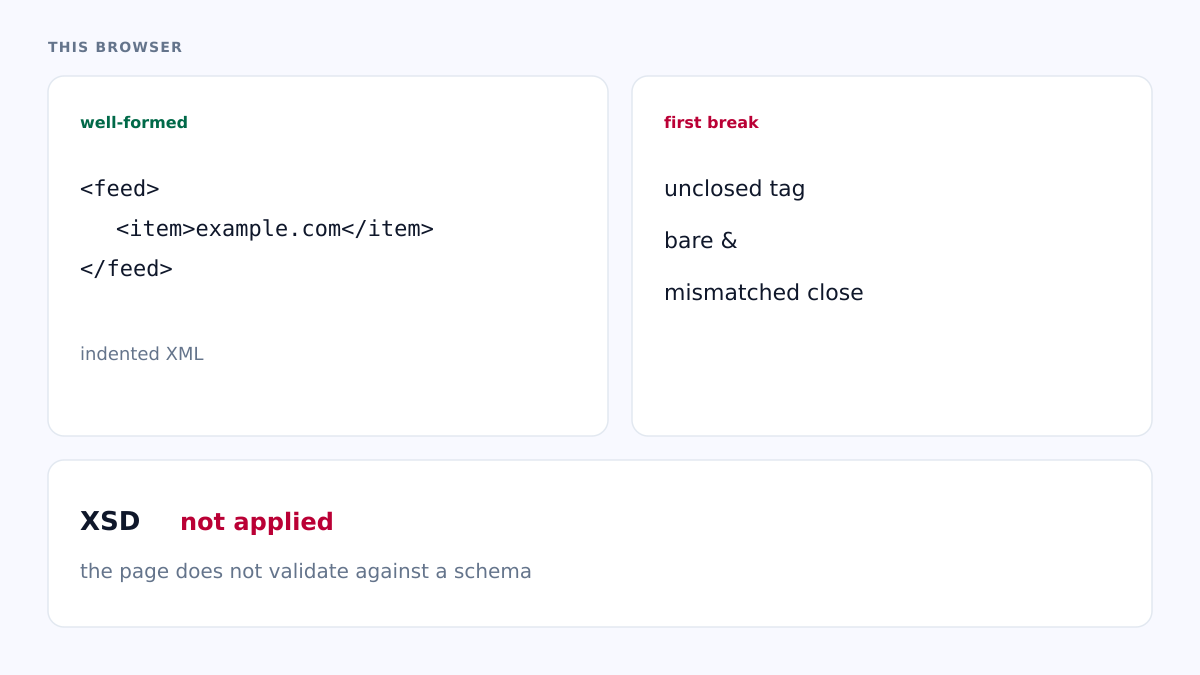
A feed contains <name>Smith & Sons</name>. The bare ampersand breaks XML syntax. Represent the literal character as & in the XML source, then parse again. A successful parse establishes well-formedness, while the destination may still reject an unsupported element or a missing required attribute.
Invalid XML: <name>Smith & Sons</name>
Valid XML: <name>Smith & Sons</name>
Text value: Smith & SonsHow do you run the PageUtil workflow?
Open XML Formatter.
Keep an untouched copy, paste the XML into XML Formatter and inspect the first reported error. Check opening and closing names, quoted attributes and escaped special characters near that position. Correct the source and repeat. If you use CyberChef, record the recipe order as well as the input so the transformation can be reproduced.
For the detailed procedure and interpretation, read How to format XML and read a parse error.
What are the practical limits?
PageUtil’s XML formatter does not apply an XSD. Pretty-printing can also matter to mixed-content documents, signatures or consumers that depend on exact text. Confirm the destination’s whitespace and canonicalization rules before replacing production bytes with formatted output.
What should you verify before using the result?
Validate the formatted document in the application that consumes it. For a schema-governed feed, run the required schema and business checks. Preserve namespaces and meaningful text, and compare a sample record with the original source.
Sources and comparison scope
Prepared on 18 November 2026 using the current PageUtil workflow and the linked official documentation, checked on 17–18 November 2026. The example is illustrative. Competitor descriptions are based on published documentation; this article does not report a comparative performance benchmark.
Continue troubleshooting
- How to format XML and read a parse error
- regex101 Alternative for Testing Regular Expressions
- PageUtil vs regex101 for Google Search Console and GA4 Regex
- Curious Concept Alternative for Formatting JSON
- JWT.io Alternative for Decoding Token Claims
- Diffchecker Alternative for Comparing Text Lines
- Crontab Guru Alternative for Cron Schedule Checks
- PageUtil vs Chrome DevTools for HAR Sanitization
- PageUtil vs Dependabot for Dependency Group Rule Testing
- PageUtil vs Chrome for Manifest V3 Validation
Related tools
Frequently asked questions
Does XML formatting validate an XSD?
PageUtil’s formatter checks well-formedness. Apply the destination’s XSD separately when its schema contract requires validation.
Why does an ampersand break XML?
A literal ampersand must be represented with the appropriate entity in XML content. A bare ampersand starts an invalid reference.
Can I format a signed XML document safely?
Check the signature’s canonicalization rules first. Whitespace or representation changes can affect verification, so keep the original bytes.
When is CyberChef a better fit?
Its recipe model suits a sequence of operations around the XML, such as decoding before inspection. Record the chosen operations and verify the final output.
Is the PageUtil tool free to use?
Yes. PageUtil XML Formatter is free to use without a PageUtil account. For CyberChef, compare the required recipe and execution environment. If schema validation or feed acceptance is essential, include that separate verification step in the workflow.