When should you choose PageUtil or regex101?
A Go-compatible regex test can help identify RE2 syntax issues, but a reporting filter also has its own matching contract. Search Console performs partial matches by default and has case behavior to consider. GA4 conditions can differ between full and partial matching. PageUtil’s Google-oriented mode uses RE2JS and includes a supplied-CSV coverage workflow.
| Requirement | PageUtil | regex101 |
|---|---|---|
| Primary job | Google-oriented matching and supplied report coverage | General regex flavor testing |
| Input context | Dimension values and optional CSV metrics | Pattern and test text |
| Final check | Apply the expression to the actual Google report | Apply the expression to the actual Google report |
Is PageUtil free, and what else do you need?
PageUtil Google Regex Tester is free to use without creating a PageUtil account. This covers the tool’s supported workflow and outputs; its technical limits still apply.
Compare the filter semantics each tester can reproduce. Access to a local tester does not create a Search Console property, a GA4 dataset or permission to change a live report.
Compare the complete task, including preparation, review and destination access. Consult the linked provider documentation for current terms; no unverified competitor price is assumed here.
About PageUtil and its free tools
A worked example to test the choice
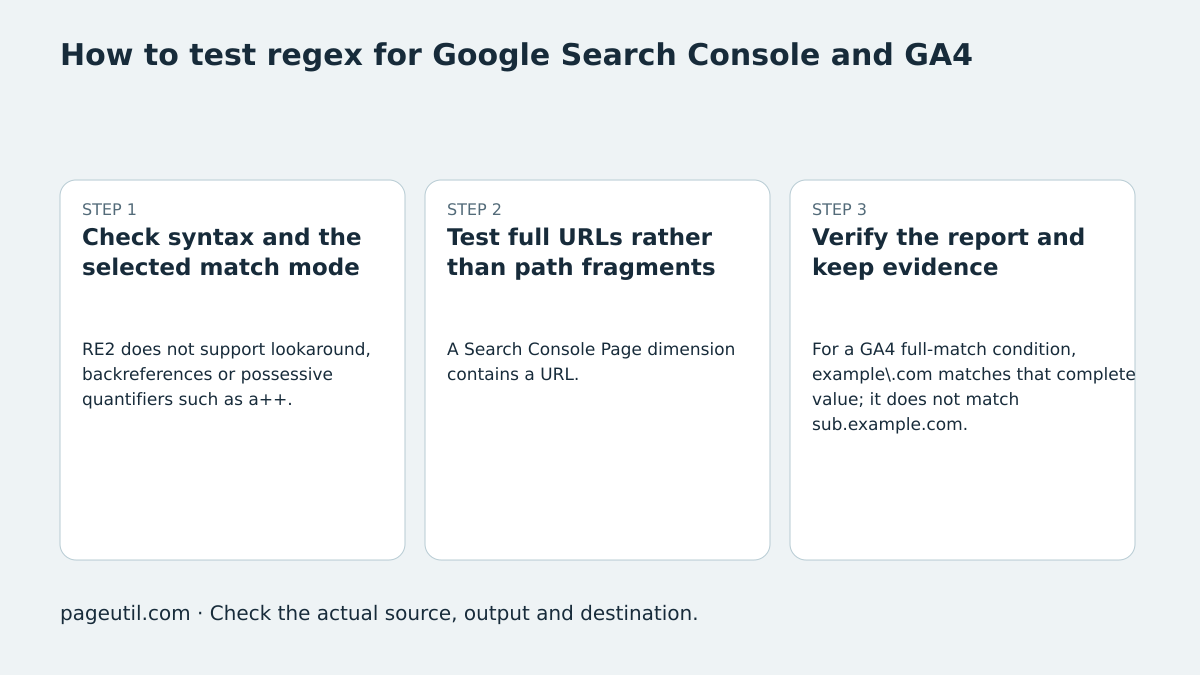
A Search Console Page filter ^/guides misses a URL beginning https://example.com/guides/start. Test the full URL value. An expression such as ^https?://[^/]+/guides(/|[?#]|$) includes the intended directory while excluding /guides-old. Use an unrelated hostname and capitalization variants as additional counterexamples.
How do you run the PageUtil workflow?
Open Google Regex Tester.
Select the intended reporting mode, paste representative dimension values and enter the pattern. Inspect included and excluded cases. For CSV coverage, identify the exact text column and any supplied metric columns, then review overlaps and first-rule assignments. Apply the final filter to the same dimension in Google and compare representative report rows.
For the detailed procedure and interpretation, read How to test regex for Google Search Console and GA4.
What are the practical limits?
RE2 syntax excludes lookaround and backreferences. RE2JS is a local simulation, and a match count does not establish Google’s full reporting population. First-rule assignment over one supplied text dimension cannot reproduce every condition in a GA4 channel definition.
What should you verify before using the result?
Keep the expression, matching mode, case settings, report dimension and date range with the exported evidence. A useful filter should include known positive cases and exclude convincing counterexamples. Recheck after a change to URL structure or campaign naming.
Sources and comparison scope
Prepared on 18 November 2026 using the current PageUtil workflow and the linked official documentation, checked on 17–18 November 2026. The example is illustrative. Competitor descriptions are based on published documentation; this article does not report a comparative performance benchmark.
Continue troubleshooting
- How to test regex for Google Search Console and GA4
- regex101 Alternative for Testing Regular Expressions
- Curious Concept Alternative for Formatting JSON
- PageUtil vs CyberChef for Formatting XML
- JWT.io Alternative for Decoding Token Claims
- Diffchecker Alternative for Comparing Text Lines
- Crontab Guru Alternative for Cron Schedule Checks
- PageUtil vs Chrome DevTools for HAR Sanitization
- PageUtil vs Dependabot for Dependency Group Rule Testing
- PageUtil vs Chrome for Manifest V3 Validation
Related tools
Frequently asked questions
Can I use lookbehind in a Search Console regex?
RE2 does not support lookaround. Rewrite the filter using supported syntax and test both positive and negative examples.
Why does a path pattern miss my Search Console pages?
The Page dimension contains full URLs. A pattern anchored at a leading slash cannot match a value beginning with a scheme and hostname.
Does a local coverage percentage equal Google report coverage?
It describes the supplied rows and metrics. Sampling, reporting scope, date range and omitted dimensions can change the live result.
Should I select full or partial matching?
Use the condition offered by your actual report. Test the complete dimension value, including prefixes or suffixes that could affect the intended boundary.
Is the PageUtil tool free to use?
Yes. PageUtil Google Regex Tester is free to use without a PageUtil account. Compare the filter semantics each tester can reproduce. Access to a local tester does not create a Search Console property, a GA4 dataset or permission to change a live report.