When should you choose PageUtil or Canva Bulk Create?
Canva documents Bulk Create as a design-generation workflow. A locally consistent CSV can still map to the wrong element or place long text outside a template. Validate the data shape first, then test the actual design with ordinary and difficult records.
| Requirement | PageUtil | Canva Bulk Create |
|---|---|---|
| Data shape | CSV parsing and candidate review | Accepted data source in Bulk Create |
| Design mapping | Inspect source field meaning | Connect fields to design elements |
| Final quality | Prepare representative test rows | Generate and review actual designs |
Is PageUtil free, and what else do you need?
PageUtil Canva Bulk Create CSV Checker is free to use without creating a PageUtil account. This covers the tool’s supported workflow and outputs; its technical limits still apply.
Check whether the Canva account currently has access to the required Bulk Create workflow. Include design setup and visual review; valid rows do not guarantee that every generated page fits its content.
Compare the complete task, including preparation, review and destination access. Consult the linked provider documentation for current terms; no unverified competitor price is assumed here.
About PageUtil and its free tools
A worked example to test the choice
An event-badge dataset has Name and Company columns. One company name is long and another contains a comma. Quote the comma-containing field correctly so the record stays in two columns, then generate both examples in a copy of the badge design and inspect the layout.
How do you run the PageUtil workflow?
Open Canva Bulk Create CSV Checker.
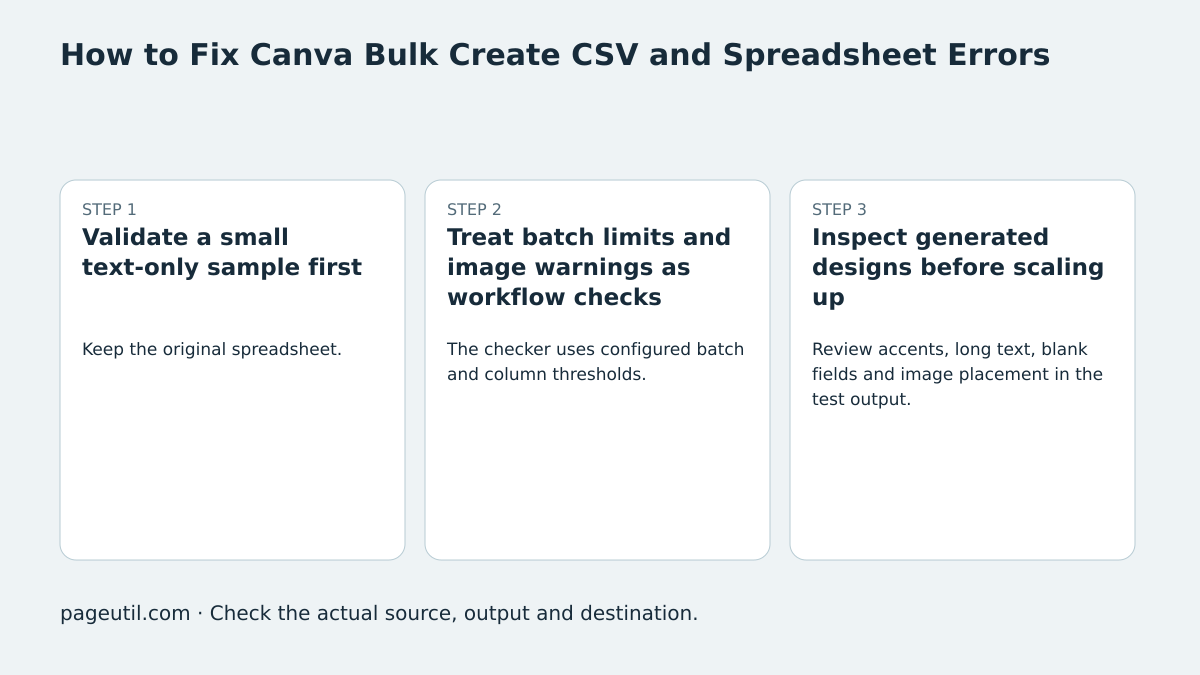
Load a small CSV with distinct headings and one record per design. Review the parsed preview and correct shifted or empty fields. In Canva, connect the intended data fields to the appropriate elements and generate the sample. Check accents, long text, blank values and images before splitting the full dataset into tested batches.
For the detailed procedure and interpretation, read How to Fix Canva Bulk Create CSV and Spreadsheet Errors.
What are the practical limits?
A cell containing an image URL does not establish that Canva will populate an image element through every workflow. Local batch thresholds are not universal platform limits. Check the current interface, plan and chosen data-source path.
What should you verify before using the result?
Inspect generated pages before downloading the full run. Compare the number of outputs with the selected data rows and retain the tested template and dataset version.
Sources and comparison scope
Prepared on 18 November 2026 using the current PageUtil workflow and the linked official documentation, checked on 17–18 November 2026. The example is illustrative. Competitor descriptions are based on published documentation; this article does not report a comparative performance benchmark.
Continue troubleshooting
- How to Fix Canva Bulk Create CSV and Spreadsheet Errors
- Optmyzr Alternative for Negative Keyword Conflict Checks
- PageUtil vs Supermetrics for GA4 Cost Data Preparation
- PageUtil vs Google Business Profile Bulk Update Review
- PageUtil vs Google Ads Editor CSV Import Review
- PageUtil vs Microsoft Advertising Editor for Bulk CSV Checks
- PageUtil vs LinkedIn Offline Conversion CSV Import
- PageUtil vs Pinterest Bulk Upload CSV Checks
- PageUtil vs Google My Maps for CSV Location Preparation
Related tools
Frequently asked questions
How do I add a CSV to Canva Bulk Create?
Use the data-upload path in the current Bulk Create interface, then connect each column to the intended design element. Test a small sample first.
Can I assume an image URL becomes an image?
No. Confirm the supported source and element mapping in the chosen workflow and test a real image.
Does passing a local row limit guarantee Canva accepts the batch?
No. Check the current plan and interface requirements. Local thresholds only describe the checker’s configuration.
Why should I include long text in the sample?
It reveals clipping, wrapping and layout problems that ordinary short values may hide.
Is the PageUtil tool free to use?
Yes. PageUtil Canva Bulk Create CSV Checker is free to use without a PageUtil account. Check whether the Canva account currently has access to the required Bulk Create workflow. Include design setup and visual review; valid rows do not guarantee that every generated page fits its content.