When should you choose PageUtil or Pinterest bulk upload?
Pinterest documents bulk publishing with a destination template. A local destination snapshot helps find likely mistakes before upload, but its completeness determines what an unknown-board finding means. Preserve full board and section paths when planning a campaign.
| Requirement | PageUtil | Pinterest bulk upload |
|---|---|---|
| Planning | CSV plus supplied board/section snapshot | Current bulk-upload template |
| Review | Destination, reuse and schedule findings | Account and media processing |
| Confirmation | Recheck corrected source | Inspect actual Pins and schedule |
Is PageUtil free, and what else do you need?
PageUtil Pinterest Bulk Upload CSV Checker is free to use without creating a PageUtil account. This covers the tool’s supported workflow and outputs; its technical limits still apply.
Pinterest account eligibility and the supported bulk-upload workflow remain separate. Include validation of live board destinations and media access before treating a reviewed CSV as ready to publish.
Compare the complete task, including preparation, review and destination access. Consult the linked provider documentation for current terms; no unverified competitor price is assumed here.
About PageUtil and its free tools
A worked example to test the choice
A campaign row targets Seasonal / Winter but the supplied snapshot contains Seasonal / Winter Gifts. Inspect the actual account before accepting a suggested correction. The shorter name could be a typo, an intended new destination or an incomplete snapshot.
How do you run the PageUtil workflow?
Open Pinterest Bulk Upload CSV Checker.
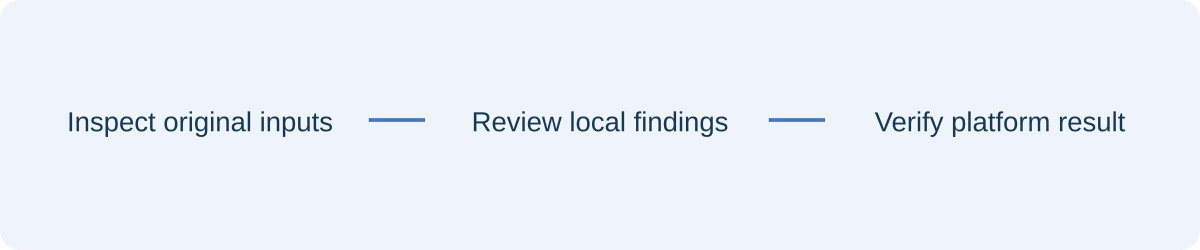
Obtain the current Pinterest template and a reviewed destination list. Load the CSV and snapshot into the checker, inspect unknown paths and media reuse, and review schedule entries in input order. Correct the source deliberately and rerun the check before upload.
For the detailed procedure and interpretation, read How to Review Pinterest Bulk Pin Boards and Publishing Schedules.
What are the practical limits?
URL text cannot prove that an asset is accessible, suitable or eligible for publication. A date-only value also cannot establish an exact publishing instant. The checker’s report is diagnostic evidence, while the source publishing file needs its own reviewed corrections.
What should you verify before using the result?
Verify media and destination permissions through the intended account workflow. After upload, compare actual publication results with the campaign plan and investigate failed or unexpectedly scheduled entries.
Sources and comparison scope
Prepared on 18 November 2026 using the current PageUtil workflow and the linked official documentation, checked on 17–18 November 2026. The example is illustrative. Competitor descriptions are based on published documentation; this article does not report a comparative performance benchmark.
Continue troubleshooting
- How to Review Pinterest Bulk Pin Boards and Publishing Schedules
- Optmyzr Alternative for Negative Keyword Conflict Checks
- PageUtil vs Supermetrics for GA4 Cost Data Preparation
- PageUtil vs Google Business Profile Bulk Update Review
- PageUtil vs Google Ads Editor CSV Import Review
- PageUtil vs Microsoft Advertising Editor for Bulk CSV Checks
- PageUtil vs LinkedIn Offline Conversion CSV Import
- PageUtil vs Canva Bulk Create for CSV Preparation
- PageUtil vs Google My Maps for CSV Location Preparation
Related tools
Frequently asked questions
Does an unknown board warning prove the board is missing?
It may reflect an incomplete snapshot or a spelling difference. Check the live account before changing the source.
Is repeated media always a mistake?
It can be intentional across destinations. Compare the title, link and campaign plan before removing a row.
Can the checker verify image availability from a URL alone?
A text check cannot prove successful retrieval or publication eligibility. Test the intended asset separately.
Does a date-only schedule specify a timezone?
It leaves timing details unresolved. Use the destination’s documented scheduling convention and review the actual scheduled result.
Is the PageUtil tool free to use?
Yes. PageUtil Pinterest Bulk Upload CSV Checker is free to use without a PageUtil account. Pinterest account eligibility and the supported bulk-upload workflow remain separate. Include validation of live board destinations and media access before treating a reviewed CSV as ready to publish.