When should you choose PageUtil or ProperConvert?
The source file determines the amount of work. A structured CSV already contains transaction rows, while a statement PDF requires extraction before conversion. ProperConvert advertises extracting, reviewing and converting bank statements on your computer. PageUtil’s CSV workflow starts from structured transactions and requires the actual closing balance and balance date supplied separately.
| Requirement | PageUtil | ProperConvert |
|---|---|---|
| CSV input | Map transaction columns and supply balance evidence | Documented structured-file conversion |
| PDF source | Prepare verified transaction rows separately | PDF statement input is advertised |
| Import result | Candidate OFX/QBO file for destination testing | Converted file still needs destination review |
Is PageUtil free, and what else do you need?
PageUtil Bank CSV to OFX / QBO Converter is free to use without creating a PageUtil account. This covers the tool’s supported workflow and outputs; its technical limits still apply.
For ProperConvert, check the licence and supported source formats. Include any PDF extraction step and the receiving accounting application in the total workflow cost.
Compare the complete task, including preparation, review and destination access. Consult the linked provider documentation for current terms; no unverified competitor price is assumed here.
About PageUtil and its free tools
A worked example to test the choice
Imagine a bank CSV with two transactions, a payment of 25.00 and a receipt of 100.00. Net movement is 75.00. If the opening balance is 500.00, the closing balance is 575.00. Entering 75.00 as the closing balance would produce misleading statement data even though the transaction arithmetic is consistent.
Opening balance     500.00
Payment             -25.00
Receipt             100.00
Net movement         75.00
Closing balance     575.00
How do you run the PageUtil workflow?
Open Bank CSV to OFX / QBO Converter.
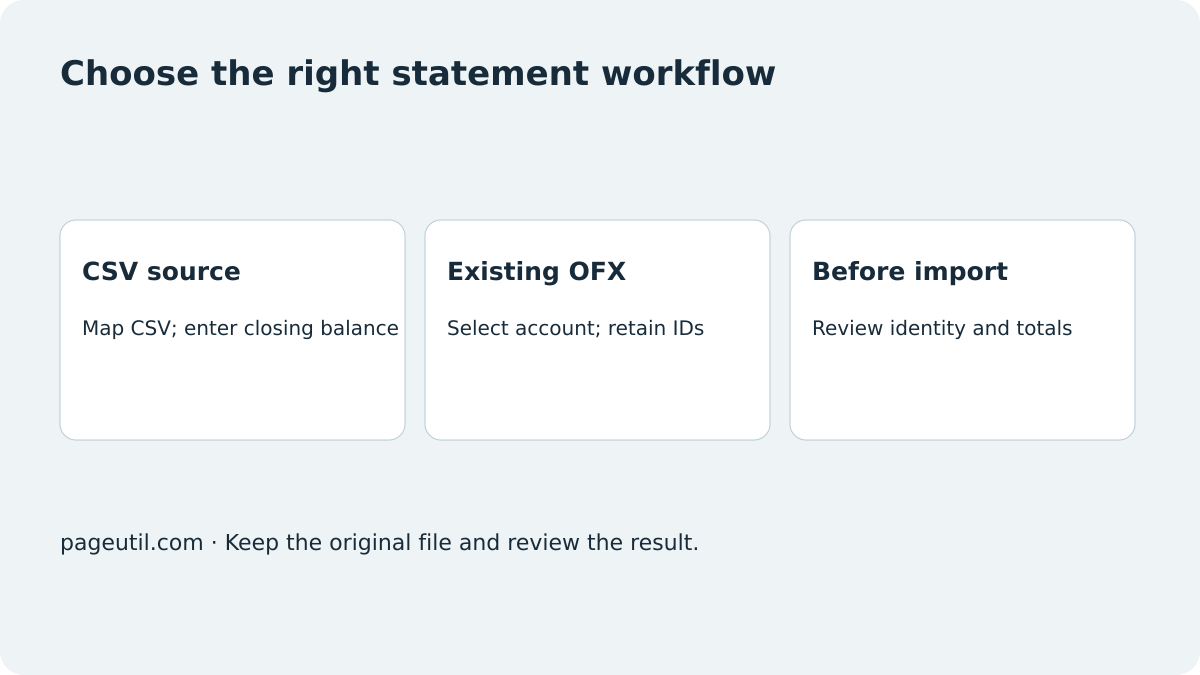
Choose the CSV conversion workflow, map the transaction date, description and amount fields, and confirm the sign convention. Supply the statement’s closing balance and as-of date. Review the account and institution fields and transaction totals before downloading. For an existing supported OFX, QBO or QFX file, use Inspect OFX accounts and select the intended account so source transaction identifiers and balance evidence can be retained.
For the detailed procedure and interpretation, read How to Convert Bank CSV to OFX and QBO for QuickBooks.
What are the practical limits?
PDF extraction and OCR require a separate preparation step for PageUtil. A syntactically valid QBO file can still be rejected by a particular QuickBooks edition or institution configuration. Changing the extension from OFX to QBO does not establish compatibility. Preserve stable transaction identifiers when retrying an import so the receiving application can make its own duplicate decisions.
What should you verify before using the result?
Import a small reviewed sample through the accounting application’s supported workflow. Reconcile dates, counts, payments, receipts and the statement balance against the original bank evidence. If your destination accepts CSV directly, evaluate that route before introducing an additional conversion.
Sources and comparison scope
Prepared on 18 November 2026 using the current PageUtil workflow and the linked official documentation, checked on 17–18 November 2026. The example is illustrative. Competitor descriptions are based on published documentation; this article does not report a comparative performance benchmark.
Continue troubleshooting
- How to Convert Bank CSV to OFX and QBO for QuickBooks
- PageUtil vs QuickBooks CSV Import Checks
- PageUtil vs Xero Bank CSV Import Checks
- PageUtil vs Stripe Reports for Payout Reconciliation
- DataFeedWatch Alternative for One Time Feed Checks
- PageUtil vs Matrixify for Shopify Translation CSV Checks
- PageUtil vs Rewind for Shopify Theme Settings Recovery
- PageUtil vs ShipStation Product CSV Update Review
- PageUtil vs eBay Seller Hub for Bulk Upload Error Review
Related tools
Frequently asked questions
Can PageUtil convert a PDF statement directly to QBO?
Its converter starts with structured CSV or supported OFX-family files. Obtain the bank’s structured export or extract and verify the PDF rows separately.
Is net transaction movement the closing balance?
No. Closing balance also depends on the opening balance and statement scope. Use the bank’s stated closing balance and its date.
Does a QBO download guarantee QuickBooks acceptance?
No. Acceptance depends on the receiving edition, account and institution settings as well as file content. Test the actual import.
What should I preserve when retrying an import?
Keep the original statement, reviewed output and source transaction identifiers. Check the accounting application for partial success before submitting the same transactions again.
Is the PageUtil tool free to use?
Yes. PageUtil Bank CSV to OFX / QBO Converter is free to use without a PageUtil account. For ProperConvert, check the licence and supported source formats. Include any PDF extraction step and the receiving accounting application in the total workflow cost.