When should you choose PageUtil or Rewind?
Rewind offers backup and recovery for Shopify data. PageUtil’s local comparison is useful during an upgrade when both the old and new theme exports are available. The scope of a theme change can extend beyond settings_data.json into templates, section definitions, stylesheets and app embeds.
| Requirement | PageUtil | Rewind |
|---|---|---|
| Starting evidence | Two supplied theme states | Stored backup and recovery workflow |
| Investigation | Settings and supported recovery review | Restore from available backup history |
| Verification | Preview the edited draft theme | Preview the restored theme |
Is PageUtil free, and what else do you need?
PageUtil Shopify Theme Settings Diff Checker is free to use without creating a PageUtil account. This covers the tool’s supported workflow and outputs; its technical limits still apply.
For Rewind, evaluate backup coverage and retention. A settings comparison depends on copies you already possess, so it cannot substitute for a backup that was never taken.
Compare the complete task, including preparation, review and destination access. Consult the linked provider documentation for current terms; no unverified competitor price is assumed here.
About PageUtil and its free tools
A worked example to test the choice
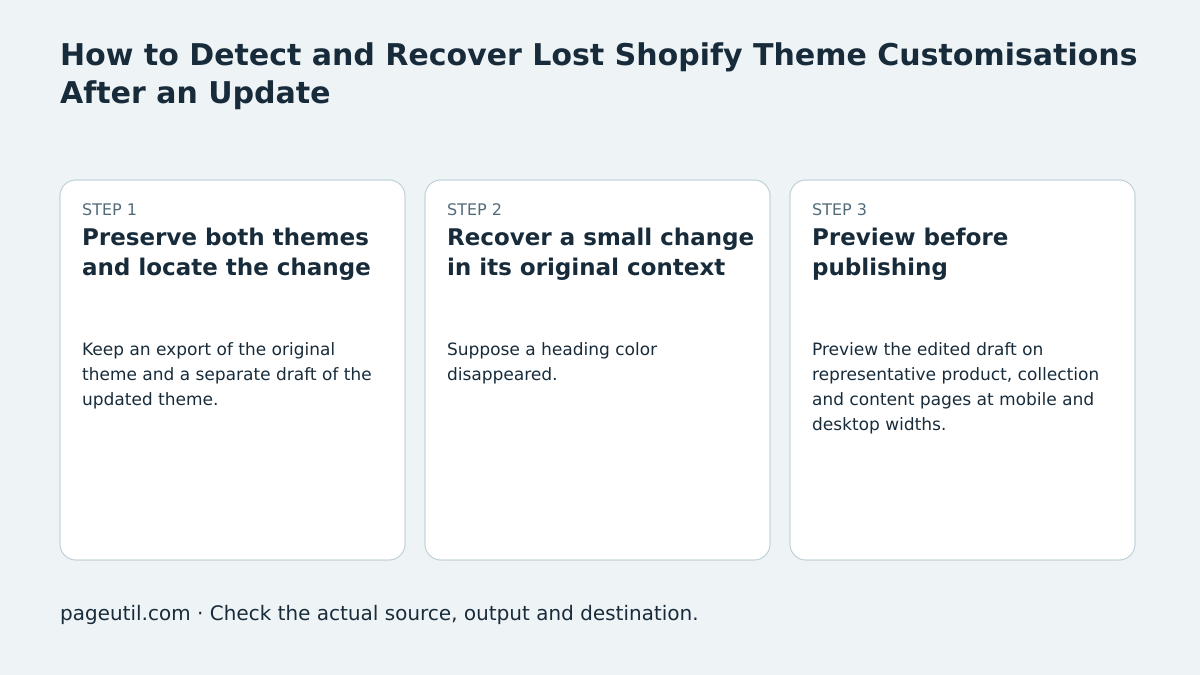
A heading color disappears after a theme update. Locate the old setting and the section or selector it belonged to. Check whether the new theme still uses that setting identifier before restoring the value. Copying a whole old settings file can undo intended changes in the new theme.
How do you run the PageUtil workflow?
Open Shopify Theme Settings Diff Checker.
Keep both original theme exports and work in a draft theme. Compare the intended before and after files, review missing or changed values and apply a small selected recovery. Inspect any recovered CSS in its original scope before adding it to a different stylesheet.
For the detailed procedure and interpretation, read How to Detect and Recover Lost Shopify Theme Customisations After an Update.
What are the practical limits?
A recovered selector may behave differently when moved from a section to global CSS. A zero-difference settings result cannot establish that Liquid code, app behavior or visual layout are equivalent. The local comparison has no access to historical states you did not supply.
What should you verify before using the result?
Preview product, collection and content pages at mobile and desktop widths. Check the recovered customization and related sections, then publish through Shopify’s normal theme workflow after review. Keep the prior theme available for rollback.
Sources and comparison scope
Prepared on 18 November 2026 using the current PageUtil workflow and the linked official documentation, checked on 17–18 November 2026. The example is illustrative. Competitor descriptions are based on published documentation; this article does not report a comparative performance benchmark.
Continue troubleshooting
- How to Detect and Recover Lost Shopify Theme Customisations After an Update
- ProperConvert Alternative for CSV to QBO
- PageUtil vs QuickBooks CSV Import Checks
- PageUtil vs Xero Bank CSV Import Checks
- PageUtil vs Stripe Reports for Payout Reconciliation
- DataFeedWatch Alternative for One Time Feed Checks
- PageUtil vs Matrixify for Shopify Translation CSV Checks
- PageUtil vs ShipStation Product CSV Update Review
- PageUtil vs eBay Seller Hub for Bulk Upload Error Review
Related tools
Frequently asked questions
Can PageUtil recover an unsaved old theme?
It needs supplied evidence. Retrieve an existing export, backup or versioned source containing the missing customization.
Should I replace the new settings file with the old one?
Review individual changes first. Whole-file replacement can discard intended updates or reference obsolete section settings.
Does matching JSON prove the storefront looks identical?
No. Templates, CSS, Liquid, app embeds and content also affect rendering. Preview representative pages.
Can recovered CSS be pasted into any stylesheet?
Check selector scope and precedence. Moving section-specific rules into global CSS can broaden their effect.
Is the PageUtil tool free to use?
Yes. PageUtil Shopify Theme Settings Diff Checker is free to use without a PageUtil account. For Rewind, evaluate backup coverage and retention. A settings comparison depends on copies you already possess, so it cannot substitute for a backup that was never taken.
