When should you choose PageUtil or DataFeedWatch?
DataFeedWatch provides feed mapping and optimization within a managed feed workflow. PageUtil examines the submitted file, so it is useful when you need to understand a concrete export before changing its producer. Decide whether the problem is a malformed document, missing attributes, incorrect identifiers or ongoing synchronization.
| Requirement | PageUtil | DataFeedWatch |
|---|---|---|
| One file | Local feed structure and attribute inspection | Feed-management workflow |
| Repeated updates | Recheck new exports as needed | Managed mapping and optimization services |
| Eligibility | Verify in Merchant Center | Verify in Merchant Center |
Is PageUtil free, and what else do you need?
PageUtil Google Shopping Feed Validator is free to use without creating a PageUtil account. This covers the tool’s supported workflow and outputs; its technical limits still apply.
For DataFeedWatch, evaluate the relevant channels, catalog scale and recurring feed-management requirements. A one-time local check does not maintain or synchronize the product catalog.
Compare the complete task, including preparation, review and destination access. Consult the linked provider documentation for current terms; no unverified competitor price is assumed here.
About PageUtil and its free tools
A worked example to test the choice
A Shopify export contains Variant SKU but the intended Google feed needs id and other applicable attributes. Mapping the SKU column for inspection helps identify products in the report. It does not invent missing product URLs, prices or identifiers. Correct the export pipeline using actual catalog data.
How do you run the PageUtil workflow?
Open Google Shopping Feed Validator.
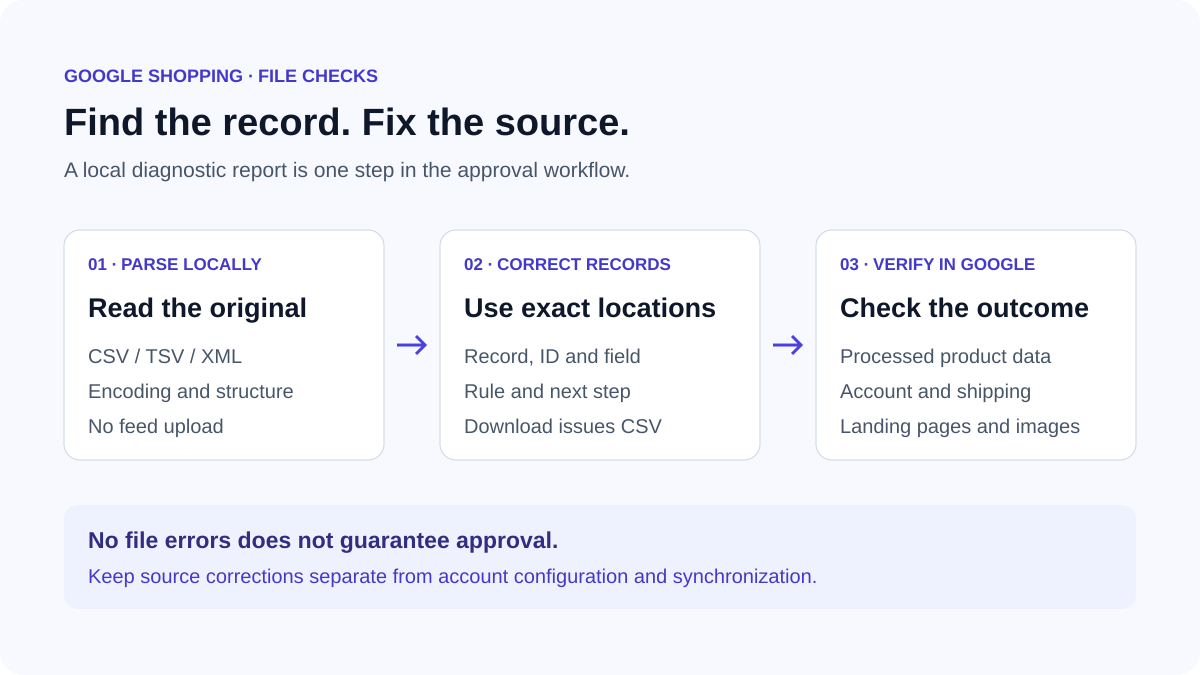
Load the original feed and confirm its detected text separator or XML structure. Review parser errors first, then product-level findings and source locations. Check a sample product against the authoritative catalog. Correct the source data or feed mapping, rerun inspection and submit through Merchant Center’s normal workflow.
For the detailed procedure and interpretation, read How to Fix Google Shopping Feed Errors.
What are the practical limits?
A valid check digit cannot prove that a GTIN belongs to the product. Local file inspection cannot establish landing-page availability, live price consistency or account policy approval. Preserve identifiers from authoritative product data instead of changing digits simply to satisfy a validator.
What should you verify before using the result?
Read Merchant Center’s processing result and item diagnostics after submission. Compare accepted item counts with the intended catalog scope and investigate rejected products using the actual message and product identifier.
Sources and comparison scope
Prepared on 18 November 2026 using the current PageUtil workflow and the linked official documentation, checked on 17–18 November 2026. The example is illustrative. Competitor descriptions are based on published documentation; this article does not report a comparative performance benchmark.
Continue troubleshooting
- How to Fix Google Shopping Feed Errors
- ProperConvert Alternative for CSV to QBO
- PageUtil vs QuickBooks CSV Import Checks
- PageUtil vs Xero Bank CSV Import Checks
- PageUtil vs Stripe Reports for Payout Reconciliation
- PageUtil vs Matrixify for Shopify Translation CSV Checks
- PageUtil vs Rewind for Shopify Theme Settings Recovery
- PageUtil vs ShipStation Product CSV Update Review
- PageUtil vs eBay Seller Hub for Bulk Upload Error Review
Related tools
Frequently asked questions
Does a valid feed guarantee product approval?
No. Merchant Center also evaluates account, policy, landing-page and product requirements. Review its actual diagnostics.
Can I fix a GTIN by changing its check digit?
Obtain the correct identifier from authoritative product data. A mathematically valid value can identify the wrong product.
Does column mapping create a complete Google feed?
Mapping helps interpret supplied columns. Missing required product data still needs to come from the source catalog.
When should I choose a managed feed service?
Consider it when you need recurring synchronization, channel mappings and feed-management operations beyond inspecting a single export.
Is the PageUtil tool free to use?
Yes. PageUtil Google Shopping Feed Validator is free to use without a PageUtil account. For DataFeedWatch, evaluate the relevant channels, catalog scale and recurring feed-management requirements. A one-time local check does not maintain or synchronize the product catalog.