When should you choose PageUtil or Lumi?
Lumi provides an offline H5P desktop editor. PageUtil opens the supplied package for diagnostics, which is useful when an exported activity fails to upload somewhere else. A library absent from the package may be available on the source system and unavailable on the destination.
| Requirement | PageUtil | Lumi |
|---|---|---|
| Package diagnosis | Manifest, dependency and asset inspection | Open and edit H5P content |
| Correction | Review and re-export the source where required | Authoring and editing workflow |
| Destination test | Import and run in the intended LMS | Import and run in the intended LMS |
Is PageUtil free, and what else do you need?
PageUtil H5P Package & Dependency Checker is free to use without creating a PageUtil account. This covers the tool’s supported workflow and outputs; its technical limits still apply.
For Lumi, evaluate the authoring or export workflow you need. Package inspection does not include LMS hosting, content-authoring work or permission to install a missing library.
Compare the complete task, including preparation, review and destination access. Consult the linked provider documentation for current terms; no unverified competitor price is assumed here.
About PageUtil and its free tools
A worked example to test the choice
An activity references a particular major and minor library version that is absent from the archive. Check whether the destination already has that version installed. If it does not, obtain an appropriate package export or install the supported dependency through the LMS’s authorized workflow.
How do you run the PageUtil workflow?
Open H5P Package & Dependency Checker.
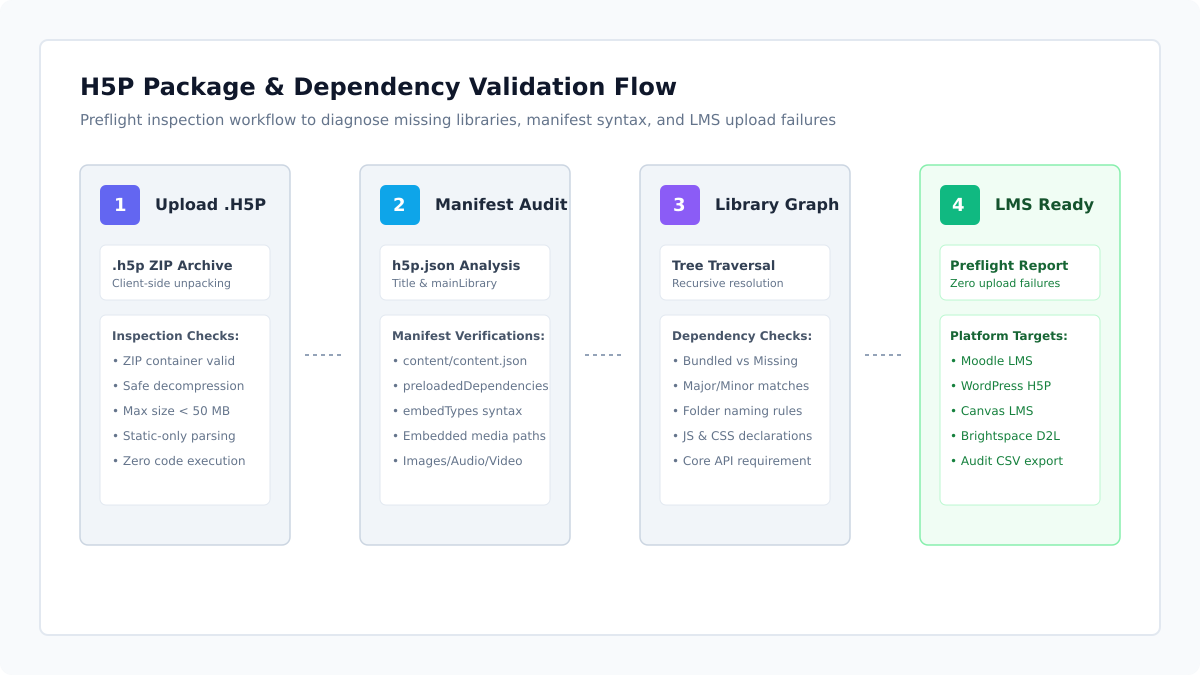
Load the .h5p file locally and review the manifest findings and dependency tree. Inspect missing library versions and media paths, then correct the source project or re-export through the authoring tool. Upload a reviewed package to a test area in the destination and run the activity.
For the detailed procedure and interpretation, read How to Fix H5P Missing Required Library and Upload Errors.
What are the practical limits?
Bundled dependencies do not establish that the destination permits installation or supports the runtime. A package-level check also cannot prove scoring, keyboard access or all content interactions. Opening the activity in its actual LMS is essential.
What should you verify before using the result?
Exercise the question types, media and completion behavior used by learners. Check the target LMS result and retain the original package, corrected export and dependency findings for future moves.
Sources and comparison scope
Prepared on 18 November 2026 using the current PageUtil workflow and the linked official documentation, checked on 17–18 November 2026. The example is illustrative. Competitor descriptions are based on published documentation; this article does not report a comparative performance benchmark.
Continue troubleshooting
- How to Fix H5P Missing Required Library and Upload Errors
- iLovePDF Alternative for Local PDF Comparison
- QRCode Monkey Alternative for Static QR Codes
- QRStuff Alternative for Scanning Saved QR Images
- TEC IT Alternative for Generating Barcodes
- LabelResizer Alternative for Shipping Label PDFs
- PageUtil vs Copy and Paste for Word Tables in Excel
- PageUtil vs Lexicon DJ for Rekordbox Missing Files
Related tools
Frequently asked questions
Does a missing bundled library always prevent import?
The destination may already have the required version installed. Check both the package and the target library inventory.
Can PageUtil edit every H5P activity?
Its role here is package inspection. Use an H5P authoring tool such as Lumi to edit the activity and export a corrected package.
Does zero package errors prove scoring works?
No. Test the actual activity and completion behavior in the intended LMS.
Why does an activity work on one LMS and fail on another?
Installed library versions, permissions, runtime support and content settings can differ. Compare the destination’s actual error with the package findings.
Is the PageUtil tool free to use?
Yes. PageUtil H5P Package & Dependency Checker is free to use without a PageUtil account. For Lumi, evaluate the authoring or export workflow you need. Package inspection does not include LMS hosting, content-authoring work or permission to install a missing library.