When should you choose PageUtil or MxToolbox?
MxToolbox provides a paste-in Email Header Analyzer. PageUtil provides a local inspection workflow for the same kind of evidence. The decisive input is the complete original header from the receiving mailbox. A forwarded excerpt can omit the fields needed to distinguish a trusted receiver’s report from text inserted earlier in transit.
| Requirement | PageUtil | MxToolbox |
|---|---|---|
| Starting evidence | Complete copied internet headers | Paste-in header input |
| Investigation | Local organization of hops and reported results | Header analysis interface |
| Trust decision | Identify the trusted receiving boundary | Identify the trusted receiving boundary |
Is PageUtil free, and what else do you need?
PageUtil Email Header Analyzer is free to use without creating a PageUtil account. This covers the tool’s supported workflow and outputs; its technical limits still apply.
Compare a pasted-header investigation separately from any paid monitoring service. Both routes still need the complete relevant headers and someone able to interpret the receiving system’s evidence.
Compare the complete task, including preparation, review and destination access. Consult the linked provider documentation for current terms; no unverified competitor price is assumed here.
About PageUtil and its free tools
A worked example to test the choice
A message shows spf=pass for vendor.example but dmarc=fail for example.com. Those results can coexist because SPF authenticated the envelope domain while DMARC evaluated alignment with the visible From domain. Inspect the trusted receiver’s Authentication-Results field before changing a DNS record based on the displayed words.
How do you run the PageUtil workflow?
Open Email Header Analyzer.
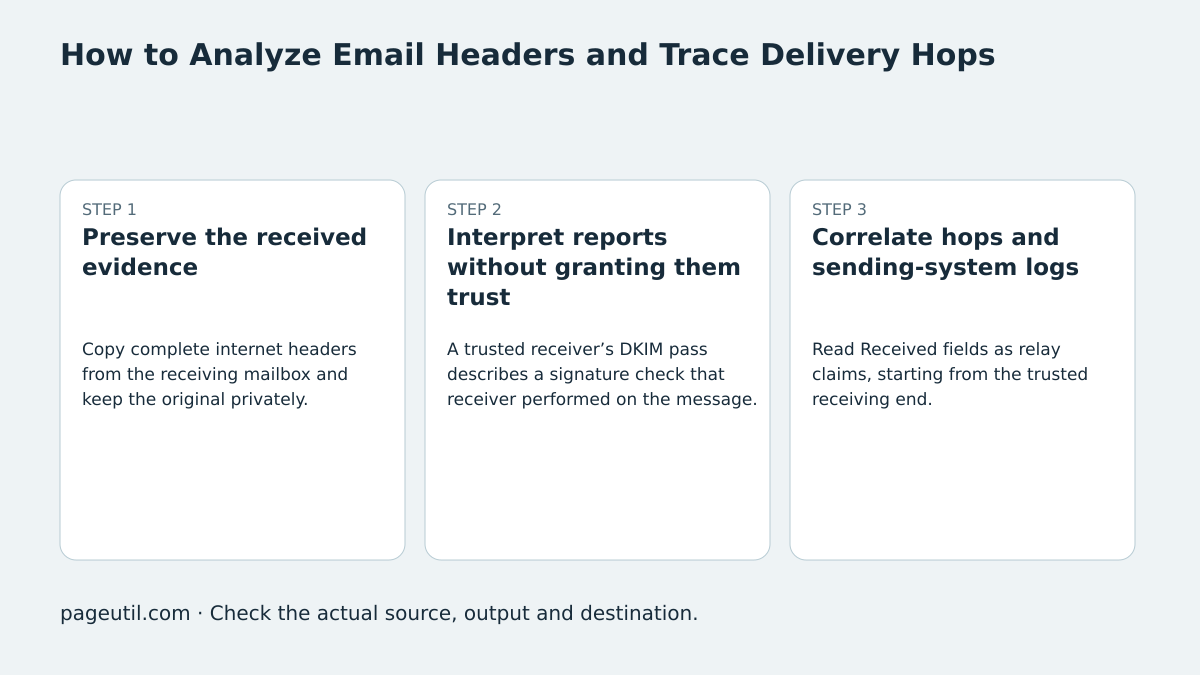
Copy the full internet headers from the receiving mailbox. Paste them into Email Header Analyzer and identify the authentication-service identifier used by that mailbox provider. Read Received fields from the trusted receiving end, then compare the times and domains with a known legitimate message. Retain a private original and redact sensitive routing or recipient details in any shared report.
For the detailed procedure and interpretation, read How to Analyze Email Headers and Trace Delivery Hops.
What are the practical limits?
An attacker can insert an Authentication-Results field upstream. Parsing cannot authenticate who wrote it. Header text alone also cannot repeat a DKIM body-signature verification. A large gap between relay timestamps may involve clock skew, so use server logs before attributing the delay to a particular hop.
What should you verify before using the result?
After correcting the identified sending configuration, send a new controlled test message and inspect its trusted receiver results. Current DNS records describe the present configuration and may differ from the records used when the earlier message arrived.
Sources and comparison scope
Prepared on 18 November 2026 using the current PageUtil workflow and the linked official documentation, checked on 17–18 November 2026. The example is illustrative. Competitor descriptions are based on published documentation; this article does not report a comparative performance benchmark.
Continue troubleshooting
- How to Analyze Email Headers and Trace Delivery Hops
- dmarcian XML to Human Alternative for DMARC Reports
- PageUtil vs ZeroBounce for Email List Cleanup
- MxToolbox Alternative for Generating SPF Records
- dmarcian Alternative for Generating DMARC Records
- PageUtil vs MxToolbox for Email Health Checks
- PageUtil vs Google Contacts for Duplicate Contact Cleanup
- PageUtil vs Google Contacts CSV Import Mapping
Related tools
Frequently asked questions
Does parsing headers verify DKIM?
It displays reported DKIM results. Repeating the signature check requires the signed message data, public key and verification rules.
Why do SPF pass and DMARC fail appear together?
SPF can authenticate a domain that differs from the visible From domain. DMARC evaluates alignment as well as authentication.
Can I trust every Authentication-Results field?
Identify the one written by your trusted receiving service. Upstream messages can contain forged or unrelated fields.
Can header timestamps prove which server delayed delivery?
They provide clues, but clock differences and missing evidence complicate attribution. Correlate them with sender and receiver logs.
Is the PageUtil tool free to use?
Yes. PageUtil Email Header Analyzer is free to use without a PageUtil account. Compare a pasted-header investigation separately from any paid monitoring service. Both routes still need the complete relevant headers and someone able to interpret the receiving system’s evidence.