When should you choose PageUtil or dmarcian XML-to-Human?
An aggregate report describes receiver observations over a stated period. Before comparing tools, check whether your task is to read one file, compare two periods or collect reports continuously. dmarcian provides an XML-to-Human converter within its DMARC product portfolio. PageUtil’s comparison works from the files you supply, making the reporting window and receiver coverage central to the result.
| Requirement | PageUtil | dmarcian XML-to-Human |
|---|---|---|
| Input | Baseline and comparison report batches | Aggregate report converter |
| Useful evidence | Counts, source changes and report provenance | Human-readable interpretation of XML |
| Next step | Investigate sender and receiver evidence | Investigate sender and receiver evidence |
Is PageUtil free, and what else do you need?
PageUtil DMARC Report Analyser is free to use without creating a PageUtil account. This covers the tool’s supported workflow and outputs; its technical limits still apply.
Compare a one-time XML inspection with the cost and operational work of collecting reports over time. An analyser for supplied files does not supply a hosted report mailbox or continuous monitoring service.
Compare the complete task, including preparation, review and destination access. Consult the linked provider documentation for current terms; no unverified competitor price is assumed here.
About PageUtil and its free tools
A worked example to test the choice
A baseline contains 900 passing messages and 100 failures. Its failure rate is 10%. A later report contains 95 passes and five failures, producing 5%. That lower percentage may reflect a much smaller reporting population. Confirm the same domain, receivers and reporting duration before describing the result as improved authentication.
How do you run the PageUtil workflow?
Open DMARC Report Analyser.
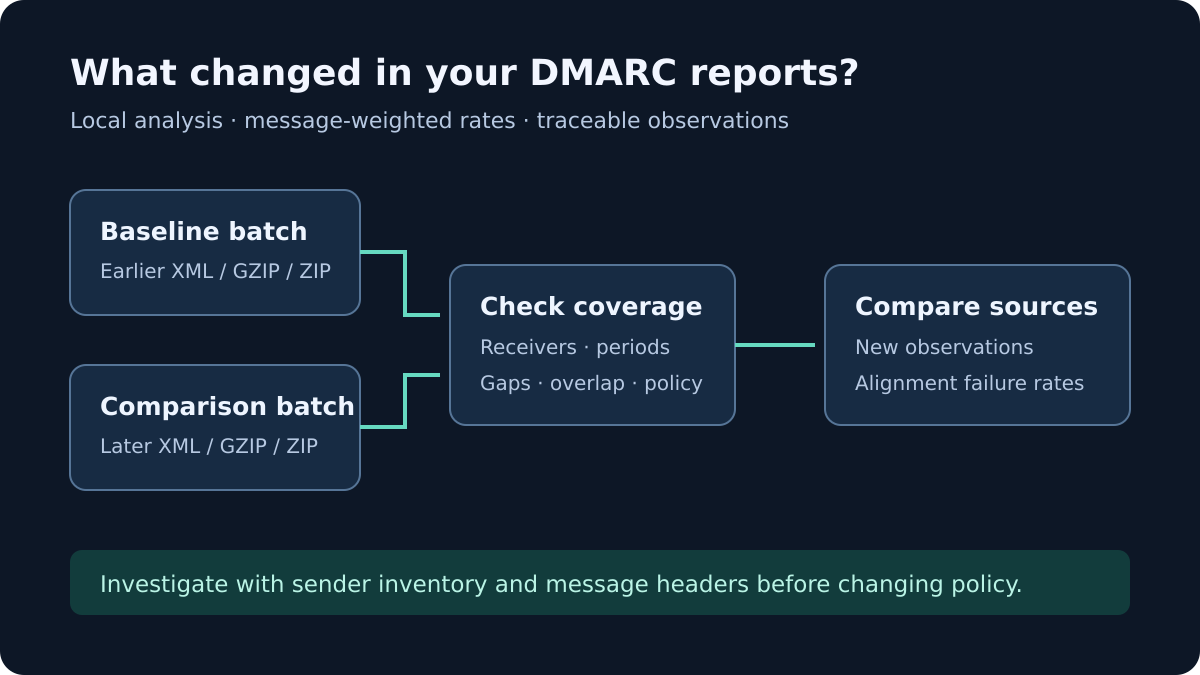
Load the earlier reports as the baseline and the later reports as the comparison. Review import cautions, UTC reporting periods and duplicate handling before reading totals. Inspect source changes with their message counts and provenance. Export the report rows or source changes to retain the evidence used in your investigation.
For the detailed procedure and interpretation, read How to Compare DMARC Reports and Investigate Alignment Failures.
What are the practical limits?
A source appearing only in the later batch is new to that supplied comparison. It may be an established sender missing from the baseline. An IP address does not establish vendor ownership. Raw SPF or DKIM results also need domain alignment to satisfy DMARC, and receiver disposition does not prove inbox placement.
What should you verify before using the result?
Correlate a suspicious source with your authorized sending inventory and complete message headers. Compare equivalent windows again after a configuration change. Keep the original reports, because the summary alone cannot explain missing days, receiver coverage or conflicting report identities.
Sources and comparison scope
Prepared on 18 November 2026 using the current PageUtil workflow and the linked official documentation, checked on 17–18 November 2026. The example is illustrative. Competitor descriptions are based on published documentation; this article does not report a comparative performance benchmark.
Continue troubleshooting
- How to Compare DMARC Reports and Investigate Alignment Failures
- MxToolbox Alternative for Email Header Analysis
- PageUtil vs ZeroBounce for Email List Cleanup
- MxToolbox Alternative for Generating SPF Records
- dmarcian Alternative for Generating DMARC Records
- PageUtil vs MxToolbox for Email Health Checks
- PageUtil vs Google Contacts for Duplicate Contact Cleanup
- PageUtil vs Google Contacts CSV Import Mapping
Related tools
Frequently asked questions
Can SPF pass while DMARC fails?
Yes. SPF may authenticate an envelope domain that does not align with the visible From domain. Check aligned SPF and DKIM results.
Does a new IP mean an unauthorized sender?
It means the source was absent from the supplied baseline. Check reporting coverage and your sending inventory before assigning ownership or intent.
Can I compare a day with a week?
You can inspect both, but different durations and receiver populations affect counts and rates. Use equivalent coverage for a meaningful trend comparison.
Does a DMARC pass prove inbox delivery?
No. DMARC concerns authentication and alignment. Spam filtering and other delivery decisions require separate evidence.
Is the PageUtil tool free to use?
Yes. PageUtil DMARC Report Analyser is free to use without a PageUtil account. Compare a one-time XML inspection with the cost and operational work of collecting reports over time. An analyser for supplied files does not supply a hosted report mailbox or continuous monitoring service.