What to run
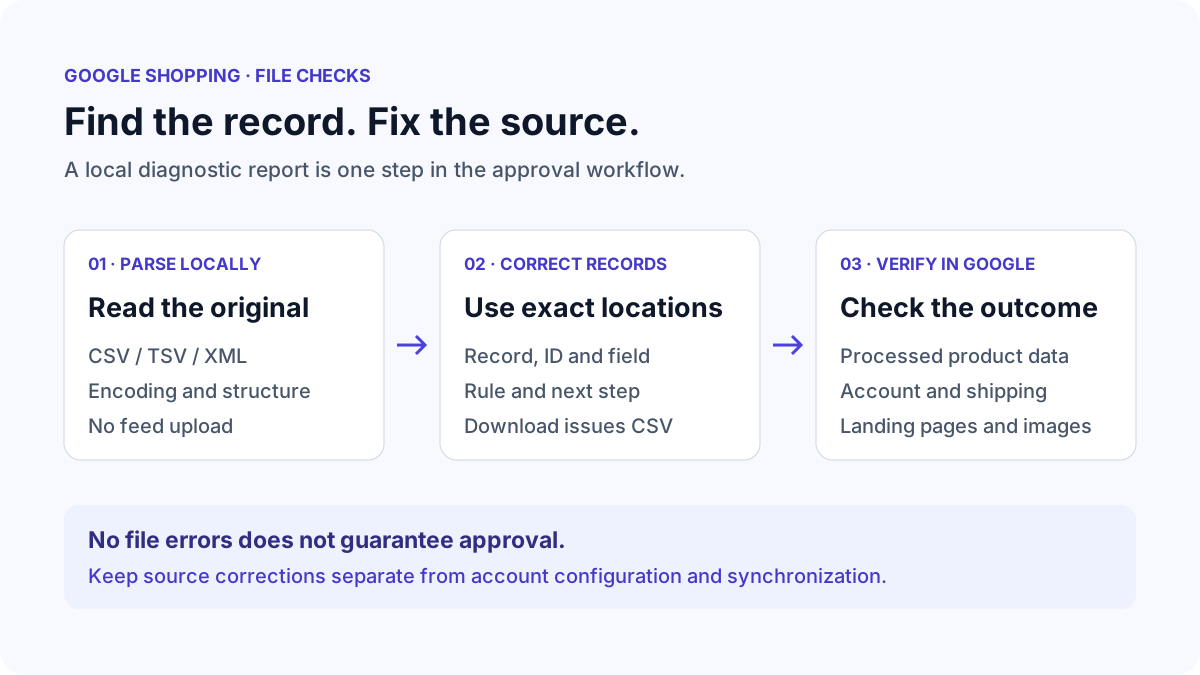
Export the current product source from your feed application. Keep an unchanged copy for comparison. The validator accepts CSV exports, tab-delimited TXT/TSV and Google Shopping RSS or Atom XML. Choose one local file or paste its contents. Processing and report downloads stay on your device; product URLs are not fetched.
Select Primary product source when the file is meant to describe complete products. Select Supplemental source for an update file: missing title, price and other primary attributes should not be treated as errors in a source that only supplements existing products. Both modes check IDs and supplied values. Supplemental validation cannot check the merged account data.
Set the destination and two-letter target country if known. Apply the clothing/shoes profile only when it fits the products. Country and product context affect required attributes. Leave unknown context unspecified and review the resulting limitations rather than choosing a country just to silence a finding.
id	title	price	availability
SKU-104	Cotton T-shirt	19.99 USD	in_stock
SKU-104	Cotton T-shirt, large	24.99 USD	available
How to read the result
Errors identify violations of implemented rules. Each finding includes a rule code, record, source line, product ID where available, current value, next step and a Google documentation link. The example has a repeated product ID and an unsupported availability value. It is intentionally incomplete; a primary feed also needs the other required product attributes.
Warnings identify likely editorial or encoding problems that need inspection. A title in capitals may be an acronym, and promotional-word detection is a heuristic. Needs-review findings require facts outside the file, such as whether the manufacturer assigned a GTIN. These findings are not claims that Google will reject the product.
Text record numbering includes the header as record one. Quoted fields can span physical lines, so record numbers and source lines can differ. XML records identify item or entry order, with element paths for supplied attributes. Search by product ID, field, rule or record; use the severity and rule filters to focus on one correction at a time.
| Finding | Action | Boundary |
|---|---|---|
| Duplicate id | Assign each product or variant its own stable ID | Shared item_group_id values are expected |
| Invalid price format | Use an amount and currency, such as 19.99 USD | Website price matching is not checked |
| GTIN checksum failure | Verify the entire manufacturer identifier | Do not repair only the final digit |
| Missing shipping in the file | Check account-level shipping configuration | Absence alone is not a file error |
| No errors found | Review unchecked account and website requirements | Passing is not approval |
What to open next
Download the issues CSV and correct the original source or exporter. Reports include all stored issues regardless of display filters. Formula-like cells are prefixed for spreadsheet safety, and issue values are limited to 500 characters. JSON includes the same stored findings, context, coverage and ruleset version. If the 20,000-issue report limit is reached, split the original input to obtain complete exports.
For unexpected column counts or garbled characters, use CSV Fixer to inspect the original bytes and separator. For an XML parser error, XML Formatter can help inspect the document structure. Keep Google attributes in the documented namespace; changing the prefix is acceptable when the namespace URI stays correct.
Follow How to Check GTIN Digits and Duplicate Product IDs for identifier failures, or How to Choose CSV, TSV or XML for Google Shopping for upload-format problems. Account-level shipping and synchronization issues must be inspected in Merchant Center and the connected application.
Stop when
Revalidate the revised source using the same context. Stop the file-editing loop when implemented errors are resolved and remaining warnings or review items have an explanation. Keep the original and revised source so you can compare the actual changes. The validator never rewrites or uploads your feed.
Submit the supported file through your normal workflow, then inspect Merchant Center after processing. Confirm that the intended products updated and review its remaining issues, landing-page mismatches and account requirements. Avoid repeated speculative edits to valid data when the remaining problem is account configuration or synchronization.
References
Use the linked specifications and product documentation to check behavior in your own environment.
Continue troubleshooting
Related tools
Frequently asked questions
Does a clean report mean my products are approved?
No. The report checks a published subset of file-side rules. Google also evaluates account policies, website content, images, shipping settings and the processed product data.
Why does a supplemental source omit required attributes?
A supplemental source updates existing primary products. It can legitimately omit primary fields, but the combined product data must still satisfy the applicable Google requirements.
Should I change every warning automatically?
No. Review the evidence and the linked requirement first. Editorial heuristics and incomplete product context can produce findings that do not require a data change.