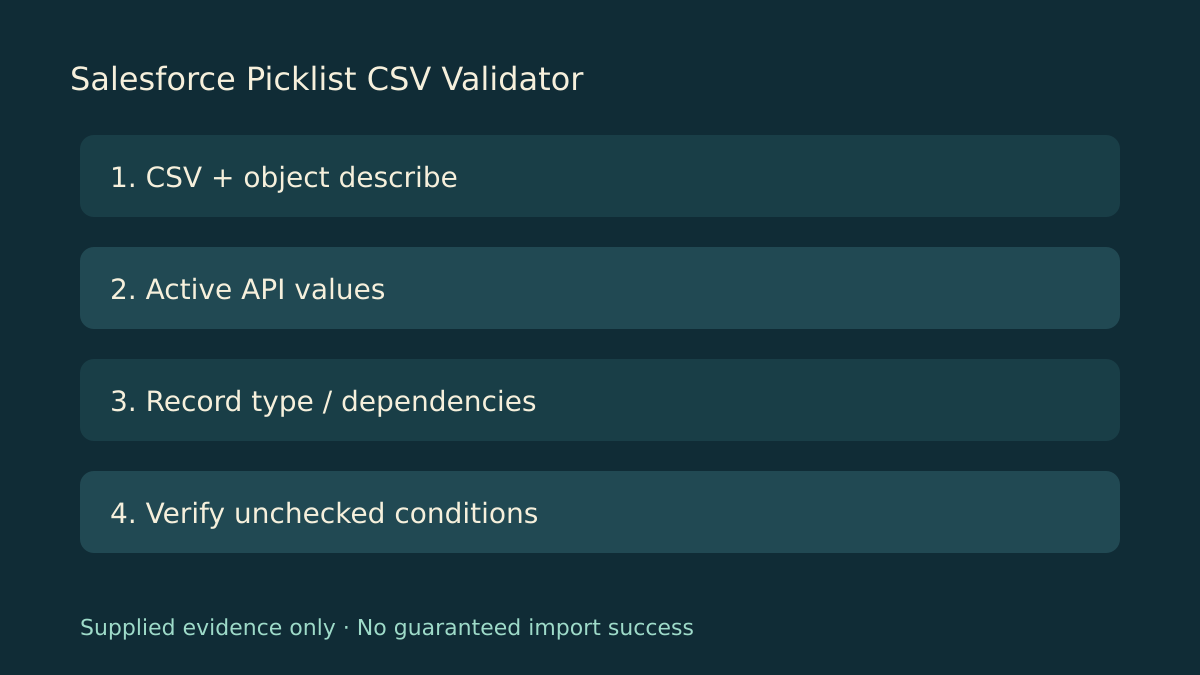
Retrieve metadata from the destination context
In an authorised REST client, retrieve /services/data/vXX.X/sobjects/OBJECT/describe using the intended integration user. Supply the unchanged JSON to the checker. The fields array provides types, API names, restrictedPicklist, active flags and value/label pairs. The example describe is a fictional Account configuration, not a claim about the standard Industry field in your org.
Describe picklist entries alone do not establish record-type availability. For optional record-type checks, retrieve /services/data/vXX.X/ui-api/object-info/OBJECT/picklist-values/RECORD_TYPE_ID and supply its picklistFieldValues collection. Enter the exact record type used for that request. Do not paste credentials into PageUtil. Metadata, org identity, integration-user permissions and retrieval time are your responsibility.
Keep API values distinct from labels and display choices
An API value can differ from its displayed label and from a translated label. The checker compares exact strings against supplied active API values. A label match is a suggested investigation, never an automatic replacement. Leading/trailing whitespace remains significant. For a multi-select picklist, semicolons delimit members; the tool checks each member and flags repeats without reordering or trimming them.
An unexpected restricted value is a blocking local finding. On an unrestricted field, an absent or inactive value is a warning because the API may accept a new value in some contexts. Existing inactive stored values and operations that leave fields unchanged need separate reasoning. An empty cell or #N/A is marked not checked: determine null intent and requiredness using the actual importer.
Compare a label, an API value, an inactive value and whitespace
Load the worked example. Enterprise Customer is a label whose API value is Enterprise_Customer. The next row already supplies the API value. Retired is marked inactive in the fictional describe. The final row contains a leading space before Enterprise_Customer and is not silently trimmed. Expected: three blocking value findings, one active-value finding and four not-checked record-type findings.
No record-type UI API response is supplied in this example, so record-type and dependency checks remain explicitly unchecked. The source download and describe JSON reproduce the exercise without PageUtil. To prepare a candidate, obtain the intended active API values from the administrator and correct the source. Do not bulk-replace labels until you understand whether they encode distinct business meanings.
Read record-type and dependency warnings narrowly
One UI API response covers one record type. Rows with a different RecordTypeId remain unchecked; split mixed populations and retrieve each relevant response. If RecordTypeId is absent, the tool warns that it is assuming your supplied context. An update can retain an existing record type, which this CSV alone cannot establish.
For dependent fields, the collection’s controllerValues map and each choice’s validFor indices express UI availability. The checker uses the controlling column named by describe metadata. If that column is omitted, an existing destination value may matter and the dependency is not checked. A UI API exclusion is a configuration warning rather than a universal assertion that every API write must fail.
Passing these local checks still leaves validation rules, flows, triggers, user access, requiredness and current destination state unresolved. Verify a representative import in the target configuration. Keep the unchanged source and metadata snapshots so the team can reproduce what was checked.
Download the worked evidence and expected results
All example records, custom fields and metadata are fictional. They follow documented CSV, REST describe or SDL shapes and have not been executed in a Salesforce org. No customer or production personal data is included.
Continue the import review
Use the Salesforce CSV Import Preflight and Reconciliation Checklist to decide which checks apply to your operation. Local passes do not replace integration-user access, current metadata and a representative sandbox test.
References
Use the linked specifications and product documentation to check behavior in your own environment.
Continue troubleshooting
- Salesforce CSV Import Preflight and Reconciliation Checklist
- How to Map Salesforce Parent Records by External ID
- How to Preview Salesforce Bulk Update Clears and Overwrites
- How to Format Salesforce CSV Dates with Explicit Timezones
- How to Check Salesforce CSV Fields and Data Loader SDL Mappings
- How to Analyse and Retry Failed Salesforce Bulk API 2.0 Records
Related tools
Frequently asked questions
Was this example tested in a Salesforce org?
No. The downloadable fictional examples exercise local checks and documented file shapes. A live-org result requires an authorised org and the actual importer.
Can a clean report guarantee import success?
No. Current destination records, permissions, validation rules and automation are not available to these local checks and can change the result.
Which file should I use for import?
Review the raw candidate and its importer settings. The spreadsheet-safe findings report changes formula-looking cells for review and must not be imported as source data.