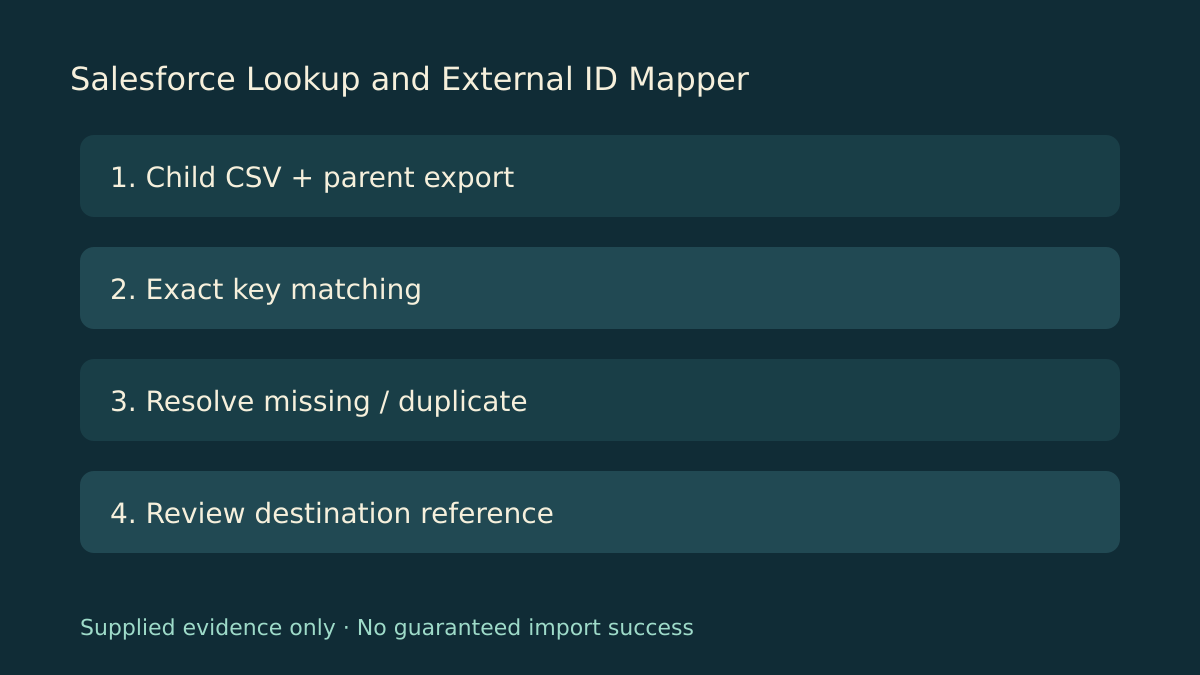
Choose the relationship before matching strings
Start with the parent object and destination relationship field. A Contact AccountId needs an Account Id from the destination org. A relationship external-ID header instead names the relationship and configured external-ID field, such as Account.External_Id__c. Custom relationships often use __r, not the child lookup field ending in __c. Confirm the API relationship name in describe metadata; a plausible column name is not evidence that it exists.
Export the parent matching key and intended output value using your authorised Salesforce client. Record the org, object, integration user, extraction time and filter. A partial export can omit the correct parent. A sandbox Id must not be treated as a production Id, even if the business keys agree. For polymorphic references such as WhoId and WhatId, object type and importer support require separate checks.
Keep identifiers as strings. PageUtil matches external keys exactly and case-sensitively, retaining leading zeros and whitespace. This conservative rule may differ from a configured Salesforce field’s matching behavior. If the parent matching column is explicitly Id, equivalent valid 15- and 18-character IDs match; exported strings remain unchanged. Names and labels are not reliable identifiers simply because they happen to be unique in a small sample.
Reproduce one match, one ambiguity and one missing reference
Download the source and reference files below, or load the worked example. Set child reference CustomerCode, parent matching CustomerCode, parent output Id and destination AccountId. River with key 001 matches one supplied Account and receives 001000000000001AAA. Vale with key 002 matches two parent rows. Stone with key 009 matches none. The expected summary is one matched finding and two errors; a candidate is blocked.
The example data is fictional, including the record identifiers. It demonstrates the documented file shapes and local decision rules, not that those records exist in Salesforce. The same fixtures drive automated tests. Do not upload them to an org. Obtain the authoritative parent for 002 and investigate why 009 is absent. Removing a duplicate without checking its business identity is not reconciliation.
For a clean one-row trial, keep only River in the source and run again. The candidate contains LastName and AccountId; the selected CustomerCode helper column is replaced. Other source columns retain their strings exactly. Confirm the destination relationship and operation before using a candidate. If a destination column already exists, resolve it explicitly rather than allowing an accidental overwrite.
LastName,AccountId
River,001000000000001AAA
Resolve ambiguity at its source
Two supplied parents with the same matching key remain ambiguous even if their output values are identical. That may indicate a duplicated export, an insufficient business key, or genuinely different entities. PageUtil does not select the first or last row. Correct the extraction or reconcile the records with the data owner, then run the full check again.
A missing match can mean an incomplete export, restricted access, a changed business identifier or a missing parent. Verify in Salesforce using the integration user. If the parent must be created, use your approved parent-first load and obtain its result before preparing the child file. Do not invent an Id or switch to name matching to suppress the warning.
Review the candidate as a new write
An error-free local match proves only that one row in your supplied parent file matched. It does not prove destination existence, visibility, external-ID uniqueness or relationship compatibility. Review those conditions, then acknowledge the candidate download. The report is spreadsheet-safe; the candidate is raw import CSV. Keep these artifacts separate.
Test representative child records in an authorised sandbox through your actual importer, and reconcile results with the original stable source keys. A stale parent export or later merge can invalidate a previously good mapping. Keep an unchanged original so that investigation can explain every transformation.
Download the worked evidence and expected results
All example records, custom fields and metadata are fictional. They follow documented CSV, REST describe or SDL shapes and have not been executed in a Salesforce org. No customer or production personal data is included.
Continue the import review
Use the Salesforce CSV Import Preflight and Reconciliation Checklist to decide which checks apply to your operation. Local passes do not replace integration-user access, current metadata and a representative sandbox test.
References
Use the linked specifications and product documentation to check behavior in your own environment.
Continue troubleshooting
- Salesforce CSV Import Preflight and Reconciliation Checklist
- How to Preview Salesforce Bulk Update Clears and Overwrites
- How to Validate Salesforce Picklist API Values and Record Types
- How to Format Salesforce CSV Dates with Explicit Timezones
- How to Check Salesforce CSV Fields and Data Loader SDL Mappings
- How to Analyse and Retry Failed Salesforce Bulk API 2.0 Records
Related tools
Frequently asked questions
Was this example tested in a Salesforce org?
No. The downloadable fictional examples exercise local checks and documented file shapes. A live-org result requires an authorised org and the actual importer.
Can a clean report guarantee import success?
No. Current destination records, permissions, validation rules and automation are not available to these local checks and can change the result.
Which file should I use for import?
Review the raw candidate and its importer settings. The spreadsheet-safe findings report changes formula-looking cells for review and must not be imported as source data.