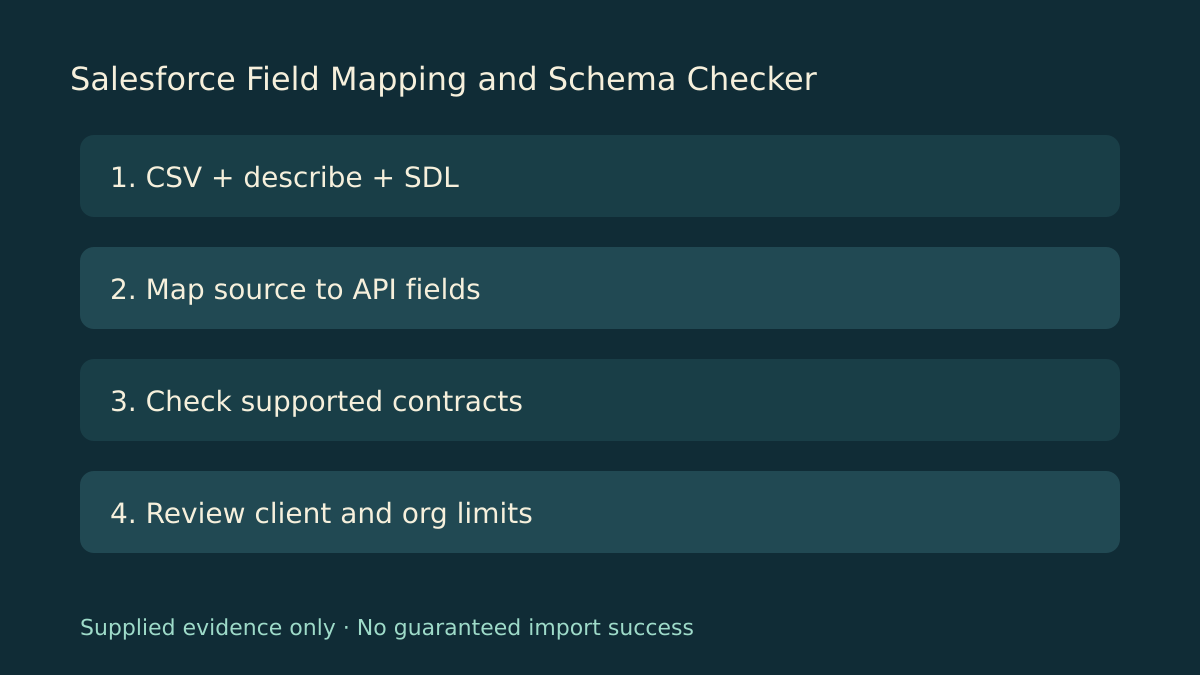
Audit fields using the intended integration user
Retrieve REST /services/data/vXX.X/sobjects/OBJECT/describe through an authorised client. Supply that JSON with the CSV and choose insert, update or upsert. Field names and types are required. Write capabilities reflect the supplied metadata context; stale metadata or a different user can produce misleading results. PageUtil does not query your org, refresh permissions or discover fields from labels.
Without an SDL file, the checker treats each source header as the destination API field name. Unknown fields are blocking errors. Relationship headers containing a dot or colon remain not checked because resolving them requires related-object describe data and importer-specific relationship conventions. A known field’s createable/updateable flags are checked for the selected paths. Upsert conservatively checks both, while required insert-field analysis is limited to an explicit insert.
Read SDL as an import mapping, not CSV
A Data Loader import mapping pairs a source column on the left with a Salesforce destination field on the right. Export mappings reverse the conceptual direction. Spaces in source names must be escaped with a backslash. The checker understands supported property escapes, including Unicode escapes, and emits escaped import mappings. It rejects duplicate sources or destinations instead of quietly accepting the last line.
Salesforce also documents constants and multi-target constant mappings. This checker deliberately rejects those, along with continuation lines; that is a limitation of this tool, not a claim that Data Loader rejects them. Convert constants into explicit source columns for local review, or review those SDL files directly in Data Loader. A valid mapping does not establish that the field’s values are acceptable.
Company\ Name=Name
CustomerCode=External_Id__c
Industry=Industry
Trace each source header into its destination
Download the source, fictional Account describe and SDL examples below. Choose insert. Company Name maps to Name via its escaped space, CustomerCode maps to External_Id__c and Industry maps to Industry. The supplied schema has a writable required Name and optional text external ID. The source strings are unchanged. This schema check produces no blocking finding for the worked file; it does not check picklist membership.
The same file includes Retired as Industry. The Picklist CSV Validator can investigate that value after headers are mapped to API names; the schema checker’s clean result alone does not approve it. This deliberate distinction shows why a field contract and a picklist value contract are separate checks.
Download the reviewed candidate CSV and import SDL as separate artifacts. The CSV retains Company Name and CustomerCode headers because SDL describes their destinations. Do not rename the CSV headers while continuing to use an SDL that references the old names. Reopen the pair in your actual Data Loader version and inspect the mapping before submission.
Understand what supported type checks establish
The checker flags supplied text length overruns and malformed Salesforce Id/reference shapes. It reviews conservative boolean and numeric forms, scale and integer precision without converting numbers to JavaScript floats. Scientific notation can be accepted by Salesforce but is deliberately left for review here. Numeric warnings do not predict Salesforce’s rounding outcome. Date/time representations are checked against the formatter’s conservative supported forms.
An explicit insert checks missing required createable fields and mapped blank/null values unless metadata says the field is defaulted or auto-numbered. An update can omit required fields that are already populated; upsert may follow either path. Unique keys, duplicate rules, record types, field relationships, destination existence, triggers, flows and validation rules still require separate evidence.
Use a sandbox sample through the intended importer and integration user to verify the mapping and result streams. Keep the original CSV, describe JSON and mapping with retrieval timestamps. Avoid claiming the SDL was executed if it was only parsed locally.
Download the worked evidence and expected results
All example records, custom fields and metadata are fictional. They follow documented CSV, REST describe or SDL shapes and have not been executed in a Salesforce org. No customer or production personal data is included.
Continue the import review
Use the Salesforce CSV Import Preflight and Reconciliation Checklist to decide which checks apply to your operation. Local passes do not replace integration-user access, current metadata and a representative sandbox test.
References
Use the linked specifications and product documentation to check behavior in your own environment.
Continue troubleshooting
- Salesforce CSV Import Preflight and Reconciliation Checklist
- How to Map Salesforce Parent Records by External ID
- How to Preview Salesforce Bulk Update Clears and Overwrites
- How to Validate Salesforce Picklist API Values and Record Types
- How to Format Salesforce CSV Dates with Explicit Timezones
- How to Analyse and Retry Failed Salesforce Bulk API 2.0 Records
Related tools
Frequently asked questions
Was this example tested in a Salesforce org?
No. The downloadable fictional examples exercise local checks and documented file shapes. A live-org result requires an authorised org and the actual importer.
Can a clean report guarantee import success?
No. Current destination records, permissions, validation rules and automation are not available to these local checks and can change the result.
Which file should I use for import?
Review the raw candidate and its importer settings. The spreadsheet-safe findings report changes formula-looking cells for review and must not be imported as source data.