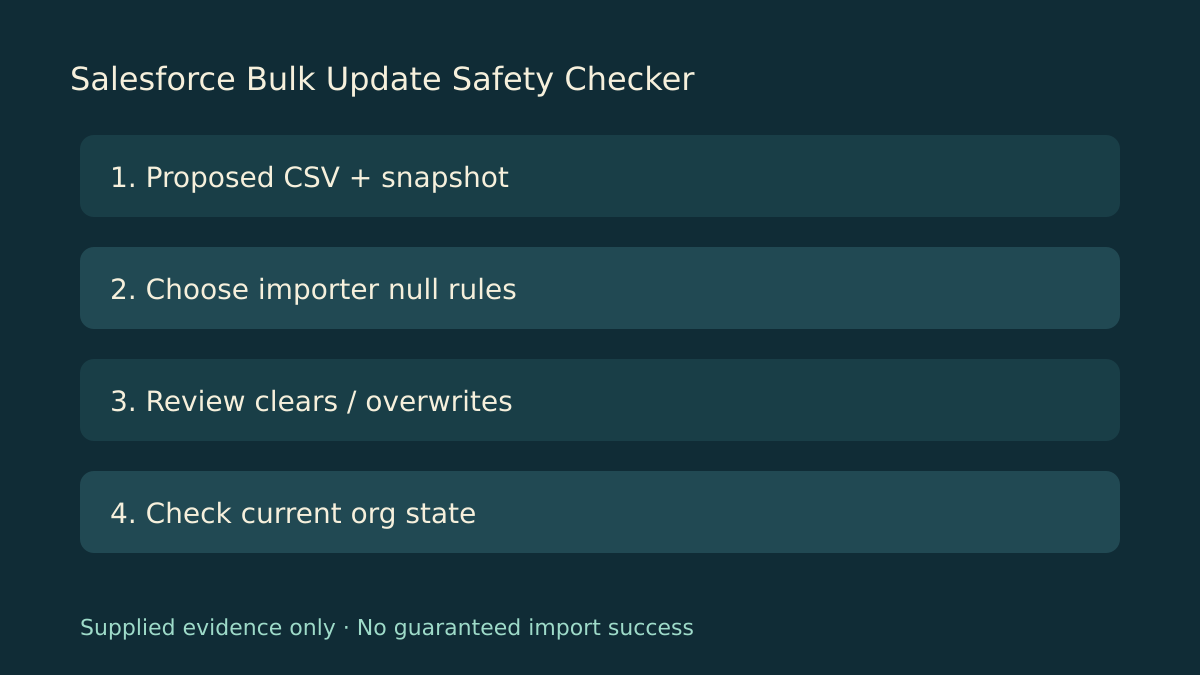
Build a meaningful before-and-after comparison
Export the exact object fields you propose to update, together with a stable identifier. Keep the org, user, extraction time and filters alongside the file. A snapshot is evidence of earlier values, not a lock on those records. Another integration can change them before your import. Restrict the source to intentional field changes: an exported column is not automatically a column that should be written back.
Choose update or upsert explicitly. For update, Id is the usual stable key. For upsert, select the configured external-ID column and verify its matching rules and destination uniqueness. Duplicate keys in either supplied population prevent a reliable comparison. A source key missing from the snapshot means destination state is unknown; an upsert may insert it, or it may already exist outside the extract.
Interpret blank cells using the actual client settings
Bulk API 2.0 and Data Loader with Bulk API ignore empty update values; they use #N/A to request an explicit null. Omitting a field from the CSV also avoids updating that field. A space is a supplied string, not an empty cell. Quoting a blank CSV field does not by itself give it a different null meaning.
Data Loader without Bulk API uses its Insert null values setting. With that setting enabled, a mapped blank can clear a value; disabled, it is ignored. In this checker, #N/A is treated as literal text for the SOAP path, rather than applying the Bulk sentinel rule. Confirm the installed Data Loader version, field type and operation. A requested null can still be rejected by requiredness, automation or validation.
This tool compares update paths. A missing upsert match needs separate insert review, including required fields, defaults, relationships and automation. Do not assume the update blank rule describes every insert outcome.
| Input | Bulk modes | Data Loader SOAP null-off | Data Loader SOAP null-on |
|---|---|---|---|
| Empty cell | Ignored blank | Ignored blank | Possible clear |
| #N/A | Possible clear | Literal text | Literal text |
| Column absent | Not updated | Not mapped | Not mapped |
Use the same files to observe two different clear decisions
Load the worked example with key Id, operation update and Bulk API 2.0. The first Account’s empty Phone is reported as an ignored blank against 020 1234. The second Account’s #N/A is a possible clear against 020 5678. Names agree, so they do not generate overwrite findings. Expected: one ignored blank and one possible clear.
Change only the importer to Data Loader SOAP with Insert null values ON and rerun. The first Phone is now a possible clear. The second is a changed value containing literal #N/A. With null values OFF, the first is ignored again. These are local predictions from documented settings, not executed Salesforce updates. The example Accounts and numbers are fictional.
The candidate download is the original proposed source, with exact strings preserved and standard CSV serialization. It does not remove warnings, rewrite nulls, generate rollback instructions or approve the write. Download the spreadsheet-safe report to discuss before/after values with the data owner.
Plan recovery and reconcile partial success
Keep a timestamped baseline containing the affected fields and an unchanged source. A reverse-value CSV is not a guaranteed rollback: subsequent edits, triggered side effects and downstream messages may not be reversible. Agree a recovery procedure with the administrator before a substantial update.
Test a representative sample using the real importer settings in an authorised sandbox. Include nulls, unchanged fields and a missing key. Then reconcile each actual result stream. Successful changes may already exist even when other rows fail. The Bulk API analyser helps investigate those results; it does not undo prior writes.
Download the worked evidence and expected results
All example records, custom fields and metadata are fictional. They follow documented CSV, REST describe or SDL shapes and have not been executed in a Salesforce org. No customer or production personal data is included.
Continue the import review
Use the Salesforce CSV Import Preflight and Reconciliation Checklist to decide which checks apply to your operation. Local passes do not replace integration-user access, current metadata and a representative sandbox test.
References
Use the linked specifications and product documentation to check behavior in your own environment.
Continue troubleshooting
- Salesforce CSV Import Preflight and Reconciliation Checklist
- How to Map Salesforce Parent Records by External ID
- How to Validate Salesforce Picklist API Values and Record Types
- How to Format Salesforce CSV Dates with Explicit Timezones
- How to Check Salesforce CSV Fields and Data Loader SDL Mappings
- How to Analyse and Retry Failed Salesforce Bulk API 2.0 Records
Related tools
Frequently asked questions
Was this example tested in a Salesforce org?
No. The downloadable fictional examples exercise local checks and documented file shapes. A live-org result requires an authorised org and the actual importer.
Can a clean report guarantee import success?
No. Current destination records, permissions, validation rules and automation are not available to these local checks and can change the result.
Which file should I use for import?
Review the raw candidate and its importer settings. The spreadsheet-safe findings report changes formula-looking cells for review and must not be imported as source data.