What to run
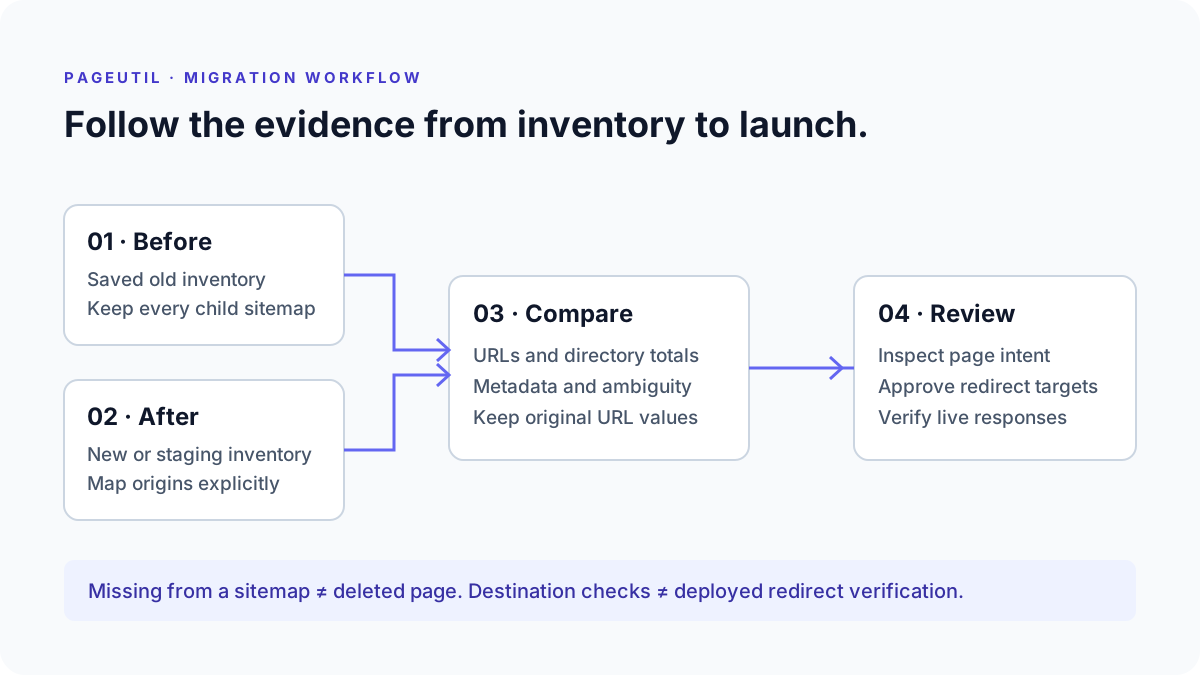
Open Sitemap Comparison and provide the before and after inventories. You can fetch public sitemap URLs, upload multiple XML or compressed XML files, or paste URL lists. For protected staging environments, export the sitemaps and upload them locally. An uploaded sitemap index needs every referenced child file; a failed child fetch must be resolved before interpreting coverage.
For example, compare https://example.com/products/blue-widget in production with https://staging.example.com/products/blue-widget. Set the before origin to https://example.com and the after origin to https://staging.example.com. This pairs corresponding paths without pretending those hostnames are interchangeable in production. Keep query strings, path case and trailing slashes exact unless your migration explicitly changes them.
How to read the result
Read the directory table before reviewing individual URLs. If the old inventory contains a support section and the new one contains none, check sitemap generation and content publishing before creating redirects. A URL omitted from a sitemap may still return HTTP 200 and may still be indexed. This comparison measures declared coverage, not the complete website or search index.
Inspect ambiguous matches before using the plan. Ignoring query strings can collapse two genuinely different pages into the same comparison key. The tool preserves those variants instead of selecting an arbitrary replacement. Repeated identical records are counted as duplicates; repeated URLs with conflicting metadata need review. A changed lastmod is the publisher’s claim about an update, not proof that page content changed.
What to open next
Use the redirect plan to record a decision for each removed or mapped URL. Suggested destinations are based on paths, so open both pages and verify that they serve the same purpose. A staging hostname must be replaced with the actual production destination before exporting deployable rules. Keep deliberate exclusions as sitemap fixes when the page should remain available; use intentional removal when there is no appropriate replacement.
Choose Redirect only after reviewing the destination. The plan flags self redirects, chains and loops before allowing the reviewed CSV export. Use the optional destination checks for HTTP evidence, then open Redirect Checker to trace deployed source URLs after launch. Checking a destination alone does not establish that the old URL redirects correctly. Export the complete worksheet and JSON report to preserve settings, decisions and supporting observations.
Stop when
Finish when every unexpected coverage loss has an explanation, ambiguous matches have been resolved, and each moved page has an appropriate reviewed destination. Preserve intentional 404 or 410 responses when content has gone and no relevant replacement exists. Redirecting unrelated pages to the homepage does not substitute for reviewing migration intent.
After deployment, compare the production inventory again and test actual old URLs through their final response. Verify important pages in Search Console and monitor server logs or your own operational reports. A clean sitemap comparison does not certify rankings, indexing, canonical tags, robots directives or page content. Keep the pre-migration baseline so subsequent releases can be checked against a known inventory.
References
Continue troubleshooting
Related tools
Frequently asked questions
Can I compare only the sitemap indexes?
An index lists child files rather than page coverage. Fetch the complete public index or upload it with every child file to compare actual page URLs.
Should every removed URL redirect?
No. Investigate whether the page still exists, was intentionally excluded, moved to a relevant replacement, or should return an intentional missing response.
Does this compare page metadata?
It compares sitemap fields such as lastmod. Page titles, canonical tags, robots directives and content require live inspection or a separate crawl.