What to run
Choose the original file. Auto detection recognizes XML by its opening markup and detects common text separators. If columns look wrong, explicitly choose tab, comma, semicolon or pipe. Text feeds need a header with attribute names. CSV quoting can preserve delimiters and line breaks for inspection, but Google text-feed requirements must still be satisfied.
File encoding auto mode recognizes UTF-16 byte order marks and otherwise requires valid UTF-8. Select the original encoding when you know it. Windows-1252 inspection is available for legacy exports; it is not a recommendation to submit that encoding. Pasted text has already been decoded, so selecting another file encoding cannot recover its original bytes.
For XML, supply a Google Shopping RSS 2.0 document or Atom 1.0 feed. The parser reads namespaces rather than relying on the literal g prefix. A prefix such as product is equivalent when bound to the same Google namespace URI. An unrelated XML document, malformed markup or a DTD is rejected.
<rss version="2.0" xmlns:g="http://base.google.com/ns/1.0">
  <channel>
    <item>
      <g:id>MUG-001</g:id>
      <g:price>12.99 USD</g:price>
    </item>
  </channel>
</rss>
How to read the result
The abbreviated XML example illustrates structure, not a complete product. A primary source also needs its other applicable product attributes. The report names the detected format and provides source locations for findings. A malformed XML document stops the check; a parser cannot reliably assign later fields to products after broken nesting.
In text feeds, record one is the header. Quoted multiline CSV fields make record numbers differ from physical source lines. Blank records and inconsistent column counts are shown rather than silently dropped. For Google tab-delimited submission, avoid embedded tabs and line breaks within attribute values as required by its text-file guidance.
A Shopify catalog export often uses different column names. After an initial inspection, open column mapping to associate fields such as Variant SKU with id. Mapping only changes the inspection interpretation. It does not generate product URLs, supply missing Google attributes or convert the export into a valid submission.
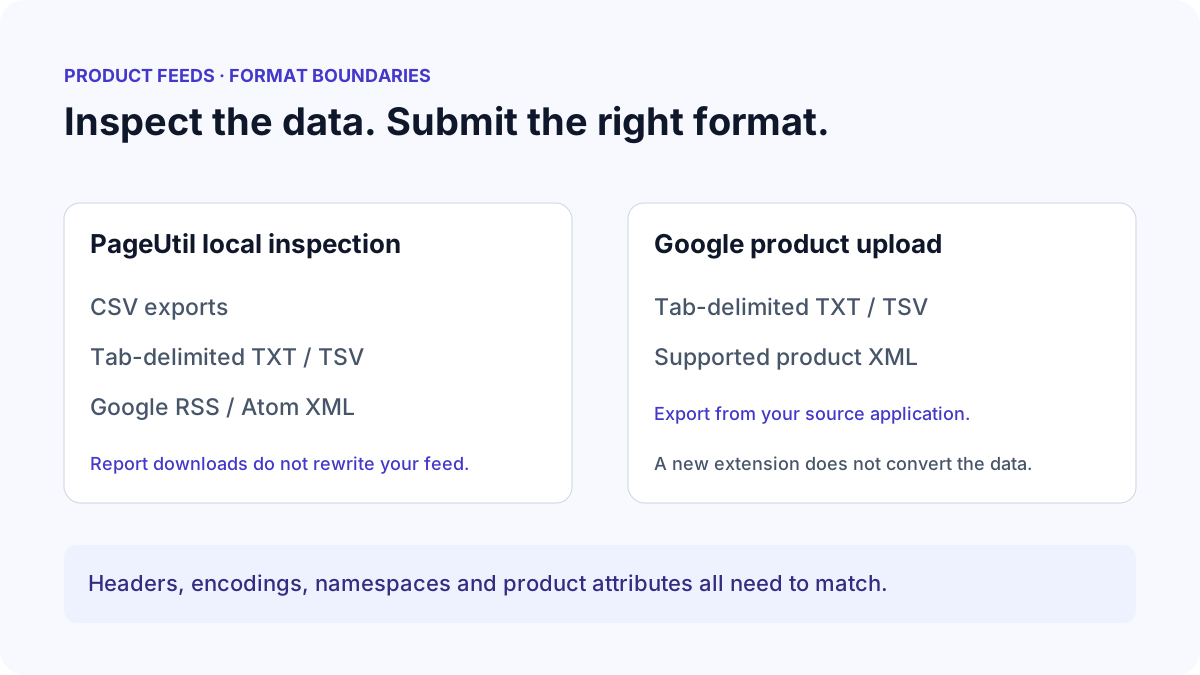
| Format | Validator | Submission consideration |
|---|---|---|
| CSV / semicolon / pipe export | Inspect attributes and records | Export a Google-supported feed format |
| Tab-delimited TXT / TSV | Inspect native Google text data | Follow header, encoding and attribute requirements |
| RSS / Atom XML | Inspect Google product elements and namespaces | Use the documented feed structure |
| XLSX / ZIP / GZIP | Not accepted by this tool | Export or extract plain text/XML locally first |
What to open next
Use CSV Fixer when you need a clearer separator or encoding preview. Use XML Formatter to inspect nesting and malformed XML. Preserve the source before using any formatter: a readable document can still have invalid product values or unsupported attributes.
Compound attributes need their own structure. In XML, shipping contains child elements such as country, region and price. In text, Google supports colon-separated subattributes, including headers that name their order. The validator checks common shipping syntax, while account-level shipping remains outside the file.
Continue with How to Fix Google Shopping Feed Errors for the correction workflow. Downloaded issues CSV is a diagnostic report, not an uploadable product feed. The source is never rewritten by validation or report export.
Stop when
Stop when the detected format matches the actual source, the intended columns or product elements are recognized, encoding is correct, and structural errors are resolved. Then fix the attribute findings and export the supported product format through your source application.
For inputs over 10 MB, 50,000 products, 256 columns or 500,000 cells/elements, split the source or use a local processing pipeline. These are PageUtil processing limits, not Google upload limits. Check Merchant Center after submitting through your normal workflow.
References
Use the linked specifications and product documentation to check behavior in your own environment.
Continue troubleshooting
Related tools
Frequently asked questions
Can I rename a CSV file to TSV?
No. Renaming the file does not replace comma separators with tabs or map its columns to Google attributes. Export the correct format from the source application.
Does changing the XML prefix break the feed?
A different prefix can work when it is bound to the correct Google namespace URI. Missing or incorrect namespace bindings change how product elements are interpreted.
Is the downloaded issues CSV a product feed?
No. It contains diagnostic records, explanations and source links. Correct the original product source and export its supported submission format separately.