What to run
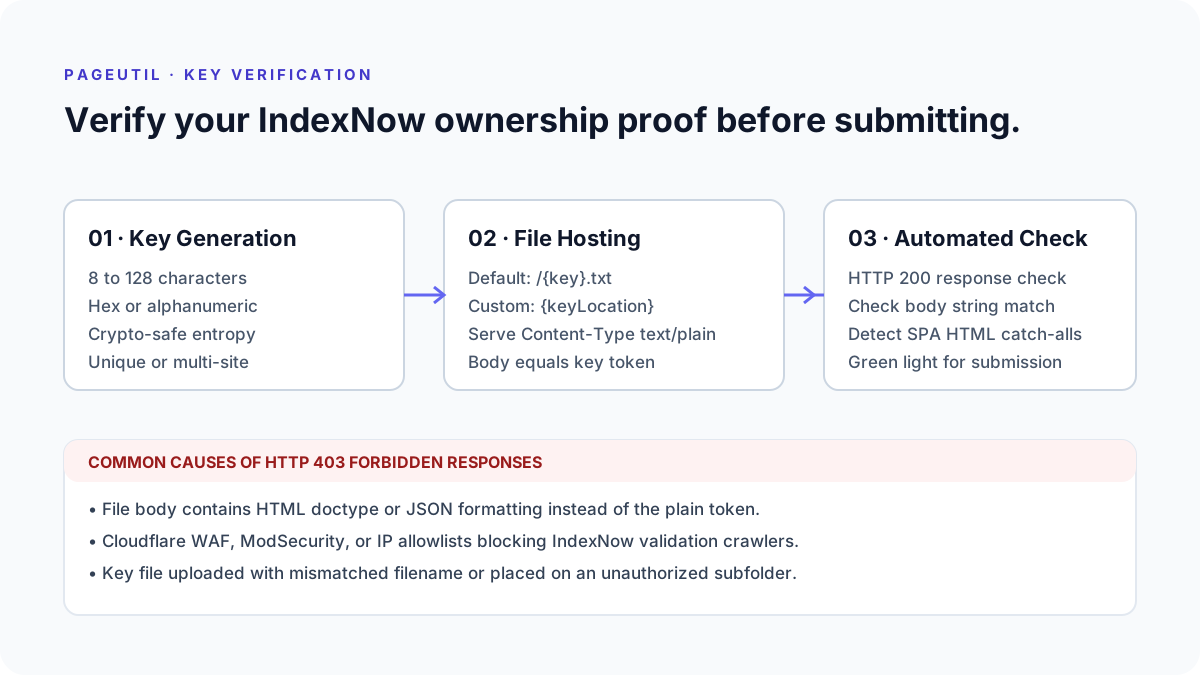
Open IndexNow Submitter and enter your target website host name and your existing or newly generated key token. IndexNow keys must be between 8 and 128 alphanumeric characters (hexadecimal or alphanumeric strings).
If your key file is published at your site root, leave Custom Key Location empty. The standard URL follows the structure https://example.com/{key}.txt. If you placed the key in an alternate subfolder, enter the full path in Custom Key Location (for example, https://example.com/assets/api-keys/{key}.txt).
Select Pre-Check Key File to run an automated remote inspection before dispatching URL batches.
How to read the result
A successful verification displays a green indicator confirming HTTP 200 OK and an exact string match between your input key and the file body.
If the check returns HTTP 404, verify file naming and server routing. Single-page applications (SPAs) often redirect missing files to index.html with HTTP 200, returning HTML markup instead of plain text. The tool checks the actual body content and flags HTML doctypes or mismatched characters immediately.
If fetching the key file returns HTTP 403, inspect the actual server response and access policy. A WAF, origin access rule or authentication layer may refuse this request. That fetch result is separate from an IndexNow API response. Ensure your web server allows public GET requests to text files without authentication or cookie headers.
What to open next
Once your key verification is green, proceed with submitting your pages in IndexNow Submitter or review automated extraction in How to Submit a Sitemap to IndexNow.
If your server returns unexpected redirects or rewrite loops during verification, trace the exact location response in Redirect Checker.
Stop when
Stop when the key pre-check reports HTTP 200 and confirms that the body content matches your key string character-for-character.
Do not submit URLs while the key pre-check is failing; record the pre-check failure and correct it first. The API has distinct response reasons, including 202 while key validation is pending, 403 for an invalid key and 422 for URL/host or protocol validation problems.
References
Related tools
Frequently asked questions
Can I use the same IndexNow key across multiple websites?
Yes. You can use one IndexNow key across multiple sites, provided that each website hosts a copy of the corresponding key text file at its root or declared key location.
What characters are allowed in an IndexNow key?
Keys must contain between 8 and 128 characters using lowercase or uppercase hexadecimal or alphanumeric characters and hyphens.
Why does my verification file return an HTML document?
Frameworks with catch-all routing often return the homepage HTML for missing static files. Ensure your server serves the raw text file directly.