What to run
Use Is This Website Down and HTTP Status Codes. The down check is from Cloudflare. HTTP Status Codes stays in the browser.
How to read the result
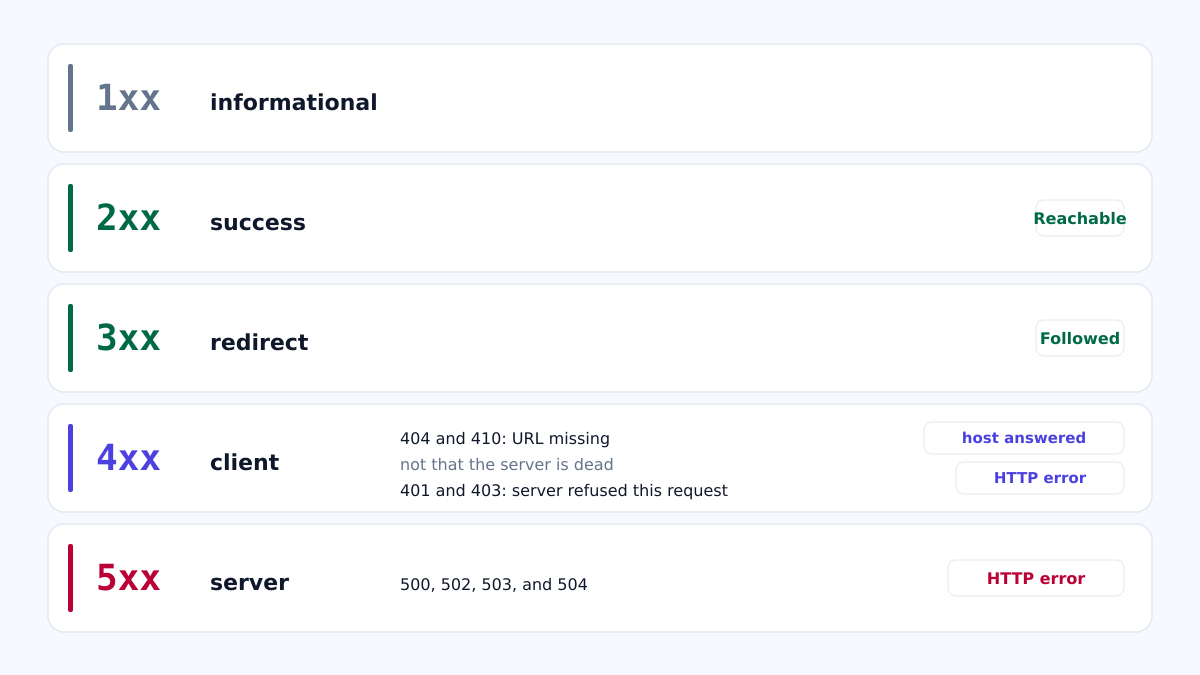
404 and 410 mean that URL is missing, not that the server is dead.
500, 502, 503, and 504 are server-side.
401 and 403 mean the server refused this request.
What to open next
Confirm the code on Is This Website Down, then read the class on HTTP Status Codes.
References
Related tools
Frequently asked questions
Does a 404 mean the server is dead?
No. 404 and 410 mean that URL is missing, not that the server is dead.
Which codes are server-side rather than a missing page?
500, 502, 503, and 504 are server-side. 2xx is Reachable, 4xx and 5xx are HTTP errors, and redirects are followed.
What do status 401 and 403 mean?
401 and 403 mean the server refused this request. Confirm the code on Is This Website Down, then read the class on HTTP Status Codes.