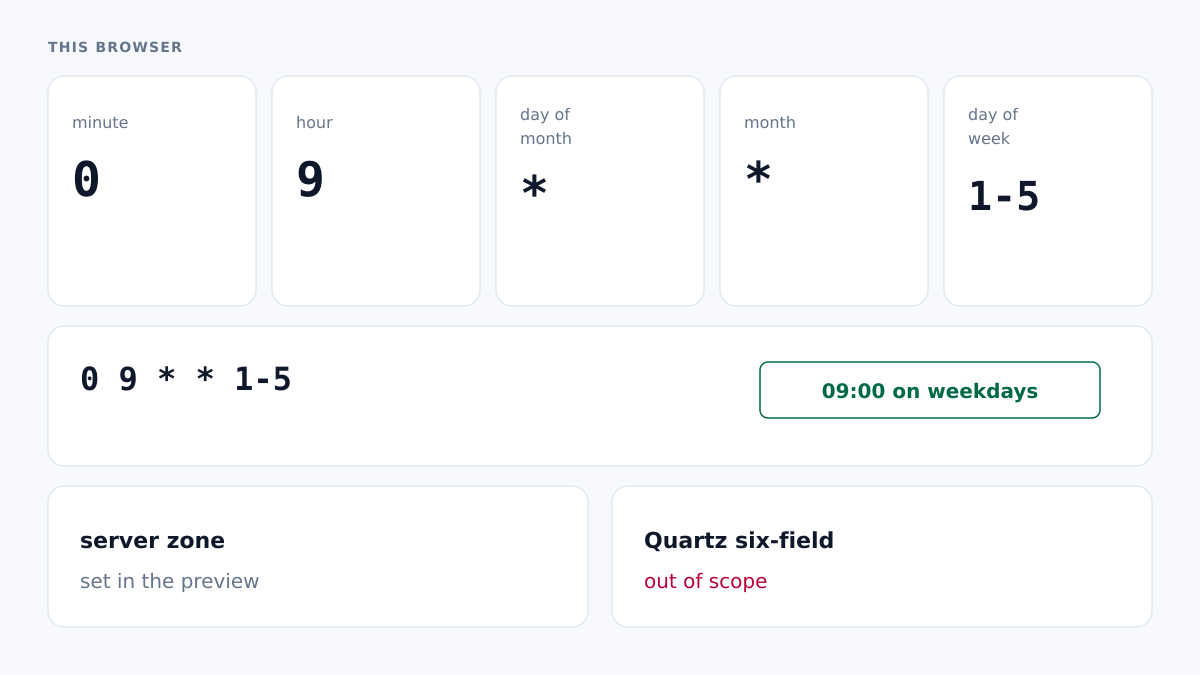
What to run
Open Cron Parser, Time Zone Converter, and Epoch Now. All three stay in the browser.
How to read the result
English schedule first.
Convert the clock time to the reader's zone.
Epoch Now displays this device’s clock; it does not verify clock accuracy. Use Cron Parser’s upcoming-run preview with the intended schedule timezone.
What to open next
Record the preview’s expression, selected timezone and upcoming UTC instants. Confirm that the actual scheduler uses the same dialect and timezone; a preview is not execution evidence.
References
Related tools
Frequently asked questions
Does Cron Parser know the server's time zone?
No. The copied five-field expression does not contain a timezone. Select the intended timezone in the preview, then configure the actual scheduler separately. Cron Parser, Time Zone Converter, and Epoch Now all stay in the browser.
Does Epoch Now compute the next fire time?
No. Epoch Now displays this device’s clock; it does not verify clock accuracy. Use Cron Parser’s upcoming-run preview with the intended schedule timezone.
Is a Quartz six-field expression in scope?
No. A Quartz six-field expression is out of scope. The five fields are the schedule in the server's zone.