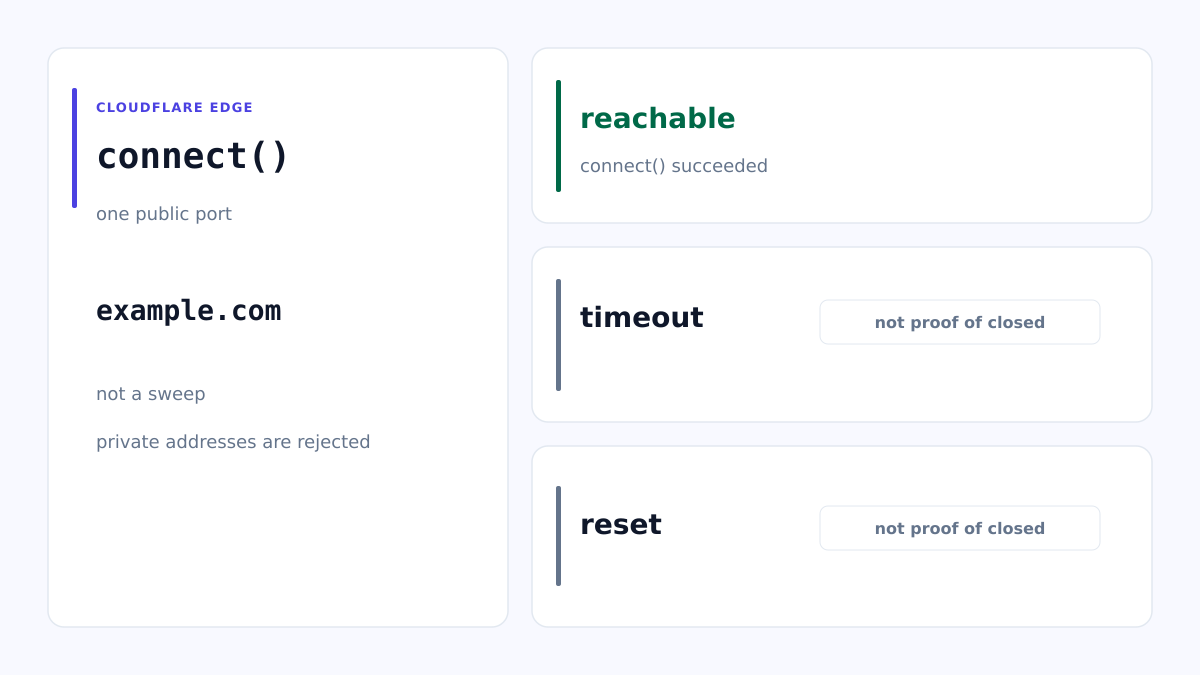
What to run
Use Port Check. The result is from Cloudflare.
How to read the result
Timeout means no completed handshake from Cloudflare in time.
Closed, filtered, and blackholed look the same.
Do not write "closed" unless you got an active refusal and the page says so.
What to open next
Open DNS Lookup to confirm the host resolves to a public address before you retry. DNS Lookup is DNS-over-HTTPS from the browser and does not follow CNAMEs.
References
Related tools
Frequently asked questions
Does a port check timeout mean the port is closed?
No. A timeout is no completed handshake from Cloudflare, and it is not proof the port is closed.
Do closed, filtered, and blackholed look the same?
A timeout alone cannot distinguish filtering, a dropped route or an unreachable service. An active connection refusal is different evidence when the tool can expose it. Do not write "closed" unless you got an active refusal and the page says so.
Does DNS Lookup follow CNAMEs before a port retry?
No. DNS Lookup is DNS-over-HTTPS from the browser and does not follow CNAMEs. Use it to confirm the host resolves to a public address before you retry.