What to run
Open MIME Type Lookup. It stays in the browser.
How to read the result
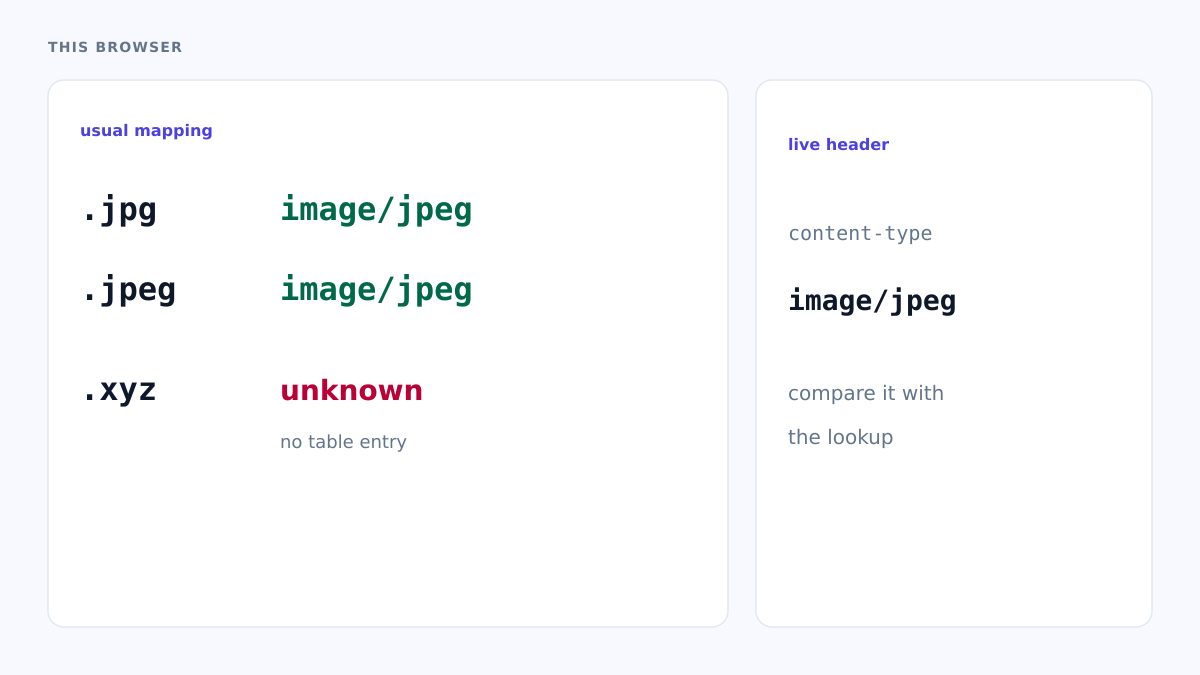
The type is the usual mapping for that extension.
Unknown means the table has no entry, not that the file is safe.
.jpg and .jpeg should both map to image/jpeg.
What to open next
Open HTTP Headers on a URL that serves the file, and compare content-type to the lookup. The header check runs from Cloudflare.
References
Related tools
Frequently asked questions
What does an unknown MIME type mean?
Unknown means the table has no entry, not that the file is safe. A MIME lookup is the usual type for an extension.
Do jpg and jpeg share one MIME type?
.jpg and .jpeg should both map to image/jpeg. The type is the usual mapping for that extension.
Does MIME Type Lookup stay in the browser?
MIME Type Lookup stays in the browser. The header check runs from Cloudflare.