What to run
Open Hash Generator. It stays in the browser.
How to read the result
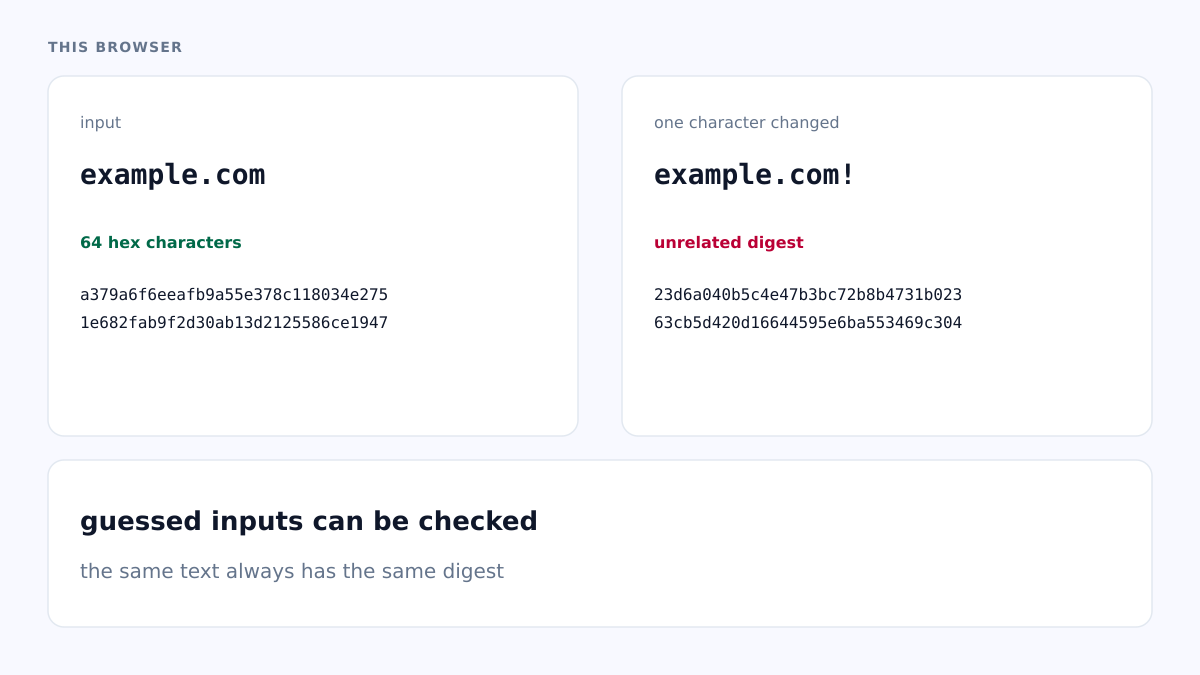
The hex digest is 64 characters.
The same input always gives the same digest.
A one-character change gives an unrelated digest.
SHA-256 has no decryption operation, but someone can hash guessed inputs and compare digests, especially for low-entropy values.
What to open next
Open Text Diff if the inputs should have matched and did not. It stays in the browser.
JWT Decoder does not use this page to verify a signature.
References
Related tools
Frequently asked questions
Can a SHA-256 digest be turned back into the text?
SHA-256 has no decryption operation, but someone can hash guessed inputs and compare digests, especially for low-entropy values. Do not treat a plain fast SHA-256 digest as password storage; use a suitable password-hashing scheme with salts and work factors.
How long is a SHA-256 hex digest?
The hex digest is 64 characters. The same text always has the same 64-character SHA-256 digest.
Does one character change the SHA-256 digest?
The same input always gives the same digest. A one-character change gives an unrelated digest.