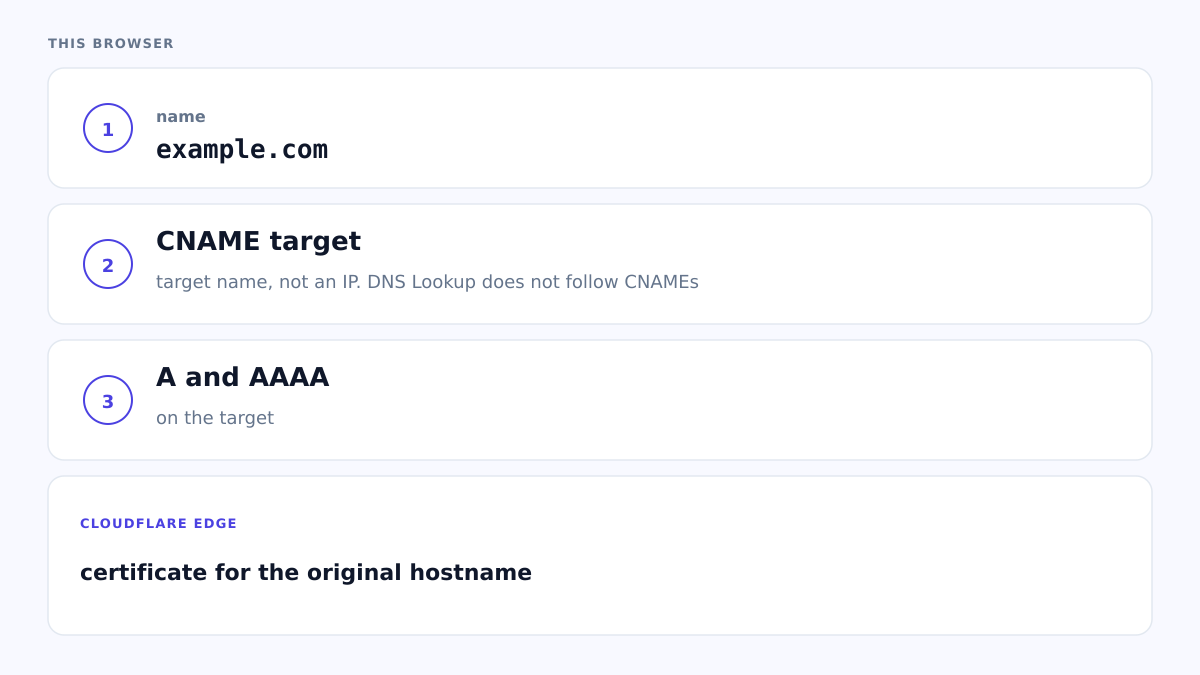
What to run
Use DNS Lookup. DNS Lookup is DNS-over-HTTPS from the browser and does not follow CNAMEs.
How to read the result
CNAME data is the target name, not an IP.
You still need A/AAAA on that target.
A CNAME normally cannot coexist with other ordinary data at the same owner name, apart from DNSSEC-related exceptions. A CNAME-only response to one query does not prove which other records exist; inspect the authoritative zone if needed.
What to open next
Use DNS Lookup for A and AAAA on the target.
Open SSL Expiry Checker on the original hostname, because the certificate is for the name, not the target. That result is from Cloudflare.
References
Related tools
Frequently asked questions
Does a CNAME record contain an IP address?
CNAME data is the target name, not an IP. The address is the A or AAAA on that target.
Does DNS Lookup follow CNAME records automatically?
DNS Lookup is DNS-over-HTTPS from the browser and does not follow CNAMEs. You still need A/AAAA on that target.
Which hostname is the certificate for after a CNAME?
The certificate is for the original name, not the target. Open SSL Expiry Checker on the original hostname. That result is from Cloudflare.