What to run
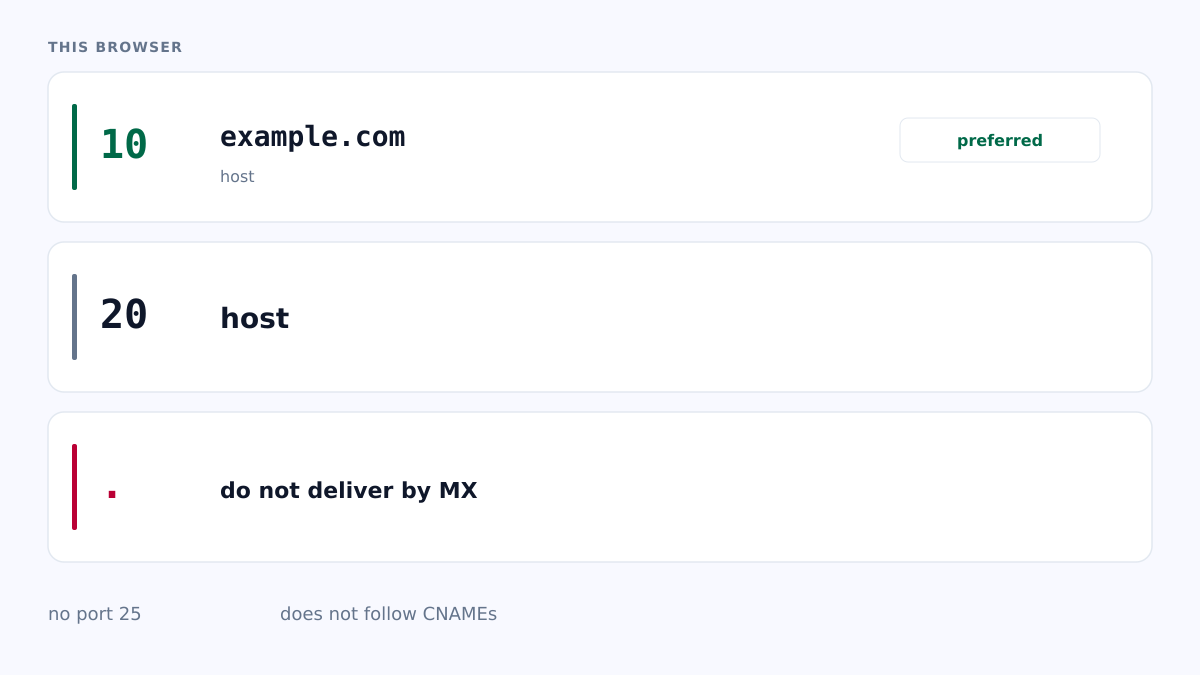
Use DNS Lookup. DNS Lookup is DNS-over-HTTPS from the browser and does not follow CNAMEs.
How to read the result
MX answers are priority plus host. Lower priority number is preferred.
A sole MX with preference 0 and target dot is null MX: the domain declares that it accepts no mail. No MX records is different; SMTP can use implicit-MX address fallback.
The page does not open port 25.
What to open next
Use DNS Lookup for A and AAAA on the MX host.
Email Validator only checks the address syntax, not the mailbox. That tool stays in the browser.
References
Related tools
Frequently asked questions
Which MX host is preferred for a domain?
MX answers are a priority and a host. A lower number is preferred.
What does an MX target of a dot mean?
A sole MX with preference 0 and target dot is null MX: the domain declares that it accepts no mail. No MX records is different; SMTP can use implicit-MX address fallback. Inspect the complete MX response before interpreting it as a null-MX declaration.
Does an MX lookup open port 25?
The page does not open port 25. DNS Lookup is DNS-over-HTTPS from the browser and does not follow CNAMEs.