What to run
Open URL Encoder. It stays in the browser.
How to read the result
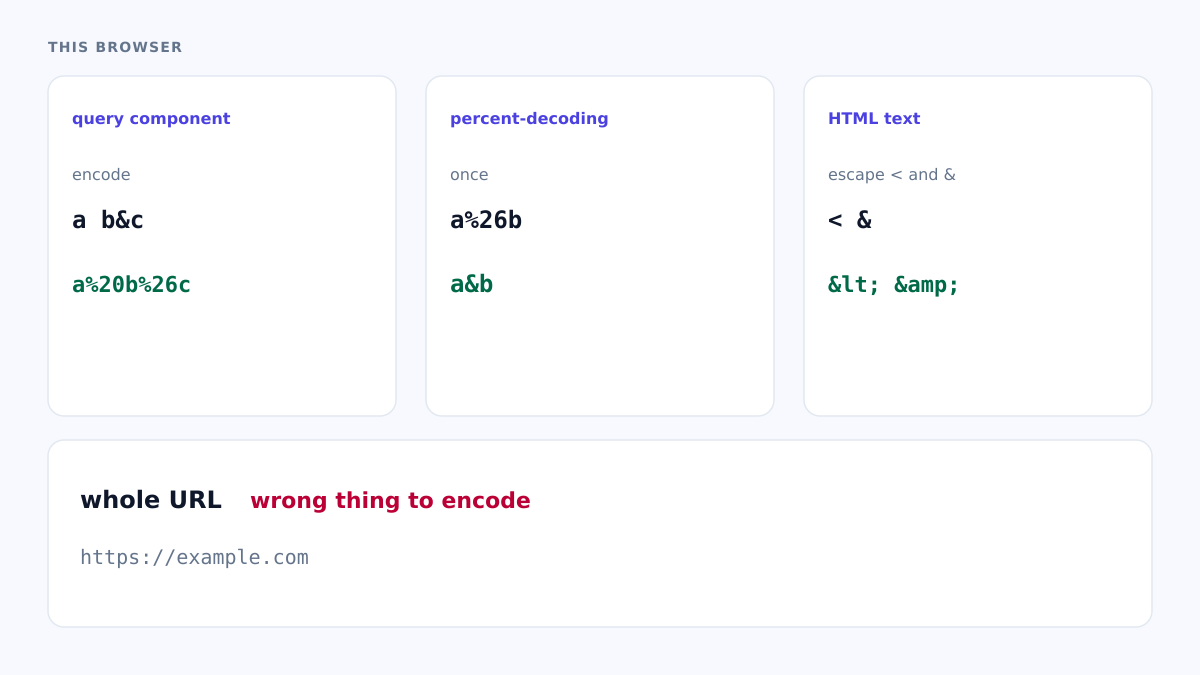
Decoding once is usually enough.
A remaining sequence such as %26 may be intentionally literal data or another encoding layer. Confirm the producer’s contract before decoding again.
Do not decode in a loop until it looks clean if the data itself had a percent.
What to open next
Open Base64 Encode and Decode if a parameter then looks like Base64. It stays in the browser.
Open Redirect Checker if the question is where the URL goes, not what it says. The check runs from Cloudflare.
References
Related tools
Frequently asked questions
How do I turn percent sequences in a URL into readable text?
Decode it on URL Encoder. It stays in the browser. Decoding once is usually enough.
Why does a decoded URL still contain percent sequences?
A remaining sequence such as %26 may be intentionally literal data or another encoding layer. Confirm the producer’s contract before decoding again. Do not decode in a loop until it looks clean if the data itself had a percent.
Is percent-decoding the same as escaping HTML?
Percent-decoding once is its own job, separate from encoding a component or escaping HTML. URL encoding, percent-decoding, and HTML escaping are different jobs.