What to run
Open CIDR Calculator. It stays in the browser.
How to read the result
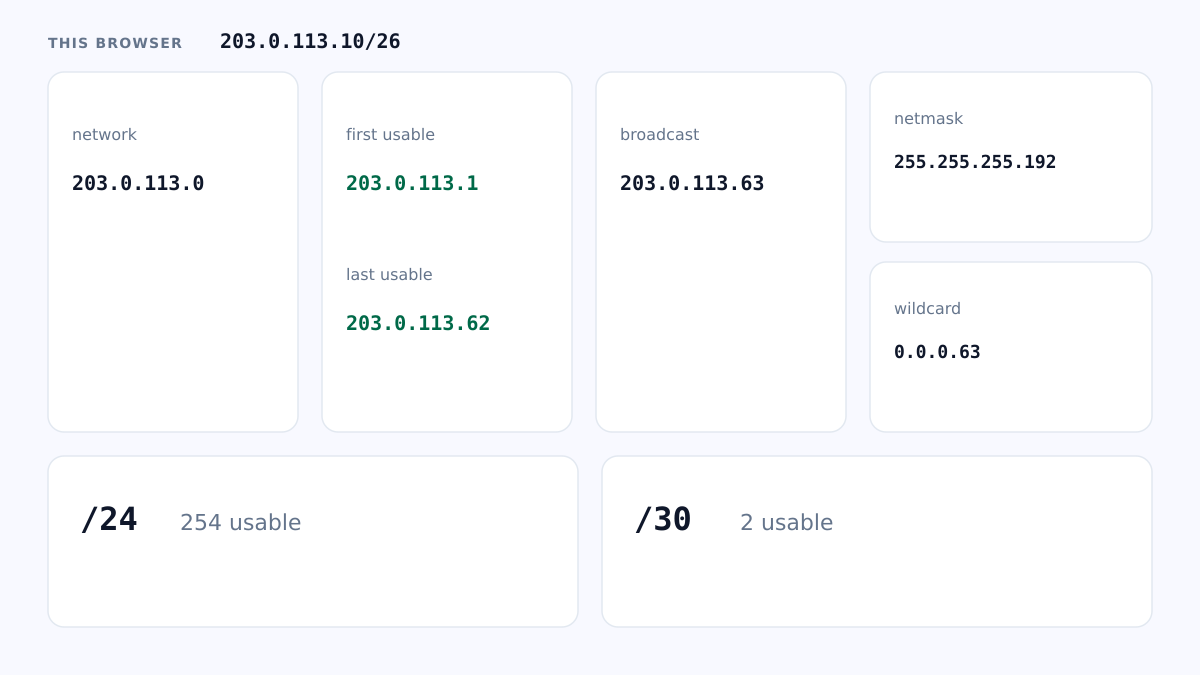
Network is the first address of the block. Broadcast is the last.
First and last usable sit inside, and usable count excludes those two on normal subnets.
Netmask is the dotted form of the prefix. Wildcard is the inverse mask some ACLs want.
The usual network/broadcast exclusion applies to ordinary multi-access IPv4 subnets. A /31 point-to-point link can use both addresses, and a /32 represents one address. Verify the intended network design instead of applying the two-address subtraction universally.
What to open next
Open What Is My IP if you are checking whether your address sits in a range you were given. That result is from Cloudflare.
Compare by hand. The calculator does not test membership of a second IP unless you re-enter that IP with the prefix.
References
Related tools
Frequently asked questions
What are the network and broadcast in a CIDR block?
Network is the first address of the block. Broadcast is the last. A CIDR block has a network, a broadcast, and usable addresses inside those two.
Does the usable count include network and broadcast?
First and last usable sit inside, and usable count excludes those two on normal subnets.
Can CIDR Calculator test a second IP in the block?
The calculator does not test membership of a second IP unless you re-enter that IP with the prefix. Compare by hand.