Use a synthetic payload with known UTC times
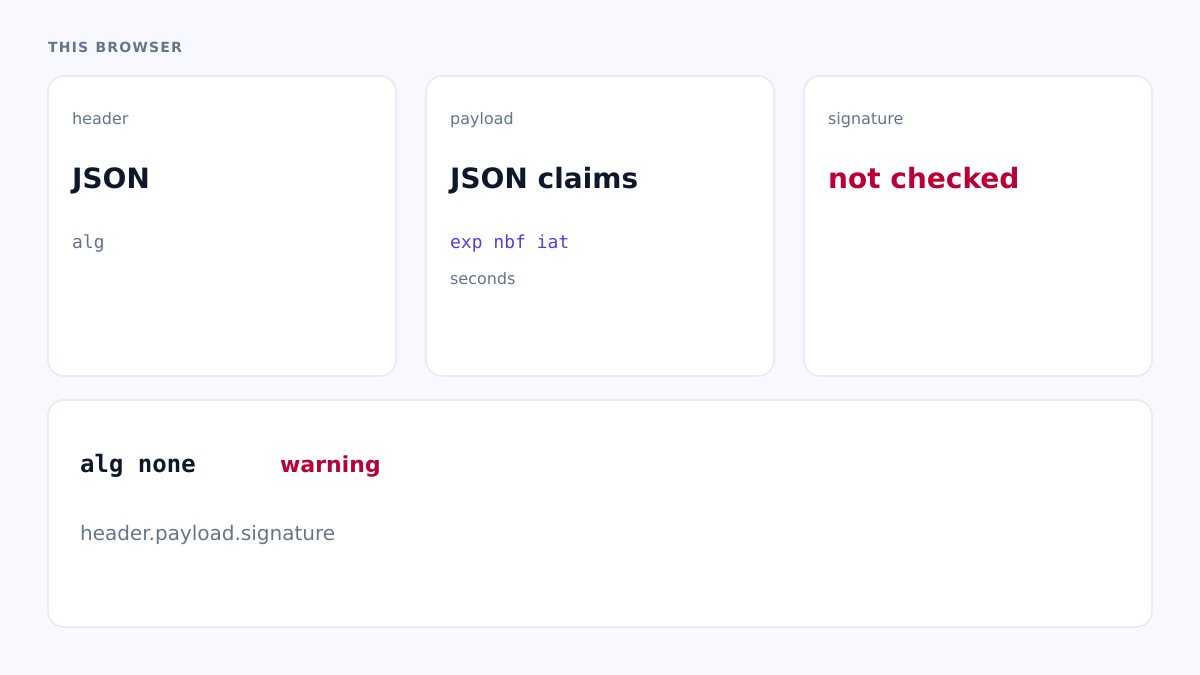
This payload describes a token issued at 00:00 UTC on 1 January 2026, not valid before that instant, and expiring an hour later. It contains no real user identity and is not a complete signed token.
Paste the numbers into the timestamp converter with seconds selected. Multiplying by 1000 is necessary when passing a NumericDate directly to JavaScript Date. Applying the milliseconds interpretation to 1767229200 instead lands near January 1970.
{
  "sub":"example-user",
  "iat":1767225600,
  "nbf":1767225600,
  "exp":1767229200
}

new Date(1767229200 * 1000).toISOString();
// 2026-01-01T01:00:00.000Z
Give each claim its own meaning
exp is the expiration boundary. nbf is the earliest permitted processing time. iat records when the token was issued; it is not a substitute expiry field. Claims can be optional at the JWT format level while your application profile requires them.
Compare Epoch Now with the claim to investigate a suspected timeout. Under the basic exp rule, current time must be before exp; equality is already at the expiry boundary. Servers may apply a documented clock tolerance.
| Claim / instant | UTC interpretation | Diagnostic meaning |
|---|---|---|
| iat = 1767225600 | 2026-01-01 00:00:00Z | Issued at |
| nbf = 1767225600 | 2026-01-01 00:00:00Z | Not before |
| exp = 1767229200 | 2026-01-01 01:00:00Z | Expiry boundary |
| now = 1767229260 | 2026-01-01 01:01:00Z | 60 seconds after the exp claim |
Do not treat readable claims as trusted evidence
Anyone can construct readable JSON and Base64URL segments. A token’s issuer, audience, permitted algorithm and signature must be verified by the receiving system before claims are trusted. A display saying “not expired” is not an authorization result.
If a server accepts a token after its exp time, inspect its effective validation settings and clock rather than changing the token. Also check whether the endpoint used a cookie session or another authentication scheme.
Record a small, safe diagnostic timeline
Use synthetic tokens in examples. Record the UTC request time, expected expiry, relevant package/version and a redacted authentication outcome. Avoid logging complete bearer tokens or posting production tokens in support tickets.
The browser’s current clock can be wrong. For a production issue, compare server time and validated authentication logs. PageUtil reads claims locally and cannot tell you which validation policy the API executed.
References
Use the linked specifications and product documentation to check behavior in your own environment.
Continue troubleshooting
- JWT expired but ASP.NET Core still accepts it
- Timestamp seconds vs milliseconds: worked examples
- How to tell that a decoded JWT was not verified
- How to Detect and Recover Lost Shopify Theme Customisations After an Update
- How to Fix Power Platform Deployment Settings and Connection Reference Errors
- How to Fix Power BI Theme JSON Import Errors
- How to Find and Fix JSON Syntax Errors
- How to Compare Two JSON Files with Semantic Diff
- How to Generate TypeScript Interfaces from JSON
- How to Convert Nested JSON to Tabular CSV
- How to Convert Between JSON and YAML
- JSON syntax vs schema validation: format and diagnose JSON
- Why large JSON numbers change in JavaScript
- Base64 vs Base64URL: why JWT decoding fails
Related tools
Frequently asked questions
Are JWT timestamp claims milliseconds?
No. JWT NumericDate values use seconds since the Unix epoch.
Does iat specify when the token expires?
No. It records issuance; exp is the separate expiration claim.
Can decoding prove the token is authentic?
No. Decoding reveals claims without verifying their signature or the receiving server’s policy.